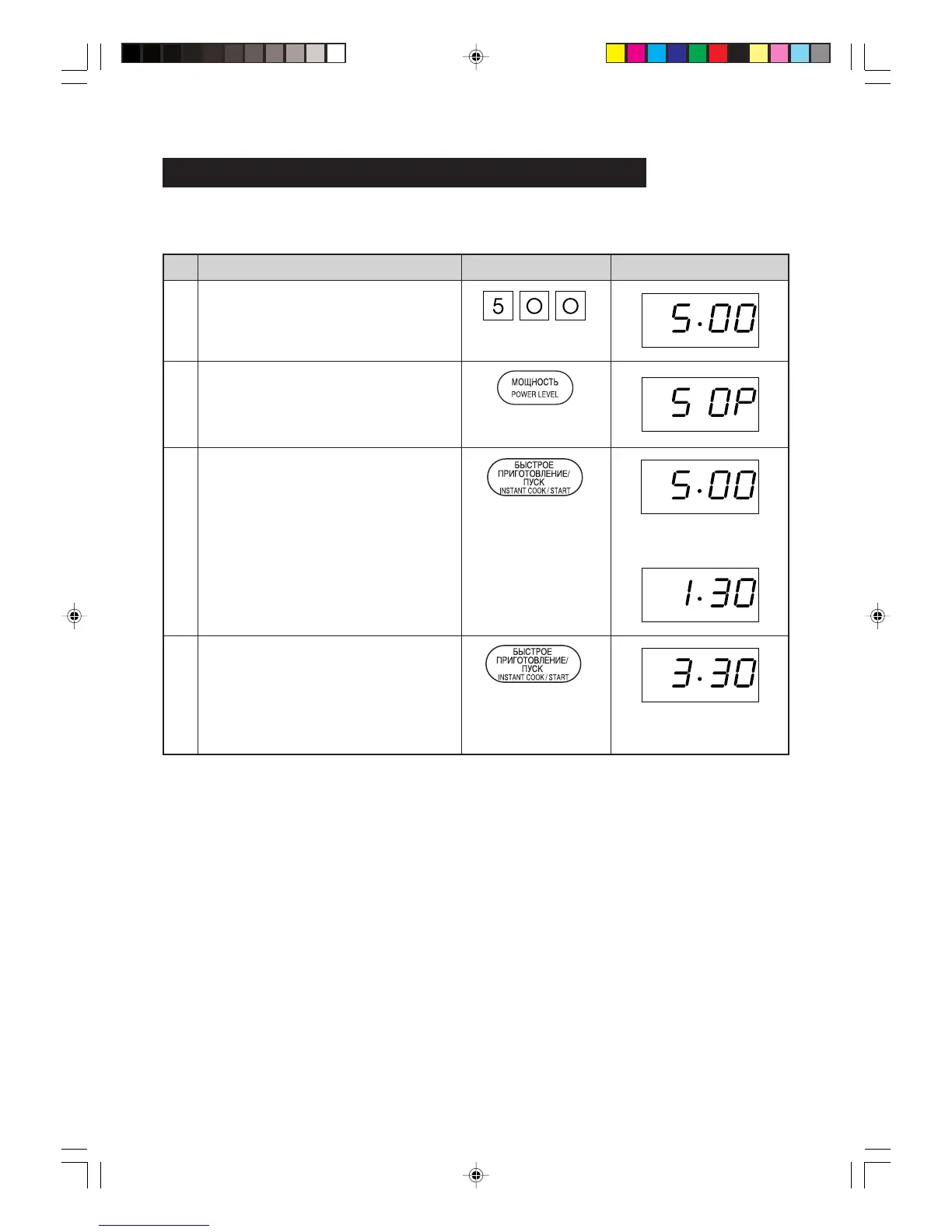
Cooking time can be added during a cooking programme using the INSTANT COOK/START pad.
* Suppose you want to increase the cooking time by 2 minutes during 5 minutes on MEDIUM power.
(at the moment the remaining cooking time is 1 min. 30 sec.)
Increasing Time During the Cooking Programme
Step
Enter desired cooking time.
2
1
Display
Pad Order
x 3
Procedure
Press the INSTANT COOK/START pad.
Select power level by pressing the
POWER LEVEL pad.
(for MEDIUM press three times)
x 2
Press the INSTANT COOK/START pad
twice to increase the cooking time by
two minutes.
4
3
The timer starts to count
down.
COOK
Russia R297F,En,P04-08 03.10.23, 3:29 PM8


 To Next Page