EasyManua.ls Logo

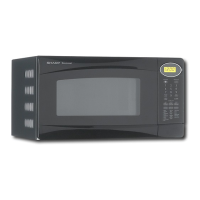
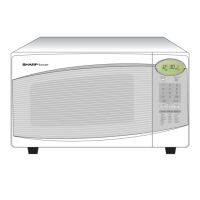
Sharp R-308DW - User Manual

Sharp R-308DW
20 pages
Print Icon
To Next Page IconTo Next Page
Loading...
®
®
READ ALL INSTRUCTIONS CAREFULLY BEFORE USING THE OVEN.
CONTENTS
Precautions to Avoid Possible
Exposure to Excessive Microwave
Energy................................ Inside Front Cover
For Customer Assistance... Inside Front Cover
Consumer Limited Warranty ................... 1
Product Information Card ........................ 1
Important Safety Instructions .................. 2
Unpacking and Installation Instructions... 3
Grounding Instructions ............................ 3
Information You Need to Know ............... 4-6
Part Names ............................................. 7-8
Before Operating..................................... 9
Manual Operation.................................... 9
Special Features ..................................... 10-12
Other Convenient Features..................... 13
Cleaning & Care...................................... 14
Service Call Check.................................. 15
THE ULTIMATE ACCESSORY............... 15
Specifications .......................................... 16
COOKBOOK ORDER FORM.................. 16
Guia Auto-Touch ...................
Parte Interior de la
Cubierta Trasera
Auto-Touch Guide ........................ Back Cover
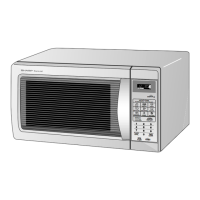
MICROWAVE OVEN
OPERATION MANUAL
MODELS
R-310D,R-308D
followed by letter indicating color
K=black, W=white


Other manuals for Sharp R-308DW

Questions and Answers

  • R
    Robert MillerAug 16, 2025
    What to do if Sharp R-308DW produces little to no heat?
    • N
      Nicholas SmithAug 16, 2025
      If your Sharp Microwave Oven appears to be running but isn't heating food properly, you should check the power transformer and magnetron.
  • K
    Kimberly SuttonAug 19, 2025
    Why is my Sharp R-308DW Microwave Oven heating unevenly?
    • M
      Mr. Brian Phelps DVMAug 19, 2025
      If your Sharp Microwave Oven is cooking but producing extremely uneven heating, inspect the high voltage capacitor and the thermal cut-out.
  • J
    Jason HooverAug 22, 2025
    Why is my Sharp R-308DW Microwave Oven not defrosting food well?
    • F
      Frances HinesAug 22, 2025
      If your Sharp Microwave Oven enters COMPU DEFROST mode but the food isn't defrosting properly, check the magnetron and monitor circuits.
  • S
    Sarah BoyleAug 25, 2025
    Why does my Sharp R-308DW Microwave Oven blow a fuse when plugged in?
    • J
      Jennifer ByrdAug 26, 2025
      If the home fuse or circuit breaker blows when you plug in your Sharp Microwave Oven, check the wiring connections and the power source.
  • N
    Nancy AllenAug 28, 2025
    What to do if Sharp R-308DW doesn't start when pressing start?
    • J
      Jimmy GarciaAug 29, 2025
      If your Sharp Microwave Oven does not start cooking when you press the START button, check the touch control panel.
  • A
    Amanda BoyerAug 31, 2025
    How to fix Sharp Microwave Oven light not working?
    • M
      Michelle RangelAug 31, 2025
      If the oven lamp in your Sharp Microwave Oven does not turn on when you open the door, check the oven lamp or its socket.
  • G
    gbarronSep 3, 2025
    Why won't the Sharp Microwave Oven light turn off?
    • I
      Isaac RamirezSep 3, 2025
      If the oven lamp in your Sharp Microwave Oven stays on even when the door is closed, check the door sensing switch.
  • E
    Elizabeth HallSep 6, 2025
    What to check if my Sharp R-308DW doesn't cook properly in P-5 mode?
    • P
      Paula RiveraSep 6, 2025
      If your Sharp Microwave Oven isn't cooking correctly when set to Cooking Power P-5 mode, check the thermal cut-out and the touch control panel.
  • S
    Steven KruegerSep 9, 2025
    What causes the monitor fuse to blow in my Sharp R-308DW Microwave Oven?
    • P
      Patricia GreenSep 9, 2025
      If the monitor fuse in your Sharp Microwave Oven blows when you plug it in, check the monitor switch, relay (RY1) primary interlock relay (RY2), door sensing switch and secondary interlock switch before replacing the monitor fuse.
  • H
    Heather AndersonSep 12, 2025
    What to do if Sharp R-308DW Microwave Oven display malfunctions when pressing STOP/CLEAR?
    • R
      Richard RussellSep 12, 2025
      If the display on your Sharp Microwave Oven isn't working right when you press the STOP/CLEAR key, replace the monitor fuse.

Sharp R-308DW Specifications

General IconGeneral
TypeMicrowave Oven
Capacity1.1 cu. ft.
ColorWhite
TurntableYes
Cooking Levels10
Voltage120V
Frequency60Hz
Control TypeTouch Control

Related product manuals