22
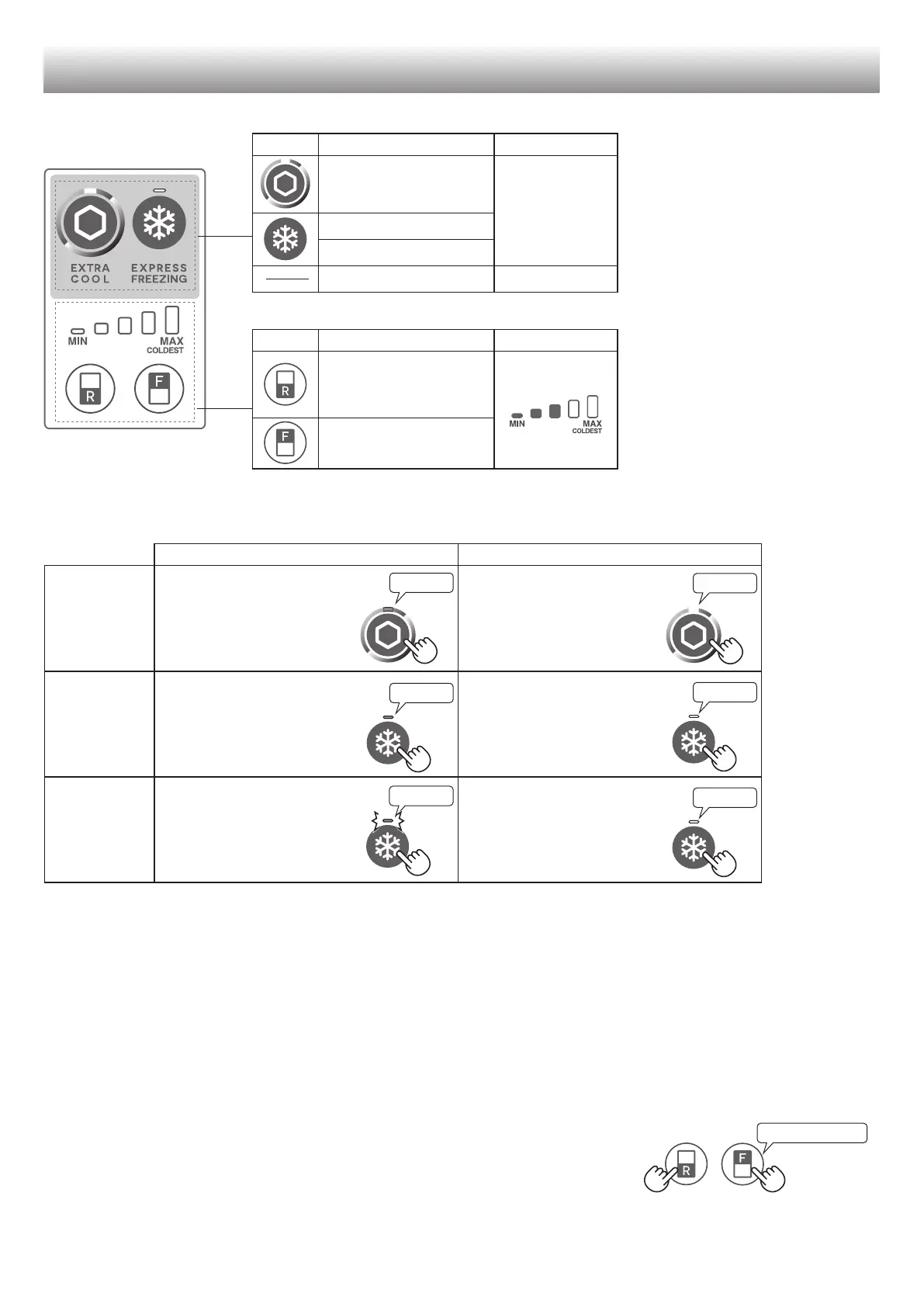
Control panel
Extra cool
OFF
Express freezing
Express cool
Plasmacluster ON *
Controlling
temperature
of Refrigerator
compartment
Controlling
temperature of
Freezer compartment
* The Plasmacluster operates
automatically when the refrigerator
is powered on.
There is no need to switch on/off.
Operations of useful modes
Press the mode button.
(Beep)
Press the mode button.
(Beep)
Press the mode button.
(Beep)
Press the mode button.
(Beep)
Press the mode button for
3 seconds or more.
(Beep, Beep, Beep)
Press the mode button.
(Beep)
Flashing
Door Alarm
• If you want to light up the
indicator, press “F” or “R” button.
(Except for “Plasmacluster”)
Lighting
Lighting
Turn off
• When the refrigerator door is left open for over 1 minute, door alarm sounds once, and again after 1 minute.
• If the door is left open for approx. 3 minutes, the alarm sounds continuously.
• The alarm stops after close the door.
If the door alarm does not stop after closing all doors, it is a defect.
Contact the SHARP service center for service.
• Press “R” button and “F” button simultaneously and continuously for 3 seconds or more.
• The door alarm sounds again after approximately 2 days.
Beep beep beep
(SJ-XE55PM, SJ-XE59PM
)
(B652).indb 22 2015/04/21 10:05:37



 To Next Page