14
n
Mounting the monitor on the wall
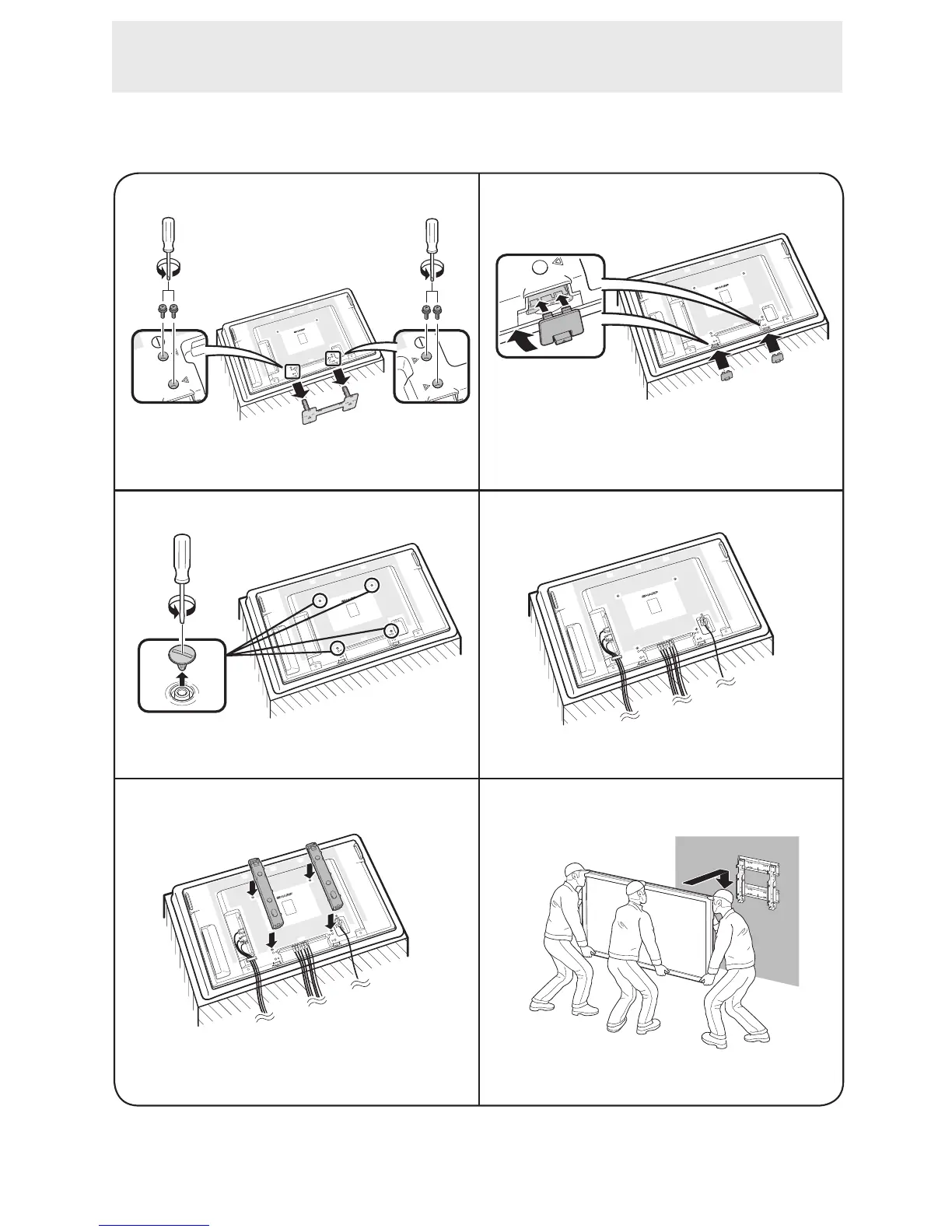
Attach the monitor to the wall-mount brackets according to the procedure below.
1 2
Use the protective cover to prevent dust from
entering the underside of monitor where the stand
has been detached.
3
6
Unfasten the 4 screws used to secure the stand in
place.
Connect and bind the power cord and terminal
cables.
Detach the 4 caps at the 4 locations on the rear of
the monitor.
Attach the wall-mount brackets (L/R).
5
4
Set the monitor on the wall.
How to Install the Monitor


 To Next Page