EasyManua.ls Logo

Sharp VC-A105B - Page 4

Sharp VC-A105B
71 pages
Print Icon
To Next Page IconTo Next Page
To Previous Page IconTo Previous Page
Loading...
Caution
BEFORE
OPERATING
YOUR
NEW
VCR,
PLEASE
CAREFULLY
READ
THIS
OPERATION
MANUAL
AND
THEN
SAVE
IT
FOR
FUTURE
REFERENCE
AS
IT
WILL
BE
USEFUL
IF
YOU
HAVE
ANY
PROBLEMS
OPERATING
YOUR
VCR
IN
THE
FUTURE.
Location
and
Handling
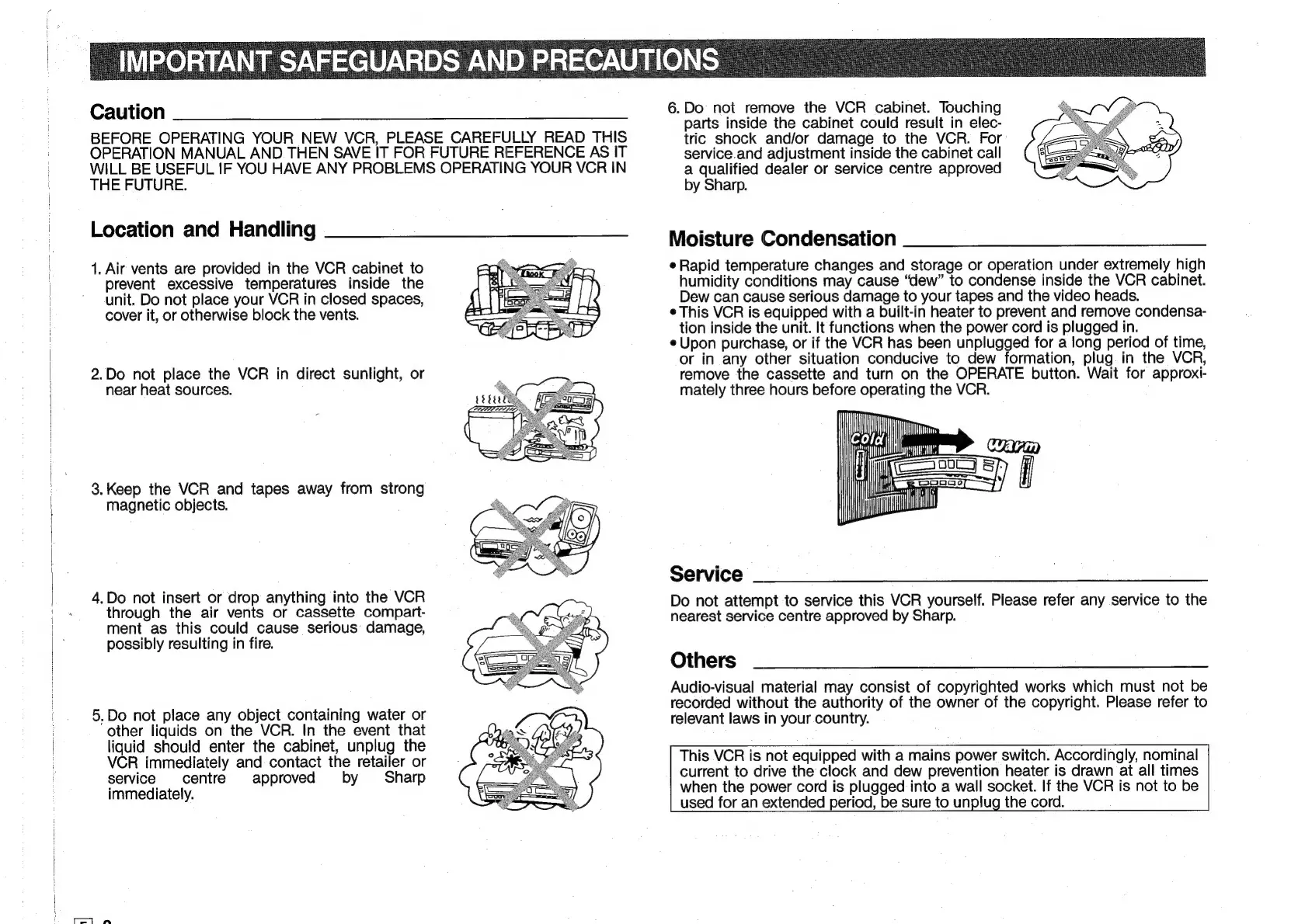
1.
Air
vents
are
provided
in
the
VCR
cabinet
to
prevent
excessive
temperatures
inside
the
unit.
Do
not
place
your
VCR
in
closed
spaces,
cover
it,
or
otherwise
block
the
vents.
2.Do
not
place
the
VCR
in
direct
sunlight,
or
near
heat
sources.
3.
Keep
the
VCR
and
tapes
away
from
strong
magnetic
objects.
4.Do
not
insert
or
drop
anything
into
the
VCR
through
the
air
vents
or
cassette
compart-
ment
as
this
could
cause
serious
damage,
possibly
resulting
in
fire.
5,Do
not
place
any
object
containing
water
or
other
liquids
on
the
VCR.
In
the
event
that
liquid
should
enter
the
cabinet,
unplug
the
VCR
immediately
and
contact
the
retailer
or
service
centre
approved
by
Sharp
immediately.
6.Do
not
rernove
the
VCR
cabinet.
Touching
parts
inside
the
cabinet
could
result
in
elec-
tric
shock
and/or
damage
to
the
VCR.
For:
service.and
adjustment
inside
the
cabinet
call
a
qualified
dealer
or
service
centre
approved
by
Sharp.
Moisture
Condensation
¢
Rapid
temperature
changes
and
storage
or
operation
under
extremely
high
humidity
conditions
may
cause
“dew”
to
condense
inside
the
VCR
cabinet.
Dew
can
cause
serious
damage
to
your
tapes
and
the
video
heads.
¢
This
VCR
is
equipped
with
a
built-in
heater
to
prevent
and
remove
condensa-
tion
inside
the
unit.
It
functions
when
the
power
cord
is
plugged
in.
¢
Upon
purchase,
or
if
the
VCR
has
been
unplugged
for
a
long
period
of
time,
or
in
any
other
situation
conducive
to
dew
formation,
plug.
in
the
VCR,
remove
the
cassette
and
turn
on
the
OPERATE
button.
Wait
for
approxi-
mately
three
hours
before
operating
the
VCR.
Ny
Wy
lil
Service
Do
not
attempt
to
service
this
VCR
yourself.
Please
refer
any
service
to
the
nearest
service
centre
approved
by
Sharp.
Others
Audio-visual
material
may
consist
of
copyrighted
works
which
must
not
be
recorded
without
the
authority
of
the
owner
of
the
copyright.
Please
refer
to
relevant
laws
in
your
country.
This
VCR
is
not
equipped
with
a
mains
power
switch.
Accordingly,
nominal
current
to
drive
the
clock
and
dew
prevention
heater
is
drawn
at
all
times
when
the
power
cord
is
plugged
into
a
wall
socket.
If
the
VCR
is
not
to
be
used
for
an
extended
period,
be
sure
to
unplug
the
cord.

Related product manuals