EasyManua.ls Logo

Sharp VC-A410U - User Manual

Sharp VC-A410U
38 pages
Print Icon
To Next Page IconTo Next Page
Loading...
1
Dimensions: 257 182 mm
FLE (M) Sdn. Bhd.VC-A410U/420U(E) (01-05)
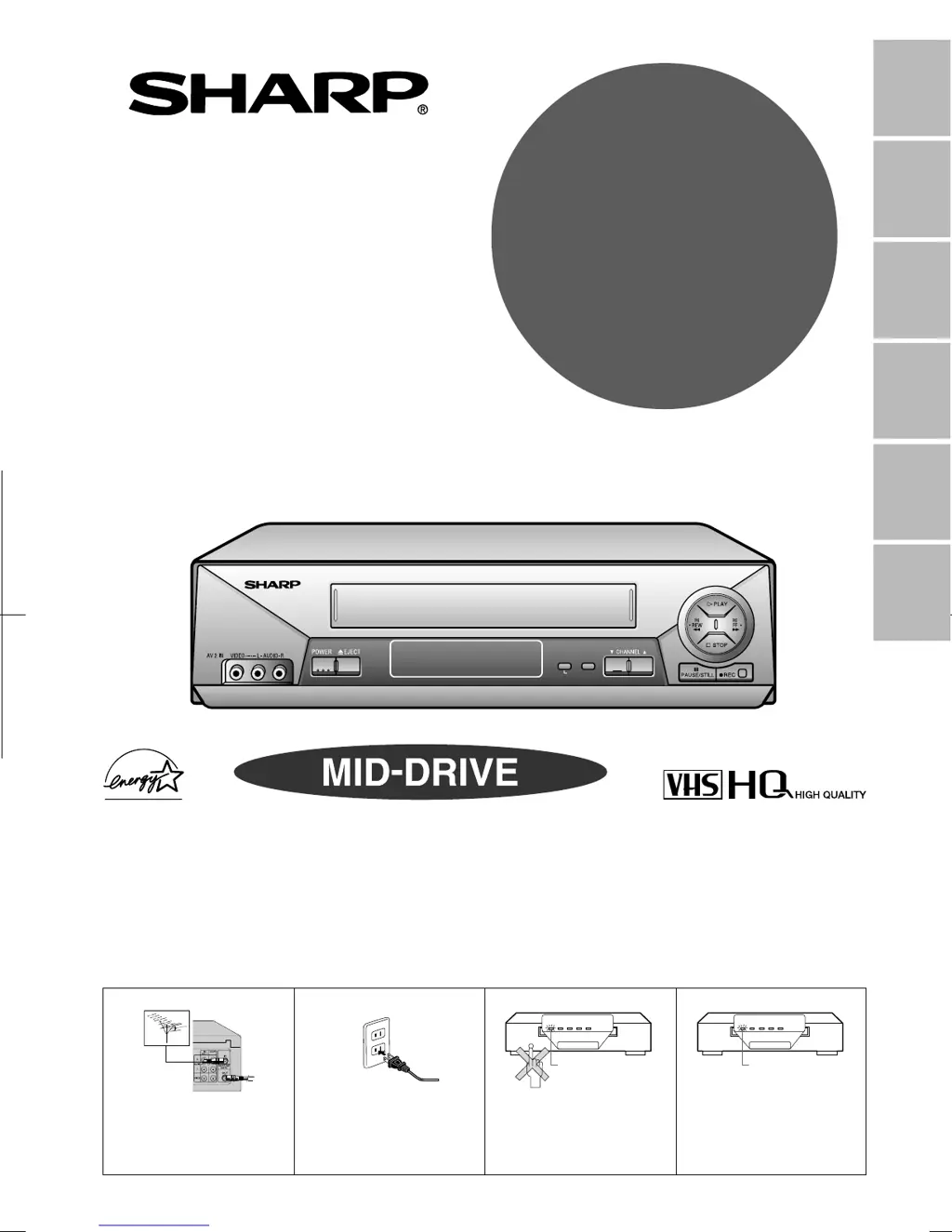
VIDEO CASSETTE RECORDER
OPERATION MANUAL
Please read this operation manual carefully
before using the VCR.
General
Information
Setting Up
Basic
Operations
Special
Functions
Helpful
Hints
Recording
MODEL
VC
-
A410U
VC
-
A411U
VC
-
A420U
VC-H810U
VC-H811U
VC-H820U
Detail: Please see page 15
[IMPORTANT]
EZ SET UP (AUTO CHANNEL/CLOCK SET UP)
! Connect Antenna/Cable
to VCR first.
@ Then, plug into AC
Power Outlet.
# Do not press the POWER
button until completion of
EZ SET UP.
$ EZ SET UP complete.
POWER VCR REC
REMOTE SENSOR
TAM PE R
PROOF
TIMER
Flash slowly
POWER VCR REC
REMOTE SENSOR
TAM PE R
PROOF
TIMER
Flashing
POWER VCR REC
REMOTE SENSOR
SET MENU
S.PICTURE
TAMPER
PROOF
TIMER
(VC-H820U)

Table of Contents

Other manuals for Sharp VC-A410U

Questions and Answers

  • M
    Ms. Emily BowersAug 19, 2025
    What to do if my Sharp VC-A410U does not record?
    • E
      elliottjamesAug 19, 2025
      If your Sharp VCR isn't recording, ensure a cassette is loaded. Also, check the cassette erasure protection tab; if it's removed, either use a different cassette or cover the tab opening with adhesive tape.
  • G
    garyrobbinsAug 21, 2025
    How to fix no power on my Sharp VC-A410U?
    • M
      Michael OdomAug 21, 2025
      If your Sharp VCR has no power, first ensure the power cord is securely plugged in. Then, check the outlet, fuse, or circuit breaker to confirm they are functioning correctly.
  • T
    Theresa GreenAug 25, 2025
    What to do if Sharp VCR does not operate?
    • L
      Lawrence LynchAug 25, 2025
      If your Sharp VCR is not operating, ensure the power is turned on. Try pressing the EJECT button multiple times. If it still doesn't work, the safety device might be activated; unplug the VCR, wait a few minutes, and then plug it back in.
  • M
    Michelle ChenAug 26, 2025
    Why is there no picture during playback on my Sharp VC-A410U?
    • N
      Natalie TaylorAug 26, 2025
      If no picture appears during playback on your Sharp VCR, ensure the TV is set to the same channel as the VCR’s 3 or 4 OUTPUT CHANNEL selector. Also, check all connecting cables to make sure they are properly connected.
  • C
    Casey FernandezAug 28, 2025
    Why is there no color or poor TV picture during normal viewing on my Sharp VC-A410U?
    • J
      Jessica Copeland MDAug 28, 2025
      If you experience no color or a poor TV picture during normal viewing with your Sharp VCR, first ensure that the “TV” option has been selected by pressing the TV/VCR button. Also, verify that all cables are connected properly.
  • A
    Ashley StanleyAug 30, 2025
    What to do if the Sharp VC-A410U VCR cassette cannot be loaded?
    • H
      hallrobertAug 30, 2025
      If a cassette cannot be loaded into your Sharp VCR, first ensure that there is no other cassette already inside. Then, make sure the cassette is properly positioned and reinsert it. Also, verify that the “TAMPER PROOF” mode is not engaged.
  • K
    Kayla SkinnerSep 1, 2025
    Why is there no tape movement in my Sharp VC-A410U VCR?
    • K
      Karen MooneySep 1, 2025
      If there is no tape movement in your Sharp VCR, ensure that the VCR is not in PAUSE/STILL mode. Also, check whether the tape has reached the end or the beginning.
  • T
    Taylor BrownSep 3, 2025
    Why does my Sharp VC-A410U VCR stereo TV puts out monaural sound only?
    • D
      darren66Sep 3, 2025
      If your stereo TV outputs only monaural sound when playing Hi-Fi stereo cassettes on your Sharp VCR, use RCA pin type connection cables (not the supplied coaxial cable) to connect the TV to the VCR, and set the TV to external video input mode. You might also try adjusting the tracking or using another Hi-Fi stereo cassette.
  • P
    Patricia SchneiderSep 5, 2025
    What to do if picture or sound is not stable during playback on Sharp VC-A410U VCR?
    • K
      Kathy WillisSep 6, 2025
      If the picture or sound is unstable during playback on your Sharp VCR, keep the VCR away from electrical and magnetic appliances. Position your VCR at least 8 inches away from your TV or video monitor.
  • D
    Dr. Megan JonesSep 7, 2025
    How to fix Sharp VC-A410U VCR not receiving CATV channels?
    • W
      walkeralyssaSep 7, 2025
      To fix your Sharp VCR not receiving CATV channels, use the CHANNEL PRESET screen to change from AIR mode to CATV.

Summary

General Information and Safety

Important Safeguards and Precautions

Crucial safety guidelines and precautions for operating the VCR, including installation and cleaning.

Outdoor Antenna Grounding and Power Lines

Safety procedures for grounding outdoor antennas and managing power lines to prevent hazards.

Service and Other Information

Guidance on seeking professional service and miscellaneous notes on VCR usage.

VCR Features Overview

Details on the VCR's capabilities and special functions, including common features.

Included Accessories

List of accessories that are included with the VCR purchase.

Major Components Identification

Identification of VCR's front and rear panels, including controls and connection terminals.

Remote Control Operation

Explanation of the remote control's functions and battery installation.

Setting Up Your VCR

Connecting the VCR

Step-by-step guide for connecting the VCR to a TV via RF or AV terminals.

Cable TV Connections

Instructions for connecting the VCR to a cable TV system for channel reception.

Menu Screen and OSD

Navigating the VCR's menu system and understanding On Screen Display indicators.

EZ Set Up and Clock Setting

Automatic setup for channels and clock, including manual and DST adjustments.

Setting Language and Channels

Procedures for selecting the menu language and scanning TV channels.

Mode Selection

Selecting various operating modes for basic VCR functions like auto repeat and blue screen.

Basic VCR Operations

Playback Procedures

Instructions for inserting cassettes, starting playback, and basic tape navigation.

Advanced Playback Functions

Using video search, slow motion, still picture, and tracking adjustments.

Noise Elimination and Auto Features

Using blue screen noise elimination, quick start, and full automatic playback.

Audio Output Modes

Selecting audio output channels for Hi-Fi models during playback.

Recording Programs and Tapes

Recording TV Programs

Guide to recording TV programs from antenna, cable, or satellite, including monitoring other channels.

Tape Handling and Speed

Information on cassette erase protection and selecting recording speeds (SP/EP).

Hi-Fi Stereo and MTS Recording

Recording stereo sound and multi-channel TV sound broadcasts.

Tape Dubbing Connections

Instructions for connecting the VCR to dub tapes from other video devices.

Timer Recording Procedures

Setting simple and advanced timer recordings, and managing timer programs.

Special VCR Functions

Picture Enhancement and Repeat Playback

Using Sharp Super Picture for better quality and Recorded Section Auto Repeat.

Tape Navigation Features

Auto Zero Back for returning to start points, DPSS, Skip Search, and Instant Replay.

Tamper Proof Mode

Locking VCR modes to prevent accidental changes or unauthorized use.

Helpful Hints and Support

VCR Specifications

Technical details, dimensions, and power requirements of the VCR.

Troubleshooting Common Issues

Solutions for common VCR problems, no operation, no picture, and recording errors.

Service and Warranty Information

Contact details for authorized service centers and warranty terms and conditions.

Sharp VC-A410U Specifications

General IconGeneral
BrandSharp
ModelVC-A410U
CategoryVCR
LanguageEnglish

Related product manuals