EasyManua.ls Logo

Sharp VC-A560U - User Manual

Sharp VC-A560U
38 pages
Print Icon
To Next Page IconTo Next Page
Loading...
1
Dimensions: 257 182 mm
VC-A560U (01-05)
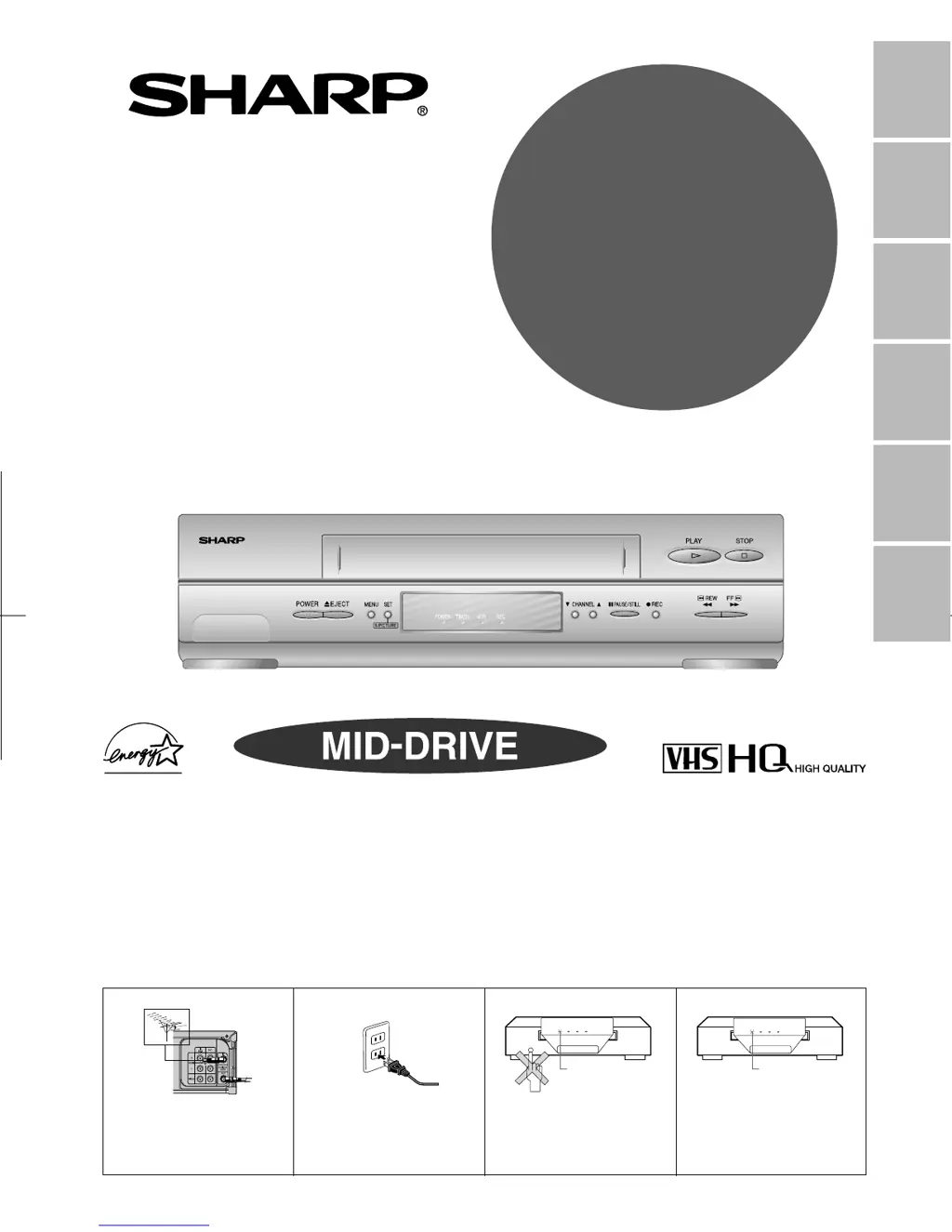
VIDEO CASSETTE RECORDER
OPERATION MANUAL
Please read this operation manual carefully
before using the VCR.
General
Information
Setting Up
Basic
Operations
Special
Functions
Helpful
Hints
Recording
[IMPORTANT]
EZ SET UP (AUTO CHANNEL /CLOCK SET UP)
! Connect Antenna/Cable
to VCR first.
@ Then, plug into AC
Power Outlet.
# Do not press the POWER
button until completion of
EZ SET UP.
$ EZ SET UP complete.
POWER VCR RECTIMER
Flash slowly
Detail: Please see page 16
POWER VCR RECTIMER
Flashing
(VC-H960U)
MODEL
VC
-
A560U
VC
-
H960U
VC
-
H961U

Table of Contents

Questions and Answers

  • G
    gregg48Aug 19, 2025
    What to do if my Sharp VCR does not record?
    • D
      David WareAug 19, 2025
      If your Sharp VCR isn't recording, first ensure that the cassette erasure protection tab isn't removed. If it is, use a different cassette or place adhesive tape over the tab opening. Also, check that a cassette is loaded in the unit.
  • C
    Charles HutchinsonAug 21, 2025
    How to fix no picture during playback on Sharp VC-A560U?
    • H
      Haley BurnsAug 21, 2025
      If no picture appears during playback on your Sharp VCR, ensure the TV is set to the same channel as the VCR’s 3 or 4 Output Channel. Also, check all connecting cables.
  • M
    Mrs. Lori MyersAug 25, 2025
    Why is there no power on my Sharp VC-A560U VCR?
    • J
      James OlsonAug 25, 2025
      If your Sharp VCR has no power, make sure the power cord is plugged in and check the outlet, fuse, or circuit breaker.
  • S
    Stephanie WallAug 26, 2025
    What to do if my Sharp VC-A560U does not operate?
    • C
      Courtney PerryAug 26, 2025
      If your Sharp VCR does not operate, first turn on the power. If that doesn't work, press EJECT several times. As a last resort, unplug the VCR and plug it in again after a few minutes.
  • C
    Courtney HumphreyAug 28, 2025
    How to resolve no colour or poor TV picture during normal viewing on Sharp VC-A560U?
    • S
      Stacy LopezAug 28, 2025
      If you experience no colour or a poor TV picture during normal viewing on your Sharp VCR, ensure that the “TV” has been selected by pressing TV/VCR. Also, make sure all cables are connected properly.
  • C
    conniemartinAug 30, 2025
    How to fix a Sharp VC-A560U when the cassette cannot be loaded?
    • D
      Dana FergusonAug 30, 2025
      If a cassette cannot be loaded into your Sharp VCR, ensure that there is no other cassette inside. Also, make sure the cassette is properly positioned and reinsert it. Finally, ensure that the “TAMPER PROOF” mode is not engaged.
  • A
    Amy RobinsonSep 1, 2025
    What to do if there is no tape movement in Sharp VC-A560U?
    • J
      Jesse JosephSep 1, 2025
      If there is no tape movement in your Sharp VCR, ensure the VCR is not in PAUSE/STILL mode. Also, make sure the tape has not reached the end or beginning.
  • B
    Brianna CaldwellSep 3, 2025
    How to troubleshoot noise on the screen of Sharp VCR?
    • T
      taylor73Sep 3, 2025
      If noise appears on the screen of your Sharp VCR when the automatic tracking control system is operating, adjust the tracking manually by pressing CH ?/ƒ. Note that in some cases, with a worn or damaged tape, noise cannot be eliminated completely.
  • G
    grichSep 5, 2025
    Why does my Sharp VC-A560U not receive CATV channels?
    • M
      morganricardoSep 6, 2025
      To receive CATV channels on your Sharp VCR, use the CHANNEL PRESET screen to change from AIR mode to CATV.
  • R
    Renee AndersonSep 8, 2025
    How to resolve picture or sound instability during playback on Sharp VC-A560U?
    • A
      alice37Sep 8, 2025
      If the picture or sound is not stable during playback on your Sharp VCR, keep your VCR away from electrical and magnetic appliances. Be sure to position your VCR at least 8 inches away from your TV or video monitor.

Summary

General Information

Important Safeguards and Precautions

Essential safety instructions and precautions for operating the VCR.

Setting Up

Connecting the VCR

Instructions for connecting the VCR to a TV via RF or AV terminals.

Setting Output Channel

Configuring the VCR's output channel to match the TV's channel.

Cable TV Connections

Guidance for connecting the VCR to cable TV systems, with and without a cable box.

EZ Set Up and Auto Clock

Automatic setting of tuner channels and clock for initial VCR setup.

Basic Operations

Playback Basics

Instructions for inserting a cassette and playing back video tapes.

Recording

Recording TV Programmes

Step-by-step guide to recording TV programmes from antenna or cable.

Simple Recording Timer

Setting a simple timer to automatically record TV programmes.

Programmable Timer Recording

Detailed procedure for setting up timed recordings for TV programmes.

Helpful Hints

Troubleshooting

Solutions for common VCR operational problems and errors.

Sharp VC-A560U Specifications

General IconGeneral
Heads2
Remote ControlYes
TunerYes
Timer RecordingYes
On-Screen DisplayYes
Video FormatVHS
Recording SystemNTSC
Playback SpeedSP, LP
Audio SystemMono
ConnectionsAudio output, Composite video output, RF input, RF output

Related product manuals