EasyManua.ls Logo

Sharp VC-MH321HM - Page 13

Sharp VC-MH321HM
41 pages
Print Icon
To Next Page IconTo Next Page
To Previous Page IconTo Previous Page
Loading...
BASIC
OPERATION
HOW
TO
PLAYBACK
A
VIDEO
TAPE
FAST
FORWARDING/REWINDING
A
VIDEO
TAPE
1.Press
STOP
(™
)
to
stop
the
video
tape.
2.Press
FAST
FORWARD
(PP)/
REWIND
(<<)
on
the
remote
contro!
or
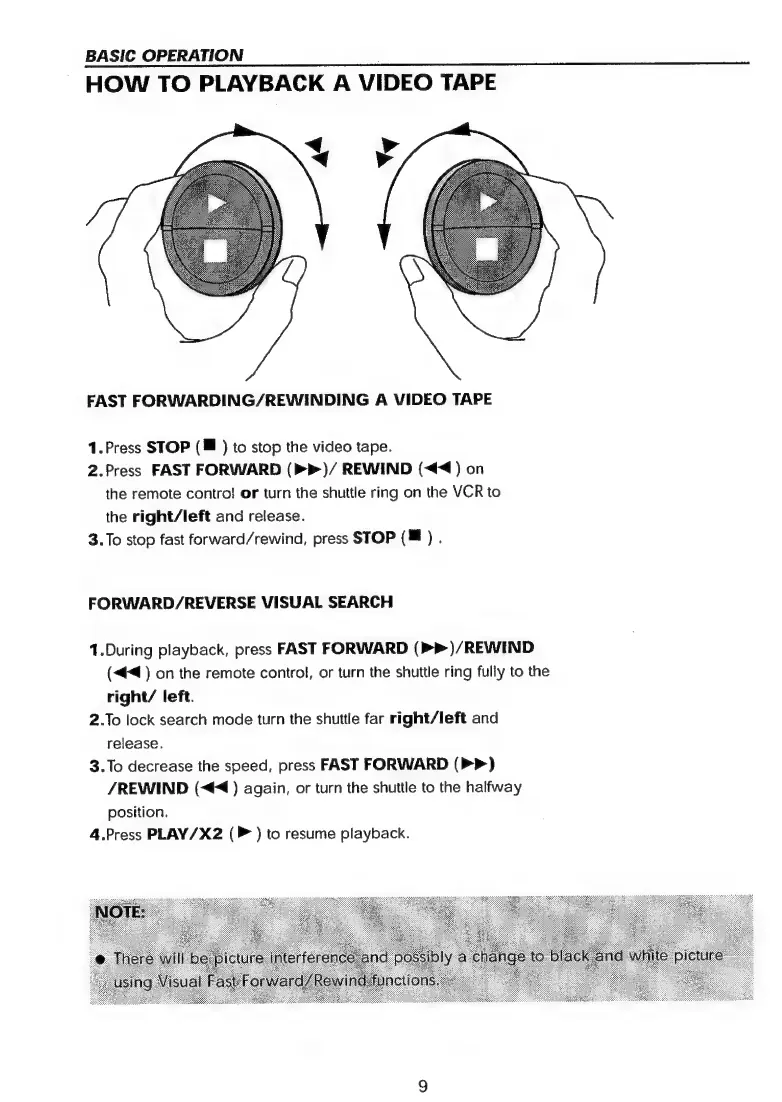
turn
the
shuttle
ring
on
the
VCR
to
the
right/left
and
release.
3.To
stop
fast
forward/rewind,
press
STOP
(Mf
)
.
FORWARD/REVERSE
VISUAL
SEARCH
1.During
playback,
press
FAST
FORWARD
(>P)/REWIND
(<4<4
)
on
the
remote
control,
or
turn
the
shuttle
ring
fully
to
the
right/
left.
2.To
lock
search
mode
turn
the
shuttle
far
right/left
and
release.
3.To
decrease
the
speed,
press
FAST
FORWARD
(>>)
/REWIND
(<4
)
again,
or
turn
the
shuttle
to
the
halfway
position,
4.Press
PLAY/X2
(P
)
to
resume
playback.

Related product manuals