EasyManua.ls Logo

Sharp VC-MH321HM - Page 16

Sharp VC-MH321HM
41 pages
Print Icon
To Next Page IconTo Next Page
To Previous Page IconTo Previous Page
Loading...
BASIC
OPERATION
HOW
TO
USE
VIDE
TO
MAKE
A
RECORDING
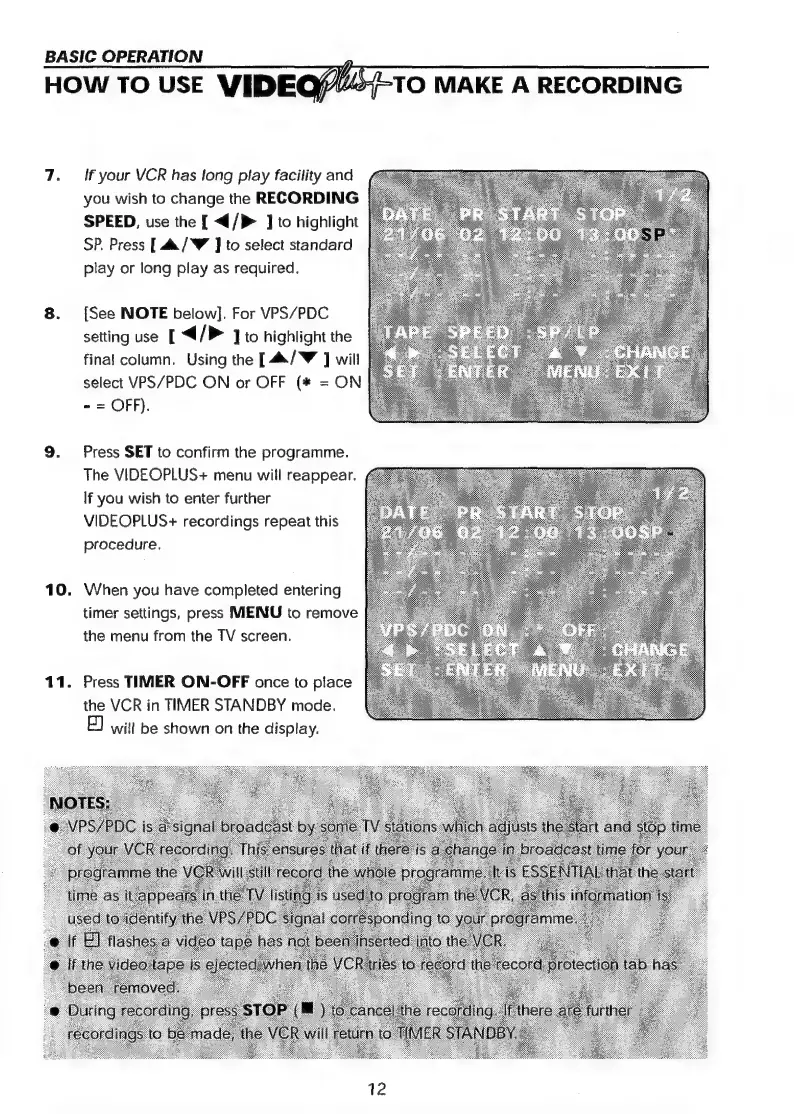
7.
[If
your
VCR
has
long
play
facility
and
you
wish
to
change
the
RECORDING
SPEED,
use
the
[
</>
]
to
highlight
SP.
Press
[.&/W
J]
to
select
standard
play
or
long
play
as
required.
8.
[See
NOTE
below].
For
VPS/PDC
setting
use
[
</>
]
to
highlight
the
final
column.
Using
the
[44/W
]
will
select
VPS/PDC
ON
or
OFF
(#
=
ON
~
=
OFF).
9.
Press
SET
to
confirm
the
programme.
The
VIDEOPLUS+
menu
will
reappear.
If
you
wish
to
enter
further
VIDEOPLUS+
recordings
repeat
this
procedure.
10.
When
you
have
completed
entering
timer
settings,
press
MENU
to
remove
the
menu
from
the
TV
screen.
11.
Press
TIMER
ON-OFF
once
to
place
the
VCR
in
TIMER
STANDBY
mode.
E)
wit!
be
shown
on
the
display.

Related product manuals