EasyManua.ls Logo

Sharp VC-MH321HM - Page 17

Sharp VC-MH321HM
41 pages
Print Icon
To Next Page IconTo Next Page
To Previous Page IconTo Previous Page
Loading...
BASIC
OPERATION
HOW
TO
SET
A
DELAYED
RECORDING
You
can
make
a
maximum
of
eight
delayed
recordings
up
to
a
year
in
advance.
The
example
shown
is
for
24-hour
clock
operation.
12-hour
clock
operation
can
be
selected
from
the
manual
clock
setting
menu.
12-hour
clock
am/pm
can
be
selected
using
the
AM/PM
(/-)
button
on
the
remote
control.
»
A
appears
on
the
VCR
display,
press
TIMER
ON/OFF
before
starting.
*
Check
that
the
clock
is
displaying
the
correct
time.
SETTING
A
RECORDING
For
example:
Recording
a
programme
on
channel
3
from
21:05
to
22:30
on
July
9th.
1.
Press
STOP
(@
)
to
switch
on
the
VCR.
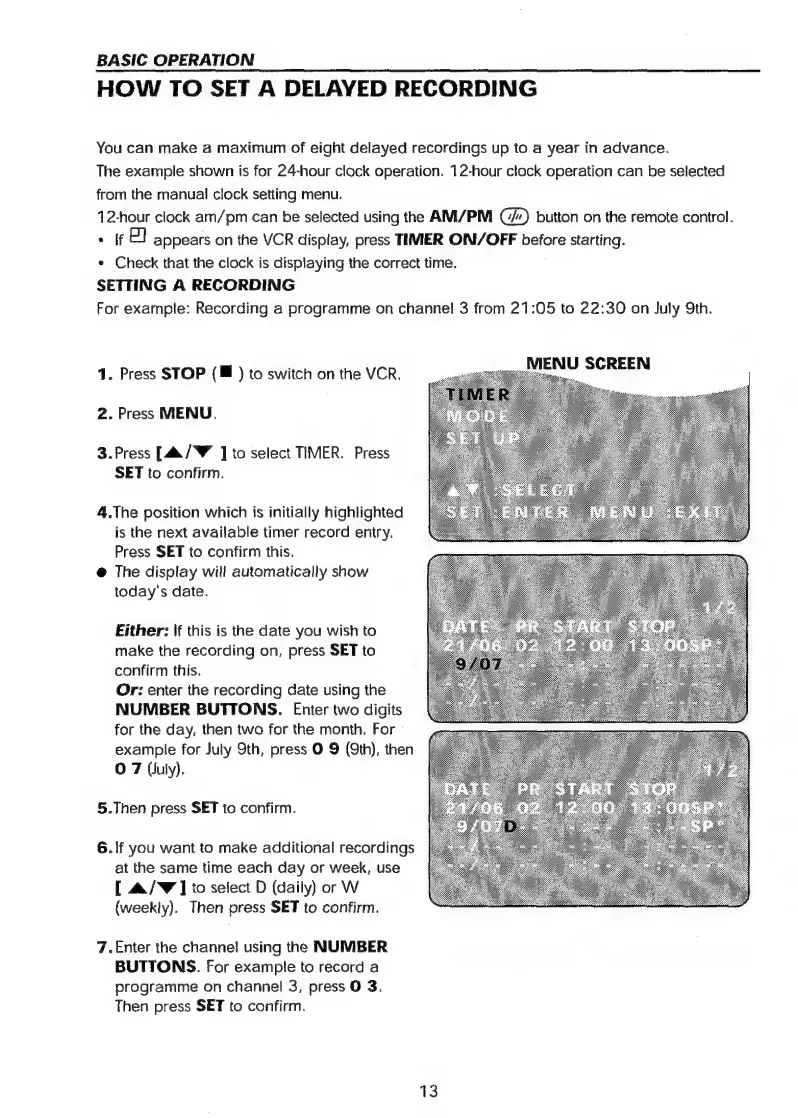
_MENU
SCREEN
2.
Press
MENU.
3.Press
[4./Y
]
to
select
TIMER.
Press
SET
to
confirm.
4.The
position
which
is
initially
highlighted
is
the
next
available
timer
record
entry.
Press
SET
to
confirm
this.
@
The
display
will
automatically
show
today's
date.
Either:
lf
this
is
the
date
you
wish
to
make
the
recording
on,
press
SET
to
confirm
this.
Or:
enter
the
recording
date
using
the
NUMBER
BUTTONS.
Enter
two
digits
for
the
day,
then
two
for
the
month.
For
example
for
July
9th,
press
O
9
(9th),
then
O
7
(July).
5.Then
press
SET
to
confirm.
6.
If
you
want
to
make
additional
recordings
at
the
same
time
each
day
or
week,
use
[
&/W]
to
select
D
(daily)
or
W
(weekly).
Then
press
SET
to
confirm.
7.Enter
the
channel
using
the
NUMBER
BUTTONS.
For
example
to
record
a
programme
on
channel
3,
press
O
3.
Then
press
SET
to
confirm.
13

Related product manuals