EasyManua.ls Logo

Sharp VC-MH321HM - Page 19

Sharp VC-MH321HM
41 pages
Print Icon
To Next Page IconTo Next Page
To Previous Page IconTo Previous Page
Loading...
BASIC
OPERATION
HOW
TO
SET
A
DELAYED
RECORDING
CHECKING,
CHANGING
AND
CANCELLING
A
RECORDING
CHECKING
A
RECORDING
1.
If
in
TIMER
STANDBY
mode,
press
TIMER
ON/OFF
to
exit.
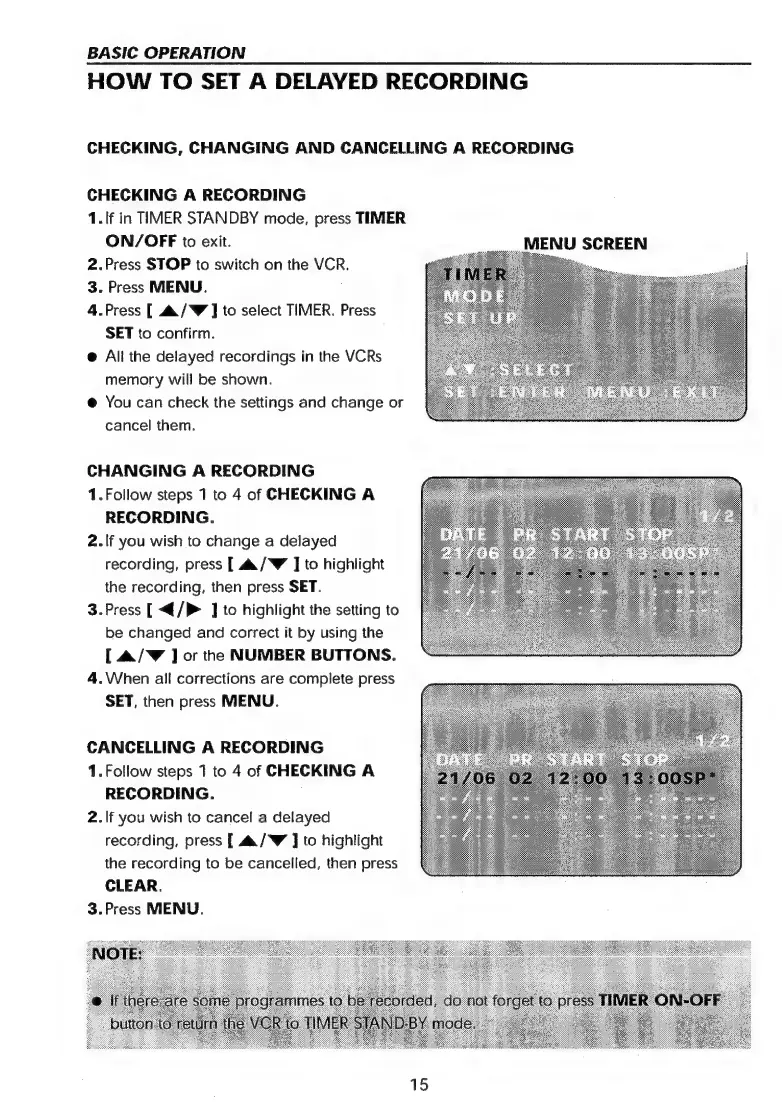
MENU
SCREEN
2.Press
STOP
to
switch
on
the
VCR.
3.
Press
MENU.
|
4.Press
[
4&/W
]
to
select
TIMER.
Press
SET
to
confirm.
@
All
the
delayed
recordings
in
the
VCRs
memory
will
be
shown.
@
You
can
check
the
settings
and
change
or
cancel
them.
CHANGING
A
RECORDING
1.Follow
steps
1
to
4
of
CHECKING
A
RECORDING.
2.If
you
wish
to
change
a
delayed
recording,
press
[
44/W
J
to
highlight
the
recording,
then
press
SET.
3.Press
[<{/P
]
to
highlight
the
setting
to
be
changed
and
correct
it
by
using
the
[
&/Y
]
or
the
NUMBER
BUTTONS.
4.When
all
corrections
are
complete
press
SET,
then
press
MENU.
CANCELLING
A
RECORDING
1.
Follow
steps
1
to
4
of
CHECKING
A
RECORDING.
.
2.If
you
wish
to
cancel
a
delayed
recording,
press
{
aa/‘W
]
to
highlight
the
recording
to
be
cancelled,
then
press
CLEAR.
3.Press
MENU.
15

Related product manuals