EasyManua.ls Logo

Sharp VC-MH321HM - Page 9

Sharp VC-MH321HM
41 pages
Print Icon
To Next Page IconTo Next Page
To Previous Page IconTo Previous Page
Loading...
INSTALLING
YOUR
VCR
TUNING
THE
TV
INTO
THE
VCR
IMPORTANT
NOTE:
By
pressing
the
STANDBY
button,
the
VCR
will
toggle
between
STANDBY
and
LOW
POWER
modes.
The
VCR
display
will
not
be
illuminated
in
low
power
mode.
1.
Ensure
your
VCR
is
still
in
the
STANDBY
mode
(not
low
power).
2.
Switch
on
the
TV.
Select
an
unused
channel
on
your
TV
for
your
VCR
(there
may
be
a
dedicated
video
channel
refer
to
your
TV
operation
manual).
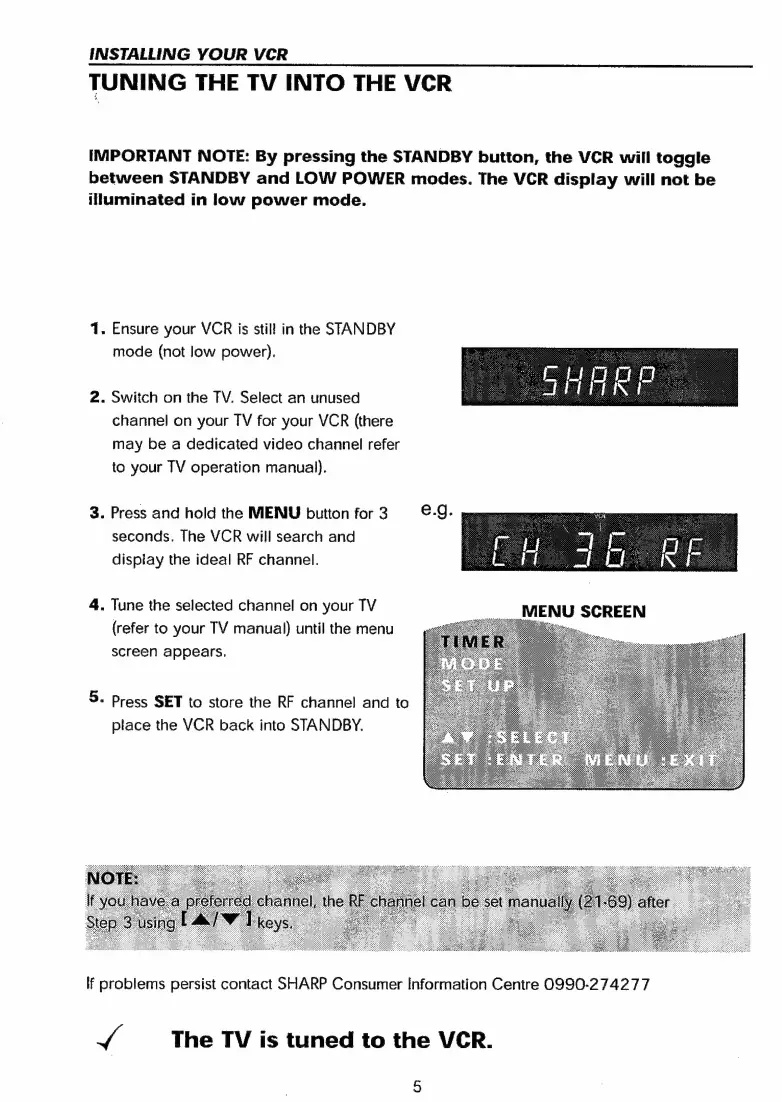
3.
Press
and
hold
the
MENU
button
for3-
&-J.-
seconds.
The
VCR
will
search
and
display
the
ideal
RF
channel.
4.
Tune
the
selected
channel
on
your
TV
MENU
SCREEN
(refer
to
your
TV
manual)
until
the
menu
screen
appears.
5.
Press
SET
to
store
the
RF
channel
and
to
place
the
VCR
back
into
STANDBY.
lf
problems
persist
contact
SHARP
Consumer
Information
Centre
0990-274277
J
The
TV
is
tuned
to
the
VCR.

Related product manuals