80
Advanced
Features
To pause audio dubbing
Touch [STOP].
To quit audio dubbing
Touch [RETURN]. The AUDIO DUB screen
turns off and playback stops.
If you wish to change the dubbed audio
or dub additional scenes
1 Touch [RETURN] to turn off the AUDIO
DUB screen.
2 Repeat steps 1 to 5 above.
Notes:
• It is recommended that you use Audio Dubbing
only with recordings made with this camcorder.
Use of recordings made with other digital video
equipment may result in poor audio quality.
• Audio dubbing will automatically pause if the
original audio changes from 12-bit mode to 16-
bit mode or vice versa. Touch [START] to resume
operation.
• Audio dubbing will automatically stop if a portion
of the tape recorded in LP mode or an unre-
corded portion of the tape is encountered.
• You can play back the dubbed audio and the
original audio together or separately (see
“Selecting the Audio Playback Mode” on the
next page).
Audio Dubbing
Note:
• Use a Mini DV cassette recorded in SP mode.
Audio Dubbing is not possible with LP mode
recordings.
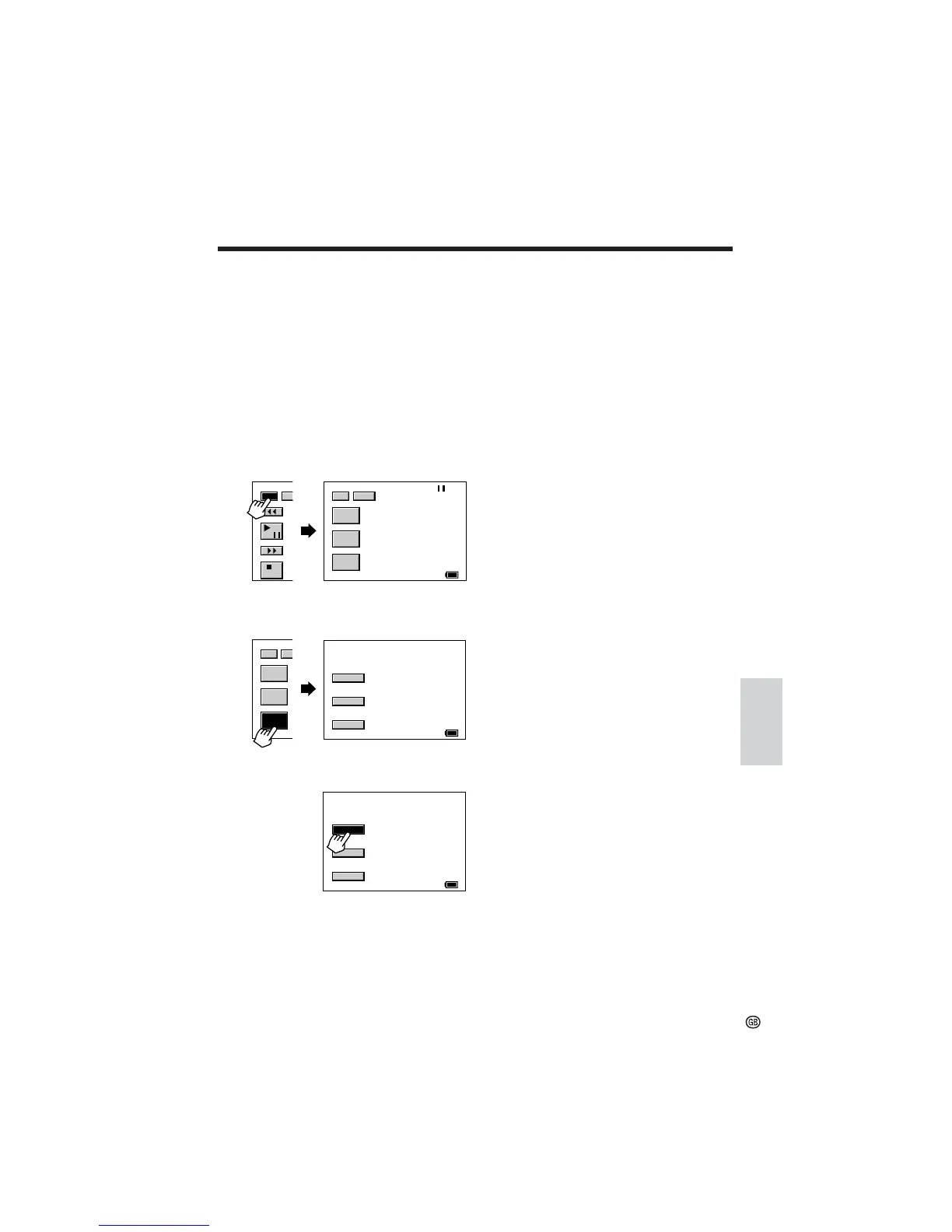
1 Play back the recorded Mini DV cassette
and locate the tape position where you
wish to start audio dubbing.
2 Touch [g] (Play/Still) on the [1/3]
screen to pause playback.
3 Touch [1/3] to display the [2/3] screen.
4 Touch [AUDIO DUB] to display the
AUDIO DUB screen.
5 Touch [START] to begin audio dubbing.
AUD I O DUB
60
min
RETURN
STOP
START
2/3
PB
ZOOM
DISP
60
min
GAMMA
AUDIO
PB
DUB
1/3 DI
/
AUD I O DUB
RETURN
STOP
START
60
min
2/3
PB
ZOOM
DI
GAMMA
AUDIO
PB
DUB











 To Next Page