EasyManua.ls Logo

Sharp XL-DK257NH - User Manual

Sharp XL-DK257NH
49 pages
Print Icon
To Next Page IconTo Next Page
Loading...
MIKRO KOMPONENTEN SYSTEM
MICRO-CHAÎNE
SISTEMA MICRO COMPONENTE
MIKRO KOMPONENT SYSTEM
MICRO SISTEMI
MICRO SYSTEEM
SISTEMA DE MICRO COMPONENTE
MICRO COMPONENT SYSTEM
MODELL
MODÈLE
MODELO
MODELL
MODELLO
MODEL
MODELO
MODEL
XL-DK257NH
BEDIENUNGSANLEITUNG
MODE D’EMPLOI
MANUAL DE MANEJO
BRUKSANVISNING
MANUALE DI ISTRUZIONI
GEBRUIKSAANWIJZING
MANUAL DE OPERAÇÃO
OPERATION MANUAL
iPod is a trademark of Apple Inc., registered in
the U.S. and other countries.
Siehe Seiten i bis viii und D-1 bis D-36.
Se reporter aux pages i à viii et F-1 à F-36.
Consulte las páginas i a viii y S-1 a S-36.
DEUTSCH
Favor consultar as páginas i a viii e P-1 a P-36.
PORTUGUÊS
FRANÇAIS
ESPAÑOL
Hänvisa till sidorna i till viii och V-1 till V-36.
Leggere le pagine i a viii e I-1 a I-36.
Raadpleeg de bladzijden i t/m viii en N-1 t/m N-36.
SVENSKA
ITALIANO
NEDERLANDS
Please refer to pages i to viii and E-1 to E-36.
ENGLISH
Mikro komponenten system XL-DK257NH besteht aus XL-DK257NH
(hauptgerät) und CP-DK257NH (lautsprechersystem).
Micro-chaîne XL-DK257NH composée de XL-DK257NH (appareil principal) et
CP-DK257NH (enceinte acoustique).
Sistema micro componente XL-DK257NH que consta de XL-DK257NH (aparato
principal) y CP-DK257NH (sistema de altavoces).
XL-DK257NH Mikro komponent system bestående av XL-DK257NH
(huvudenhet) och CP-DK257NH (högtalarsystem).
Micro sistemi XL-DK257NH composto da XL-DK257NH (apparecchio
principale) e CP-DK257NH (sistema di diffusori).
XL-DK257NH Micro systeem bestaande uit XL-DK257NH (hoofdtoestel) en
CP-DK257NH (luidsprekersysteem).
XL-DK257NH Sistema de micro componente composto de XL-DK257NH
(unidade principal) e CP-DK257NH (sistema de alto-falante).
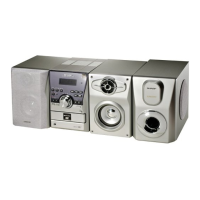
XL-DK257NH Micro component system consisting of XL-DK257NH (main unit)
and CP-DK257NH (speaker system).
AUDI
O
IN


Questions and Answers

  • C
    Christina ReynoldsAug 6, 2025
    How to fix a Sharp XL-DK257NH Stereo System remote control that does not operate?
    • V
      victoriagardnerAug 6, 2025
      To troubleshoot a non-responsive remote control for your Sharp Stereo System, check if the AC power lead of the unit is plugged in. Ensure the battery polarity is correct and the batteries are not dead. Verify the distance and angle are correct and that the remote control sensor isn't receiving strong light.
  • A
    Adam BrownAug 10, 2025
    Why is there no sound coming from my Sharp Stereo System?
    • V
      vegakarenAug 10, 2025
      First, check and adjust the volume level to ensure it's not set to “0”. Also, verify that headphones are disconnected. Finally, inspect the speaker wires and reconnect them if they are loose.
  • P
    phelpsmichaelAug 14, 2025
    What to do if my Sharp XL-DK257NH Stereo System produces no sound and no image appears on the TV/monitor?
    • E
      Elizabeth OwensAug 15, 2025
      Check if the AC power lead of your Sharp Stereo System is properly plugged in. Also, ensure the iPod is playing and properly connected to the unit. Verify the video cable connection and confirm that the TV/monitor’s input selection is correctly set. Finally, check if the display shows “DOCK OK”.
  • K
    kennethhallAug 19, 2025
    Why does playback not start or stop in the middle on my Sharp XL-DK257NH Stereo System?
    • D
      Donald SteeleAug 19, 2025
      Ensure that the disc is loaded correctly, meeting the required standards, and is free from distortion or scratches.
  • J
    Joshua JacksonAug 23, 2025
    How to stop my Sharp XL-DK257NH radio from making unusual noises?
    • B
      bakeremilyAug 23, 2025
      To resolve unusual noises continuously coming from the radio on your Sharp Stereo System, try moving the unit away from the TV or computer. Additionally, if the FM aerial or AM loop aerial is near the AC power lead, move it away.
  • D
    Dr. Kellie BookerAug 28, 2025
    What to do if playback sounds are skipped or stopped in the middle of a track on my Sharp Stereo System?
    • C
      Connor StevensAug 28, 2025
      To resolve skipped or stopped playback sounds on your Sharp Stereo System, move the unit away from excessive vibrations. Additionally, clean the disc and check for any condensation inside the unit.
  • J
    Jacob StewartAug 31, 2025
    What to do if my Sharp XL-DK257NH Stereo System does not respond when a button is pressed?
    • S
      steven59Sep 1, 2025
      Set the unit to the power stand-by mode and then turn it back on.

Summary

Precautions

General Precautions

Covers unit placement, environment, and general safety measures.

Controls and Indicators

Remote Control

Details the buttons and operations of the remote control.

Preparation for Use

Remote Control Setup

Instructions for installing batteries and testing the remote control.

Basic Operation

General Controls

Explains main unit and remote control operations like power, volume, bass, equaliser.

Setting the Clock

Step-by-step guide to setting the unit's clock via remote control.

iPod

Supported iPod Models

Lists compatible iPod models and adaptor information.

iPod Playback

Steps to start playing music from the connected iPod.

CD or MP3;WMA disc Playback

Various Disc Functions

Overview of playback operations for CDs and MP3/WMA discs.

Playing a CD or MP3;WMA Disc

Step-by-step guide to loading and playing discs.

MP3;WMA Folder Mode

Explains how to play music files organized in folders.

MP3;WMA Folder Mode Procedure

Step-by-step guide for folder playback.

Radio

Tuning In

Instructions for manual and auto tuning of radio stations.

Advanced Features

Using Radio Data System (RDS)

Introduction to RDS features and information display.

Timer and Sleep Operation (Remote Control Only)

Timer Playback

Setting the unit to turn on and play at a specific time.

Setting Timer Playback

Detailed steps for setting once or daily timer playback.

Sleep Operation

How to set the unit to turn off automatically after a set time.

Enhancing your System

Listening to Portable Audio Player

Connecting and playing external audio devices.

Troubleshooting Chart

General Issues

Common problems and their solutions for general unit operation.

iPod Issues

Solutions for no sound, display issues, or charging problems with iPod.

Specifications

Sharp XL-DK257NH Specifications

General IconGeneral
BrandSharp
ModelXL-DK257NH
CategoryStereo System
LanguageEnglish

Related product manuals