EasyManua.ls Logo

Sharp ZQ-6100M - Page 120

Sharp ZQ-6100M
194 pages
Print Icon
To Next Page IconTo Next Page
To Previous Page IconTo Previous Page
Loading...
Paperless
Printer
When
you
perform
calculations
in
the
CALCULATOR
made,
only
the
results
are
displayed.
However,
in
the
PAPERLESS
PRINTER
mode,
the
calculation
sequence
is
retained
until
cleared
or
replaced
with
another.
This
allows
you
to
edit
numbers
and
operators
entered
and
see
the
results
without
reentering
the
entire
sequence.
Up
to
50
steps
can
be
stored.
Power
calculations
may
be
performed
using
multiple
multiplication.
Otherwise,
the
functions
are
equivalent
to
those
of
the
CALCULATOR
mode.
,
Performing
calculations
Find
the
value
of
1234567890
+
789012
45678
x
5.
1.
Press
|CALC]
until
the
PAPERLESS
PRINTER
is
selected.
2.
Enter
the
calculation.
1234567890
789012
[=]
45678
5
[=]
ny
POPERLESS
PRINTER
*
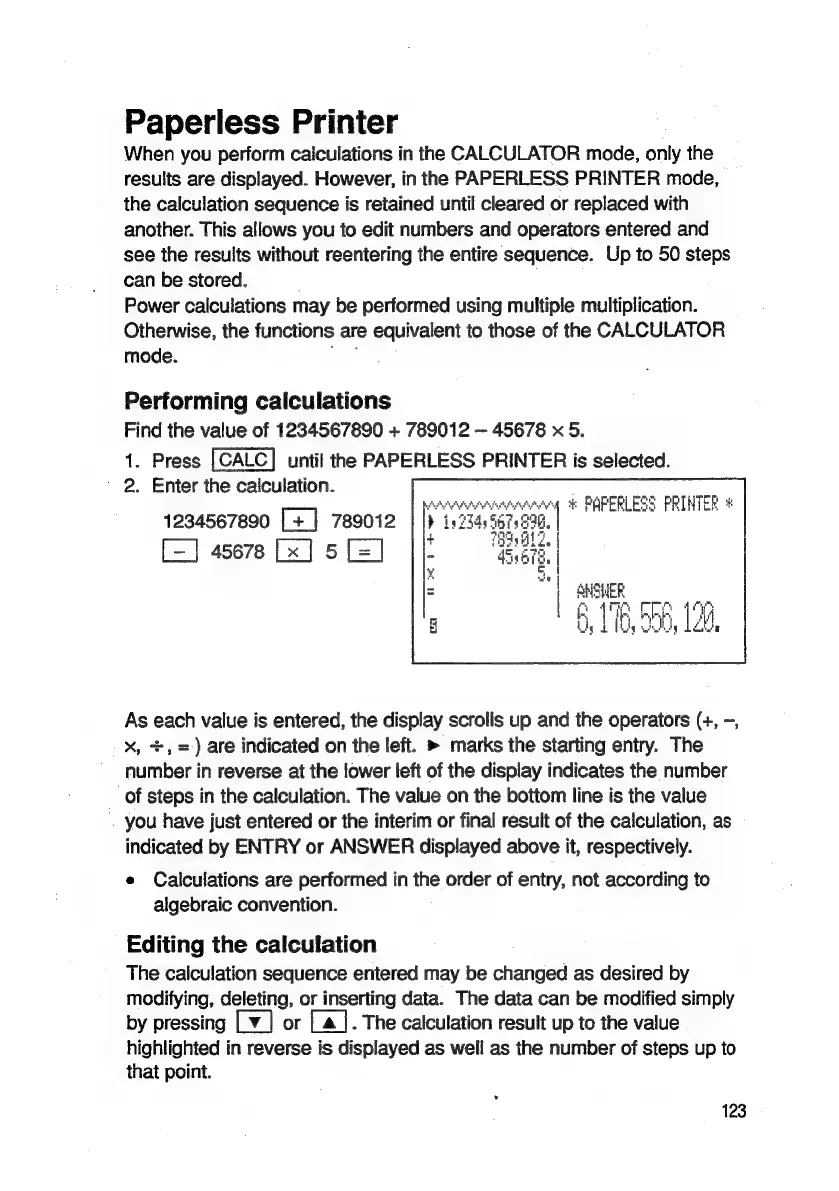
As
each
value
is
entered,
the
display
scrolls
up
and
the
operators
(+,
~,
X,
+,
=)
are
indicated
on
ithe
left.
»
marks
the
starting
entry.
The
number
in
reverse
at
the
lower
left
of
the
display
indicates
the
number
of
steps
in
the
calculation.
The
value
on
the
bottom
line
is
the
value
you
have
just
entered
or
the
interim
or
final
result
of
the
calculation,
as
indicated
by
ENTRY
or
ANSWER
displayed
above
it,
respectively.
e
Calculations
are
performed
in
the
order
of
entry,
not
according
to
algebraic
convention.
Editing
the
calculation
The
calculation
sequence
entered
may
be
changed
as
desired
by
modifying,
deleting,
or
inserting
data.
The
data
can
be
modified
simply
by
pressing
Ly]
or
[a]
.
The
calculation
result
up
to
the
value
highlighted
in
reverse
is
displayed
as
well
as
the
number
of
steps
up
to
that
point.
123

Related product manuals