EasyManua.ls Logo

Sharp ZQ-6100M - Page 167

Sharp ZQ-6100M
194 pages
Print Icon
To Next Page IconTo Next Page
To Previous Page IconTo Previous Page
Loading...
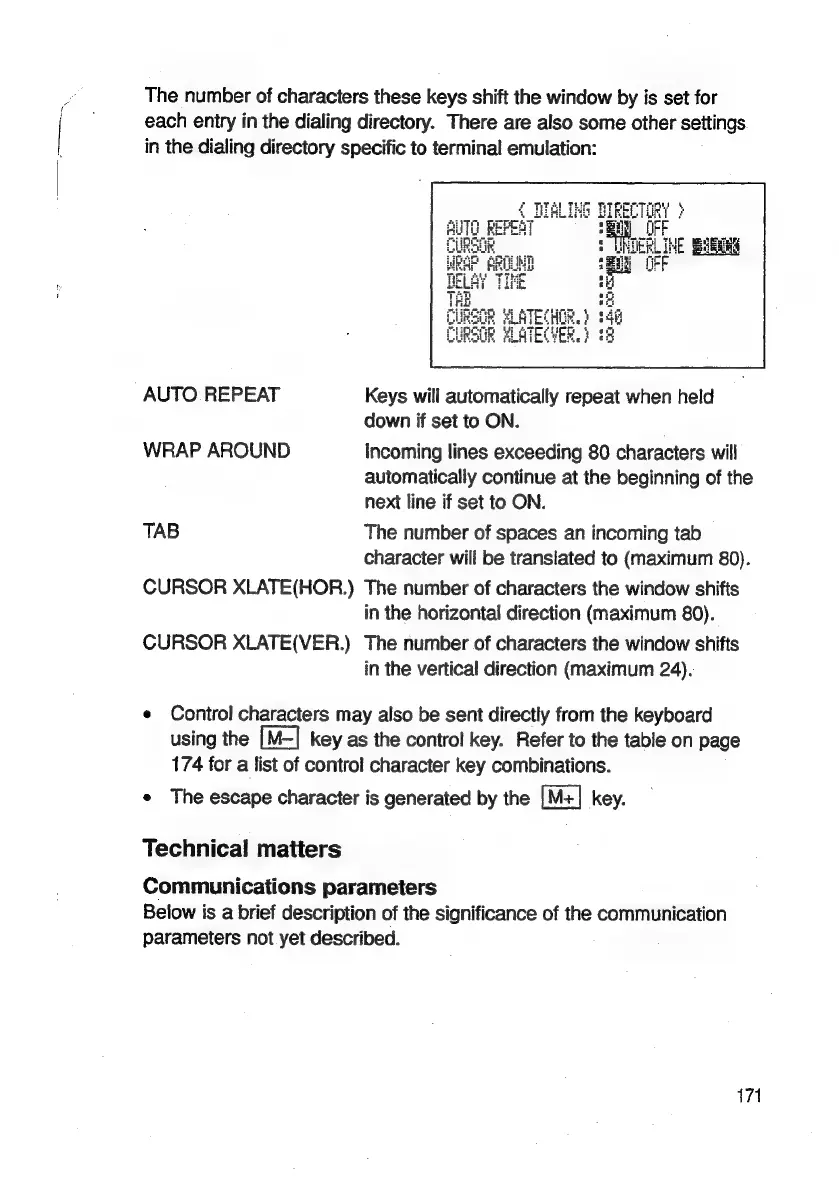
The
number
of
characters
these
keys
shift
the
window
by
is
set
for
each
entry
in
the
dialing
directory.
There
are
also
some
other
settings
in
the
dialing
directory
specific
to
terminal
emulation:
AUTO
REPEAT
Keys
will
automatically
repeat
when
held
down
if
set
to
ON.
WRAP
AROUND
Incoming
lines
exceeding
80
characters
will
automatically
continue
at
the
beginning
of
the
next
line
if
set
to
ON.
TAB
The
number
of
spaces
an
incoming
tab
character
will
be
translated
to
(maximum
80).
CURSOR
XLATE(HOR.)
The
number
of
characters
the
window
shifts
in
the
horizontal
direction
(maximum
80).
CURSOR
XLATE(VER.)
The
number
of
characters
the
window
shifts
in
the
vertical
direction
(maximum
24).
e
Control
characters
may
also
be
sent
directly
from
the
keyboard
using
the
[M—]
key
as
the
control
key.
Refer
to
the
table
on
page
174
for
a
list
of
control
character
key
combinations.
*
The
escape
character
is
generated
by
the
key.
Technical
matters
Communications
parameters
Below
is
a
brief
description
of
the
significance
of
the
communication
parameters
not
yet
described.
171

Related product manuals