EasyManua.ls Logo

Sharp ZQ-6100M - Page 17

Sharp ZQ-6100M
194 pages
Print Icon
To Next Page IconTo Next Page
To Previous Page IconTo Previous Page
Loading...
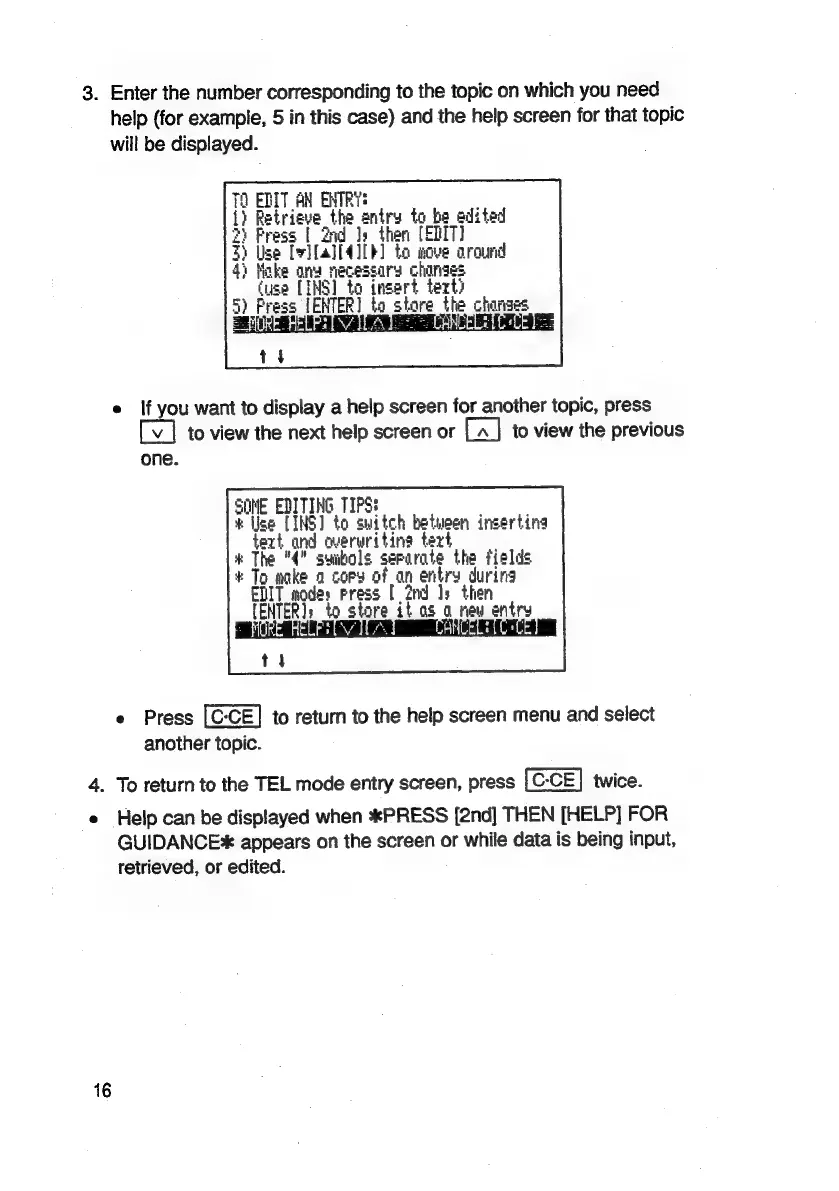
3.
Enter
the
number
corresponding
to
the
topic
on
which
you
need
help
(for
example,
5
in
this
case)
and
the
help
screen
for
that
topic
will
be
displayed.
e
If
you
want
to
display
a
help
screen
for
another
topic,
press
to
view
the
next
help
screen
or
to
view
the
previous
one.
SOME
EDITING
TIPS:
;
#
Use
[INS]
to
suitch
between
insertina
text
and
averuriting
tert
;
#
The
"4"
suibols
serarate
the
fields
*
To
make
a
copy
of
an
entry
during
ENIT
modes
press
[
2nd
Js
then
[ENTER]:
to
store
it
as
0
new
entry
t
4
e
Press
to
return
to
the
help
screen
menu
and
select
another
topic.
4.
To
return
to
the
TEL
mode
entry
screen,
press
twice.
e
Help
can
be
displayed
when
*PRESS
[2nd]
THEN
[HELP]
FOR
GUIDANCE
appears
on
the
screen
or
while
data
is
being
input,
retrieved,
or
edited.

Related product manuals