EasyManua.ls Logo

Sharp ZQ-6100M - Page 23

Sharp ZQ-6100M
194 pages
Print Icon
To Next Page IconTo Next Page
To Previous Page IconTo Previous Page
Loading...
*
Alternatively,
you
could
delete
it
by
pressing
[<] [<]
[Bs].
4.
Press
[ENTER]
to
store
the
corrected
data.
Deleting
a
line
of
text
To
delete
a
line,
simply
place
the
cursor
anywhere
on
the
line
to
be
deleted.
Hold
down
and
press
:
Editing
or
correcting
previous
entries
To
edit
or
correct
mistakes
in
data
which
have
already
been
stored:
1.
Press
;
[MEMO],
etc.
to
select
the
mode
for
the
correction.
2.
Recall
the
entry
to
be
edited
using
or
;
3.
Activate
the
edit
mode
by
pressing
:
4
_
Now
press
[>], La],
La],
Cyd,
LINS],
[DEL],
or
[BS]
as
required
and
correct
the
data
as
explained
above.
5.
Press
[ENTER]
to
store
the
corrected
data.
°
[a]
:
Moves
the
cursor
to
the
begining
of
the
entry.
Lv]
:
Moves
the
cursor
to
the
end
of
the
entry.
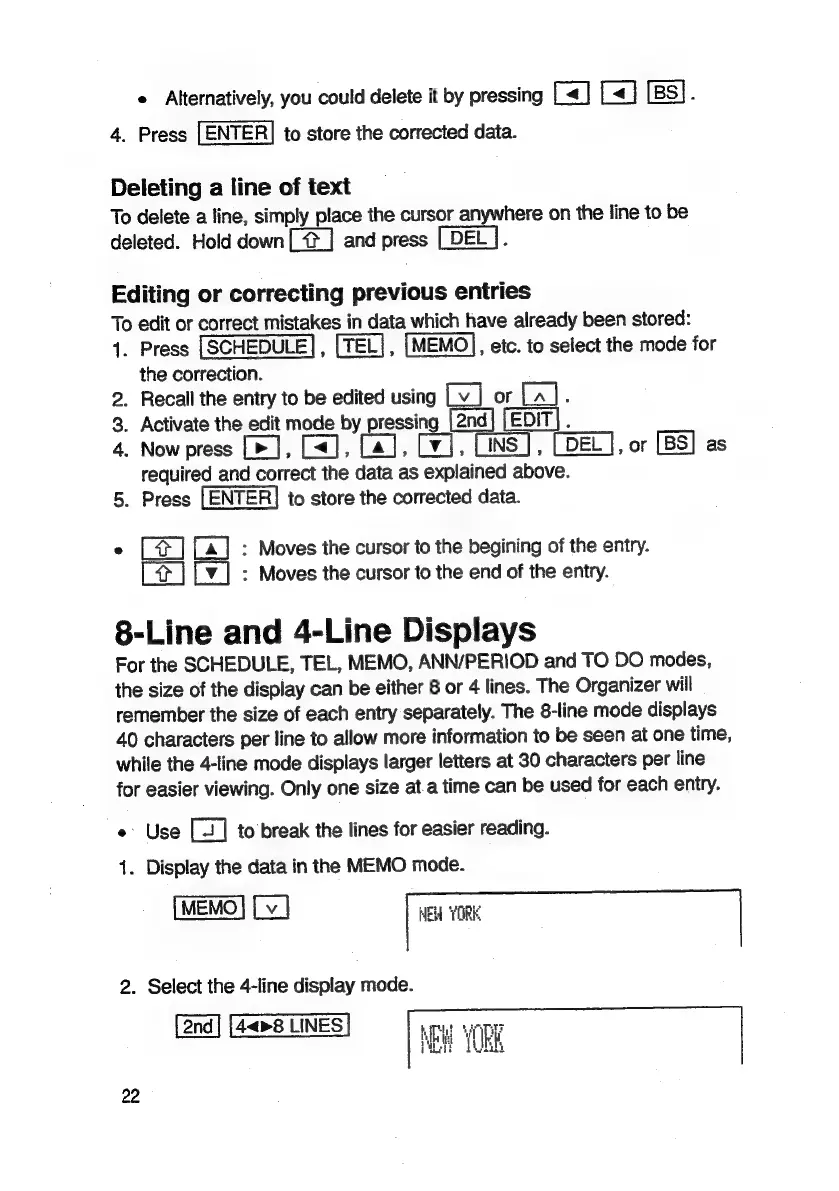
8-Line
and
4-Line
Displays
For
the
SCHEDULE,
TEL,
MEMO,
ANN/PERIOD
and
TO
DO
modes,
the
size
of
the
display
can
be
either
8
or
4
lines.
The
Organizer
will
remember
the
size
of
each
entry
separately.
The
8-line
mode
displays
40
characters
per
line
to
allow
more
information
to
be
seen
at
one
time,
while
the
4-line
mode
displays
larger
letters
at
30
characters
per
line
for
easier
viewing.
Only
one
size
at.a
time
can
be
used
for
each
entry.
e
Use
to
break
the
lines
for
easier
reading.
1.
Display
the
data
in
the
MEMO
mode.
HEW
YORK
2.
Select
the
4-line
display
mode.
4<>8
LINES
22

Related product manuals