EasyManua.ls Logo

Sharp ZQ-6100M - Page 36

Sharp ZQ-6100M
194 pages
Print Icon
To Next Page IconTo Next Page
To Previous Page IconTo Previous Page
Loading...
Selecting
the
Monthly
Calendar
There
are
three
methods
of
recalling
dates
and
monthly
calendars.
«
Sequential.
Use
or
to
step
down
or
up
through
the
months.
*
Specify
absolute.
Press
,
specify
the
date
you
want,
and
press
¢
Specify
relative.
Press
or
[—]
,
type
in
the
number
of
days
to
jump
forward
or
back,
and
press
;
Stepping
through
the
months
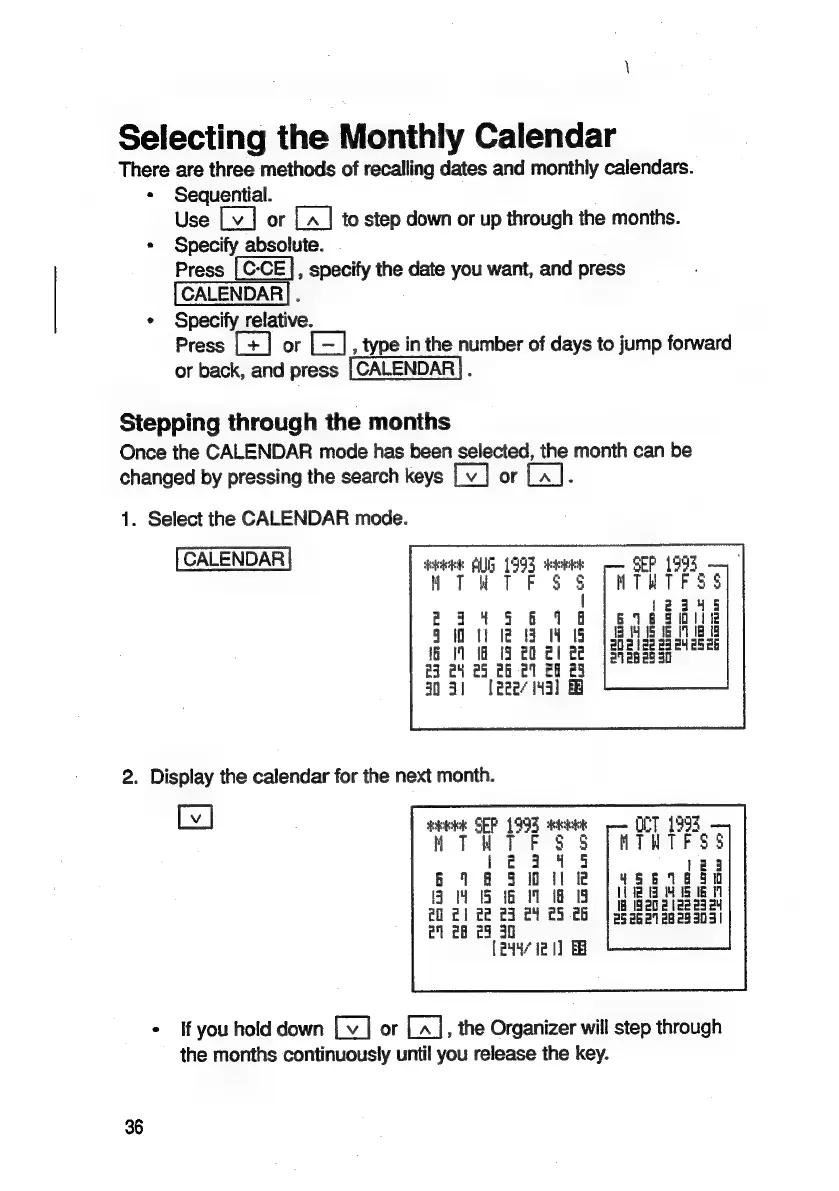
Once
the
CALENDAR
mode
has
heen
selected,
the
month
can
be
changed
by
pressing
the
search
keys
or
:
1.
Select
the
CALENDAR
mode.
CALENDAR
me
Alp
1993
deeb
$
mo
iy
uw
om
=
z
3
an
35
a=
iru
ru
om ru
—_
ru
min
23
24
25
ch
21
28 29
3051
[eee
143]
2.
Display
the
calendar
for
the
next
month.
sock
SEP
1993
dekictee
MTU
TF
S$
$8
243445
618
9
Wilk
84
15
16
11
18
19
20
2]
22
23
c4
£5
cb
21 28
23
30
[e44/
ie
1]
EB
*
If
you
hold
down
or
,
the
Organizer
will
step
through
the
months
continuously
until
you
release
the
key.
36

Related product manuals