EasyManua.ls Logo

Sharp ZQ-6100M - Page 45

Sharp ZQ-6100M
194 pages
Print Icon
To Next Page IconTo Next Page
To Previous Page IconTo Previous Page
Loading...
Viewing
Your
Schedule
So
far
you
have
only
viewed
entries
one
at
a
time.
To
gain
a
clearer
perspective,
they
may
also
be
viewed
collectively
in
an
index
or
on
a
daily
or
weekly
basis.
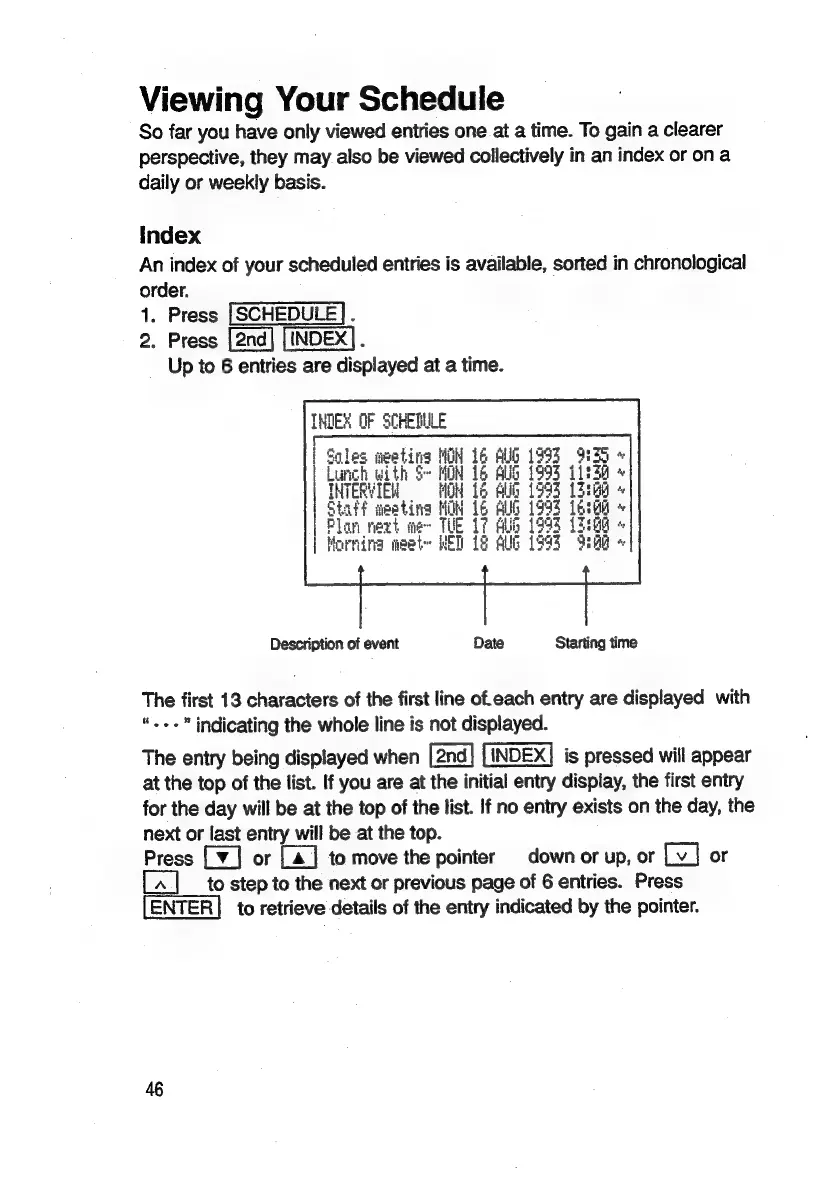
Index
An
index
of
your
scheduled
entries
is
available,
sorted
in
chronological
order.
1.
Press
[SCHEDULE].
2.
Press
INDEX].
Up
to
6
entries
are
displayed
at
a
time.
INDEX
OF
SCHEDULE
mgeating
HOH
16
AUG
1993
HSS
+
ith
S-
MON
16
AUG
1993
isda
«
Eli
MOM
16
Abib
1994
13:
ia
eeting
MOH
16
Full
1993
Lega
«
Ses
nevt
me~
TUE
17
Bulg
1993
12:8g
+
ina
meet
HET
18
Ally
1994
92a
+
Description
of
event
Date
Starting
time
The
first
13
characters
of
the
first
line
ofeach
entry
are
displayed
with
indicating
the
whole
line
is
not
displayed.
The
entry
being
displayed
when
is
pressed
will
appear
at
the
top
of
the
list.
If
you
are
at
the
initial
entry
display,
the
first
entry
for
the
day
will
be
at
the
top
of
the
list.
If
no
entry
exists
on
the
day,
the
next
or
last
entry
will
be
at
the
top.
Press
[¥]
or
[4]
to
move
the
pointer
down
or
up,
or
or
to
step
to
the
next
or
previous
page
of
6
entries.
Press
to
retrieve
details
of
the
entry
indicated
by
the
pointer.
46

Related product manuals