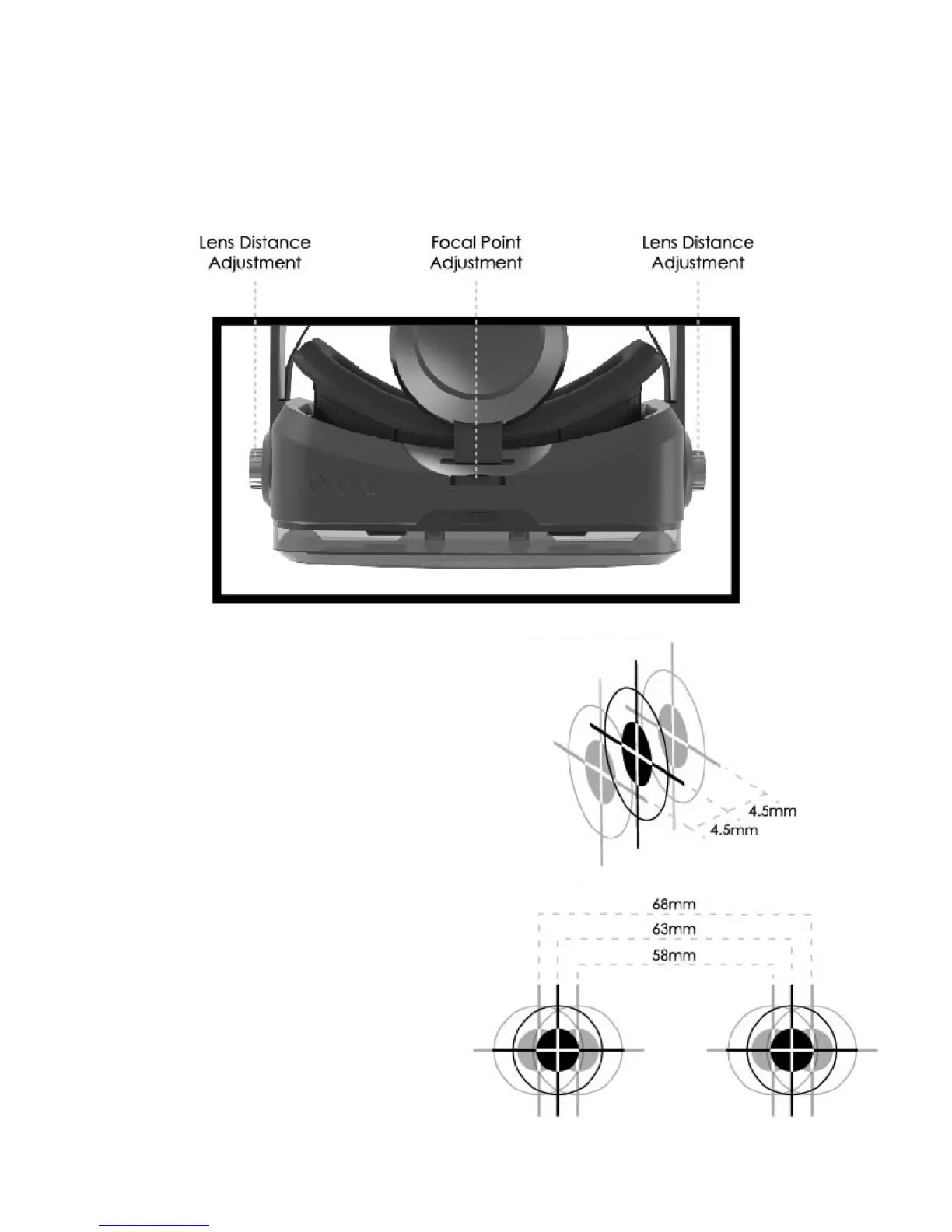
ADJUSTING THE VIEW
To fully experience VR apps or movies, you will need to ensure the image is focused. Each wearer of this
headset may need to adjust the focal point and lens distance to accommodate his or her eyesight.
• To adjust the lens distance, simultaneously
rotate the lens distance knobs forward and
backward while you are using the headset.
Continue to adjust the focal point until the
image comes into focus.
• To adjust the focal pint, rotate the small focal
point dial left and right while you are using the
headset. Continue to adjust the focal point until
the image comes into focus.
- 5 -


 To Next Page