EasyManua.ls Logo

Sharper Image 207072 - User Manual

Sharper Image 207072
10 pages
Print Icon
To Next Page IconTo Next Page
Loading...
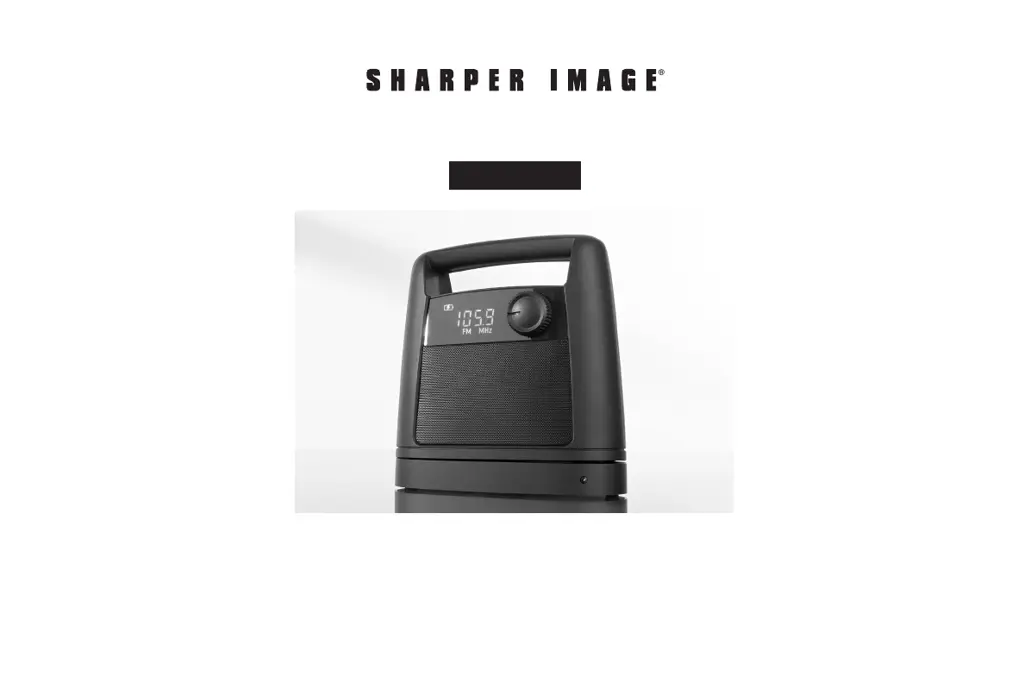
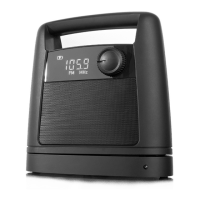
Thank you for purchasing the Sharper Image Wireless TV Speaker.
Please take a moment to read this guide and store it for future
reference.
Item No. 207072
User Guide
WIRELESS TV SPEAKER
- 1 -

Questions and Answers

Summary

Important Safety Instructions

Identification of Parts

Display Guide

Connection and Setup

Analog Audio Output Connection

Connect using the included audio cable for analog audio output.

Headphone Jack Connection

Connect via your TV's headphone jack using the provided audio cable.

RCA Audio-Out Connection

Connect via analog RCA-type ports on your TV using the provided audio cable.

Optical Digital Audio Connection

Connect via an optical cable for digital audio output from your TV.

Analog Audio Expansion

Expand analog connections using provided RCA Y-Adapter Cables for other devices.

Transmitter Base Placement

Operation and Controls

On;Off, Volume, and Tone Control

Instructions for turning the receiver on/off, adjusting volume, and setting tone control.

Setting the Clock

Steps to set the device clock to 12-hour or 24-hour format.

FM Radio Operation

Switch between FM radio and TV, and select frequencies.

Advanced Operations and Troubleshooting

Speaker and Base Pairing

Instructions for pairing the speaker and base unit for wireless connection.

Playing Line-In Music

How to play music from an external device via line-in connection.

Troubleshooting Common Issues

Solutions for common problems like no sound or incorrect operation.

Cleaning and Maintenance

Guidance on how to clean and maintain the device for longevity.

Specifications and Compliance

Product Specifications

Technical details including transmission, power, dimensions, and weight.

FCC Information

Regulatory compliance information for U.S. customers regarding radio frequency interference.

Warranty and Customer Service

Sharper Image 207072 Specifications

Audio Specifications IconAudio Specifications
transmission frequency2.4 GHz
speakers2 x 5W
audio format supportLPCM 44kHz, 96kHz
Battery IconBattery
speaker battery typeLithium-ion
listening time8 hours (at 50% volume)
Power IconPower
ac adapter input power100-240VAC/50-60 Hz
ac adapter output power9VDC 1.5A
Operating Environment IconOperating Environment
operating range100 ft. (in an open area)
Weight and Dimensions IconWeight and Dimensions
dimensions8” L x 3.4” W x 7.9” H
weight2 lbs.

Related product manuals