EasyManua.ls Logo

Sharper Image CERAMIC 1 - User Manual

Sharper Image CERAMIC 1
19 pages
Print Icon
To Next Page IconTo Next Page
Loading...
READ AND SAVE
THESE INSTRUCTIONS
MODEL
CERAMIC 1
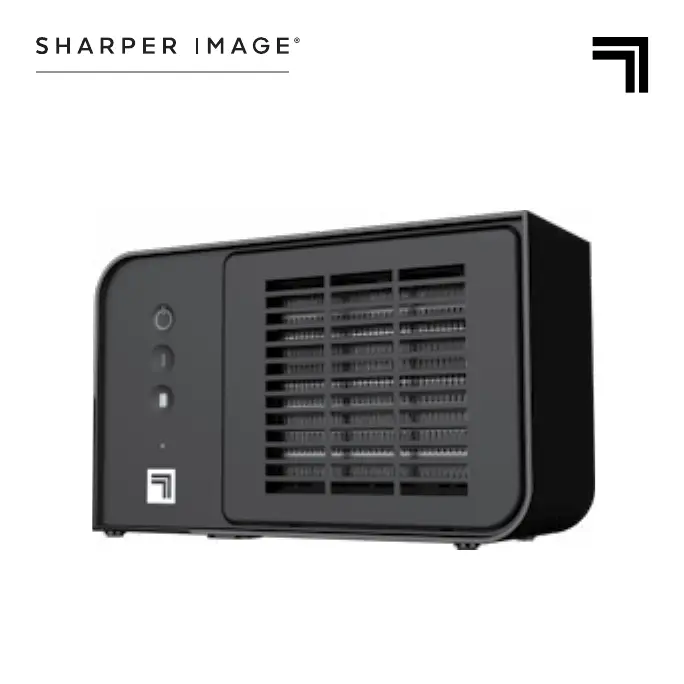
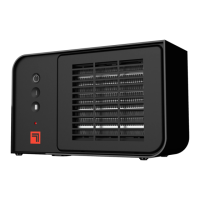
CERAMIC HEATER
OWNER’S GUIDE

Questions and Answers

  • D
    Dennis AlvarezJul 29, 2025
    What to do if my Sharper Image Heater fails to power on?
    • B
      Brooke LeeJul 29, 2025
      If your Sharper Image Heater fails to power on, check the following: * Ensure the power cord is plugged into an electrical outlet. * Reset the circuit breaker or replace the fuse if it has tripped. * Relocate the unit to a standard wall outlet if the GFCI has tripped. * If the unit has overheated, the Automatic Safety Shut Off may have been initiated. See RESET HEATER. * Place the heater on a level surface to ensure the tip-over switch is not tripped. * If none of these solutions work, cease usage, unplug the unit, and contact Consumer Service for assistance.
  • S
    Sandra RobinsonAug 7, 2025
    What to do if my Sharper Image CERAMIC 1 is on but there is no heat?
    • J
      jennifergrahamAug 8, 2025
      If your Sharper Image Heater is powered but not producing heat, cease usage, unplug the unit, and contact Consumer Service for assistance, as the unit may be damaged or in need of repair.
  • Y
    ysuttonAug 16, 2025
    How to improve heat output of my Sharper Image CERAMIC 1?
    • B
      Beth FranklinAug 17, 2025
      If your Sharper Image Heater isn't producing enough heat, make sure it's set to High Heat. Also, close all doors and windows to keep the heat in. It might take a few minutes for the unit to fully heat up the room.

Summary

General Safety Instructions

Safety for Children and Impaired Persons

Extreme caution required for children 12 and under and those with reduced capabilities. Supervise children.

Installation Safety Warnings

Observe precautions to reduce risk of fire, electric shock, and injury during installation and use.

Safe Usage Precautions

Observe precautions to reduce risk of fire, electric shock, and injury during safe use.

Servicing Safety Precautions

Observe precautions to reduce risk of fire, electric shock, and injury during servicing and repairs.

FCC Compliance Information

Device complies with FCC Rules. Operation subject to conditions regarding harmful interference.

FCC Declaration of Conformity

Provides details on the device's compliance with FCC Rules and lists responsible party and contact information.

Key Safety Features

Cool-Touch Exterior

The outer housing is safe to touch even on high heat setting.

Automatic Overheat Shut-Off

Shuts off power if airflow becomes blocked to prevent overheating.

Tip-Over Safety Shut-Off

Cuts power to heater if it tips over. Restore power by placing upright and pressing power button.

Operating Your Heater

Heater Controls

Details on power button, mode selection (Low/High Heat), and power indicator light.

Heater Cleaning Guide

Heater Storage Instructions

How to Reset Heater

Troubleshooting Common Issues

Unit Will Not Power On

Common causes and solutions for the unit not powering on, including checking connections and circuit breakers.

Low Heat Output Troubleshooting

Troubleshooting steps for when the unit is not producing sufficient heat, such as checking settings and room conditions.

Unit Powers On But No Heat

Addresses the issue of the unit powering on but not producing heat, suggesting potential damage or repair needs.

Product Warranty Information

Sharper Image CERAMIC 1 Specifications

General IconGeneral
Heater TypeCeramic
Wattage1500W
Voltage120V
Number of Heat Settings2
OscillationYes
Tip-Over Safety SwitchYes
Overheat ProtectionYes
Adjustable ThermostatYes
Fan AssistedYes
Remote ControlNo
TimerNo
Area HeatedUp to 150 sq ft

Related product manuals