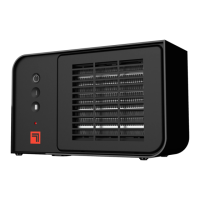
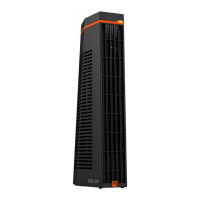
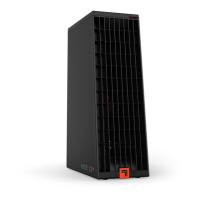
The Sharper Image Ceramic Heater, Model CERAMIC 3, is an indoor heating appliance designed to provide warmth to living spaces. It is not intended for commercial, industrial, or damp locations such as bathrooms or laundry areas. This owner's guide emphasizes safety, proper usage, and maintenance to ensure the longevity and safe operation of the product.
Function Description
The Ceramic Heater functions by converting electrical energy into heat, which is then distributed into the room. It features two heat settings: Low Heat (I) at 750 watts and High Heat (II) at 1500 watts, allowing users to select the desired level of warmth. The heater is equipped with a power on/off button and a power indicator light that illuminates red when the unit is powered on.
Safety is a paramount aspect of this heater's design. It incorporates a multilevel safety shut-off system to prevent overheating. This system automatically cuts power to the heater if airflow becomes blocked or if the unit otherwise overheats. The heater also includes automatic tip-over protection, which immediately cuts power if the unit is accidentally knocked over. Once the heater is returned to an upright position, power can be restored by pressing the power button. A "cool-touch cabinet" ensures that the outer housing remains safe to touch even when the heater is operating on its high heat setting, although the front grille is a hot surface during use and cool-down, requiring caution.
Usage Features
To use the heater, first ensure that it is positioned in a location where airflow is not obstructed. It should be placed at least 3 feet away from electrical outlets, furniture, pillows, bedding, papers, clothes, curtains, and other objects that could catch fire. It is crucial not to place the heater near a bed or on soft surfaces where air intakes or exhaust could be blocked. The heater should only be operated in an upright position and never in a window, on an uneven or unstable surface, or near water.
Before plugging in the heater, verify that the electrical information on the rating label, including voltage, is compatible with your outlet's power supply. The heater must be plugged directly into a wall outlet/receptacle; extension cords, relocatable power taps, surge-protected units, or Ground Fault Circuit Interrupted (GFCI) outlets are not recommended. GFCI outlets, in particular, may cause nuisance tripping. The appliance has a polarized plug, meaning one blade is wider than the other, designed to fit into a polarized outlet only one way to reduce the risk of electrical shock. If the plug does not fit, it should be reversed. If it still doesn't fit, a qualified electrician should be contacted.
Once plugged in, the power button (represented by a circle with a vertical line) should be touched to turn the unit on. The red indicator light will illuminate, signifying that the heater is powered. Users can then select either the Low Heat (I) or High Heat (II) setting according to their preference. It is advised not to operate the heater with a solid-state speed device, such as a dimmer control switch, or with a timer designed to automatically turn the unit on or off, as this could disable the thermal cutout safety feature. Using the heater on the same electrical circuit as other high-energy products (e.g., vacuum cleaners, blenders, circular saws) is also not advised to prevent circuit overload.
If the heater suddenly stops working, it may be due to the thermal cutout safety feature being activated by overheating. In such cases, obstructions should be removed, and the heater allowed to cool for 5-10 minutes before pressing the power button to reset it. If other electrical products also stop working simultaneously, it could indicate a tripped home circuit breaker or blown fuse due to power overload. In this scenario, it's recommended to run the heater on the "low" setting, operate only one heater at a time, and unplug other electrical products, or consider hiring an electrician to install an additional circuit. If the safety shut-off system repeatedly activates or the heater won't reset, Sharper Image Consumer Services should be contacted.
Maintenance Features
Regular cleaning is essential for the optimal performance and longevity of the Sharper Image Ceramic Heater, especially since it moves a substantial amount of air. Cleaning the exterior of the heater is recommended on a weekly basis. Before any cleaning, the heater must be unplugged.
To clean the air inlets on the side of the heater, a brush attachment on a household vacuum cleaner should be used to remove any accumulated dust. Similarly, the front outlet grill should be vacuumed with a brush attachment to clear away dust. Periodically, it is beneficial to blow out the heater with pressurized air. This helps to keep the heat element and motor free of dust, hair, and debris that can accumulate inside the unit during use, which also helps to eliminate unwanted odors caused by these particles. After vacuuming, the entire heater can be wiped down with a soft, dry cloth. It is important not to use gasoline, thinners, solvents, ammonias, or other chemicals for cleaning.
For storage during the off-season or extended periods of non-use, cleaning the heater beforehand is recommended. The power cord should be unplugged and bundled loosely. The heater can then be covered or placed back in its original retail carton, if available, to prevent dust accumulation. It should be stored in a cool and dry location. Before using the heater again after storage, it is crucial to inspect it for any visible damage. If any damage is found, the heater should not be used, and Consumer Service should be contacted.
The product housing should not be opened, as all service and repairs must be performed by an Authorized Service Center to avoid the risk of electric shock. Any unauthorized product modification, repair by unauthorized centers, or use of non-approved replacement parts is not recommended and will void the product warranty.


 To Next Page
 General