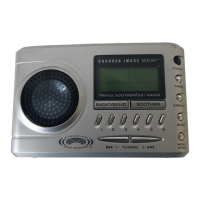
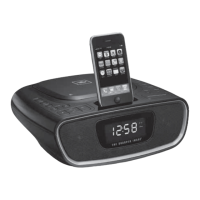
Setting the Alarm:
For your convenience, two separate alarms may be set:
Alarm 1 button
Mode Selection
Set Alarm mode: Beep - Radio - Voice - Off
The display will show the Alarm 1 bell icon next to your selected mode.
Press and hold
1.TimeashingforHH,press+/-buttontochangeHoursetting,pressAlarm1
button to confirm and change to minute setting.
2.TimeashingforMM,press+/-buttontochangeMinutesetting,waitfor
timeout to save and go back to normal mode.
Thedisplaywillshow:Alarm1bellicon:HH:MM(AM/PM)
Alarm 2 button
Mode Selection
Set Alarm mode: Beep - Radio - Voice - Off
The display will show the Alarm 2 bell icon next to your selected mode.
Press and hold
1.TimeashingforHH,press+/-buttontochangeHoursetting,pressAlarm1
button to confirm and change to minute setting.
2.TimeashingforMM,press+/-buttontochangeMinutesetting,waitfor
timeout to save and go back to normal mode.
Thedisplaywillshow:Alarm2bellicon:HH:MM(AM/PM)
REPORT
Press the REPORT button once and real time data and outdoor temperature read-
ing will be announced.
Memory
TheAM/FMradiostationmemoryrecordsamaximumof8channels.
•Normalmodewithradiooff,PressMEMbuttonquicklytoturnonradioand
automatically return to the last memory radio station.
•Select a station. Press and hold MEM button more than 2 seconds to record
new station. The MEM icon will appear and the memory digit will flash.
•PresstheVOL+/-buttontoselectmemorynumber,PressTuner+/-buttontotune
the station, Press the MEM button to confirm current station into memory.
Snooze/Nap
PresstheSNOOZE/NAPbartosnooze.Thiswillautomaticallyactivatesnooze
timefornineminutes.Oryoumaychoosetosetthealarmin15,30,45,60
minutes or OFF for nap.
Bottom Controls:
Backlight - HI/MED/LO
Slide switch to select the brightness level of backlight on display.
˚C/˚F
SlideswitchtointerchangebetweenCelsius(°C)orFahrenheit(°F)for
temperature level.
Daylight Savings Time (DST)
SlideDSTON/OFFswitchtoactivateorinactivatetheDaylightSavingsTimefeature.
Date/Time
1.PressandholdDATE/TIMEbuttonformorethan3seconds,andenterthe
“DATE/TIMESETMODE”setting.
2.PressDATE/TIMEbuttononce,toselectthemode“year->month->day->
hour->minute->exit”
3.Pressthe+or–buttonstoselectthecorrectdateortime.
AUX IN
Tousetheauxiliaryinputtoplaymusicthroughthespeakerinserta3.5mminput
intotheAUXINjack.Theunitwillautomaticallydetecttheinputandplaythemusic.
8
9


 To Next Page