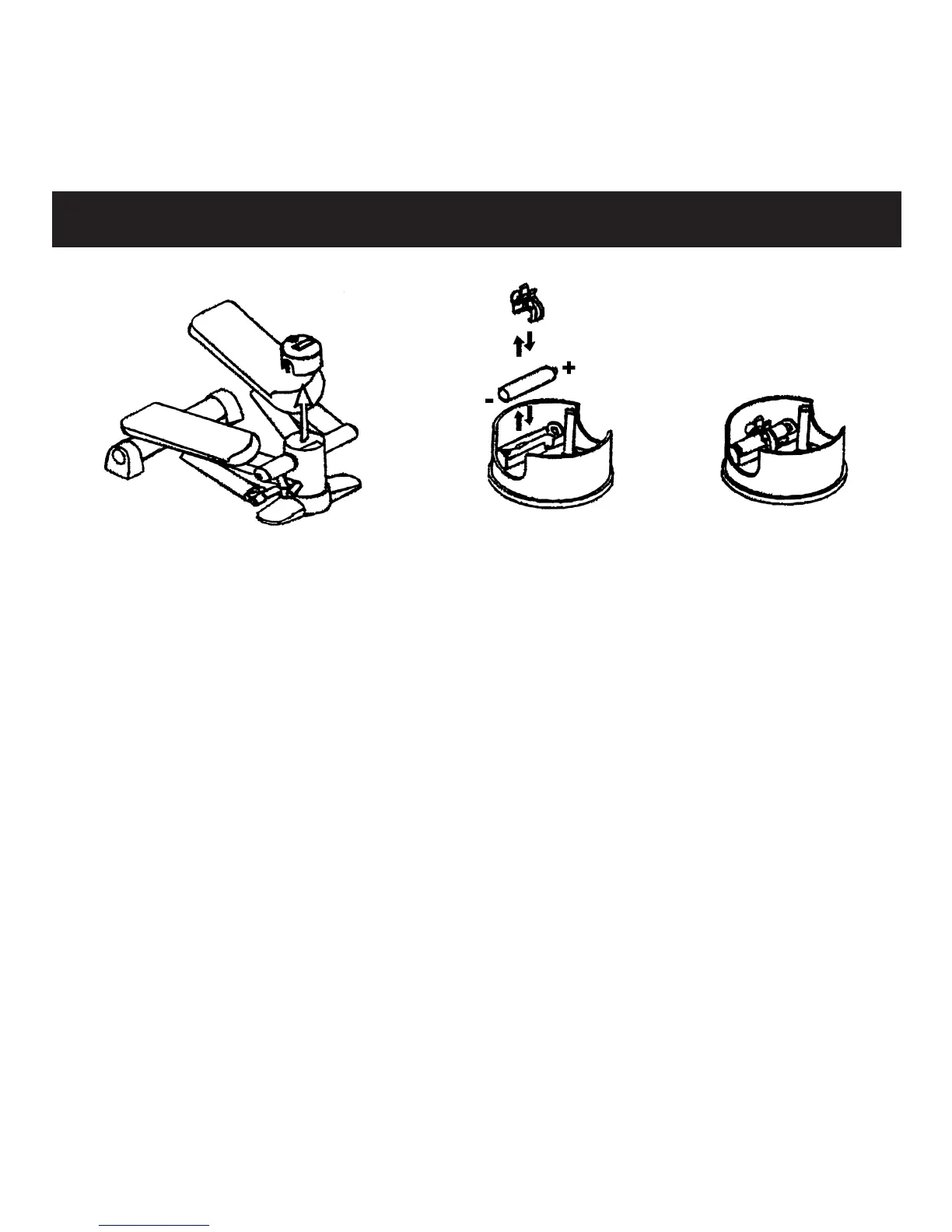
If computer does not turn on when you begin exercising, the
battery may need to be replaced.
1. Grasp LCD face panel and pull straight up. Computer unit
will slide out from main unit.
2. Remove clip holding battery in place.
3. Remove battery from battery compartment and replace with
a fresh AAA battery. Orient +/- ends of battery according to
illustration in battery compartment.
4. Replace clip.
5. Replace computer unit in main unit. Make sure LCD panel is
properly oriented.
Changing Battery


 To Next Page