EasyManua.ls Logo

Shehds LED Beam - User Manual

Shehds LED Beam
4 pages
Print Icon
To Next Page IconTo Next Page
Loading...
1
Maintenance
1.Please keep the light in dryness and avoiding use in wet place.
2.Using intermittenlly can be extended the life.
3.Attention to clean the fan and lens usually in order to get the ventilating effects and lighting effects
better.
4.Please do not wipe the crust using organic menstruum for avoid to damaged the product.
Statement
The product has well capability and intact packing when leave factory,All of the user should comply with
above warning item and manual ,any misuse cause of the damages are not included in our
guarantee,and also can’t be responsible for any malfunction & problem owing to ignore the manual.
Please forgive that we will not be notice for technical change
Attention Item
1.For guarantee the life of product,please do not put it on the wet place and not use it the place over 40
degree.
2.Please don’t lay the product on the un-fixable or shakable place.
3.Ask for the professional to maintain the product in order to avoid the danger of get an electric shock.
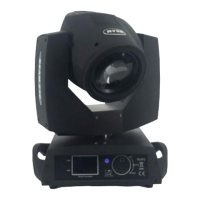
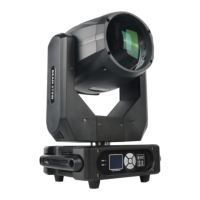
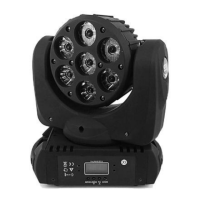
LED Beam 7x12W RGBW Moving Head Lighting
Question and Answer IconNeed help?

Do you have a question about the Shehds LED Beam and is the answer not in the manual?

Summary

Maintenance and Safety Precautions

Maintenance Guidelines

Keep light dry, use intermittently, clean fan/lens, avoid organic menstruum for cleaning.

Usage and Environmental Warnings

Avoid wet places and temperatures over 40 degrees. Ensure stable placement and professional maintenance.

DMX Channel Configuration

DMX Channel Summary (15 Channels)

Details DMX channels 1-15, their values (0-255), and corresponding functions like X/Y movement, dimmer, color, and effects.

LCD Display Menu Navigation

Provides a table for navigating the LCD display menu, listing numbers and their associated instructions.

DMX Address and Control Functions

DMX Address Adjustment

Explains how to adjust DMX addresses for Red, Green, Blue, White light brightness, programs, and speed using up/down keys.

Test Mode and Reset

Describes how to enter test mode for voice control/slave run and how to reset the device using the enter key.

Product Introduction and Operation

Button Operation Instructions

Guides users on using function keys (A, B, C, D) to cycle effects, set address codes, modify parameters, and confirm settings.

Product Specifications

Lists key product features including power supply, consumption, lamp type, DMX channels, flash rate, dimmer, and LED lifespan.

Shehds LED Beam Specifications

General IconGeneral
BrandShehds
TypeLED Beam
VoltageAC 100-240V, 50/60Hz
Light SourceLED
ControlDMX512

Related product manuals