EasyManua.ls Logo

Shehds Six Eye Laser - User Manual

Shehds Six Eye Laser
6 pages
Print Icon
To Next Page IconTo Next Page
Loading...
1
Maintenance
1.Please keep the light in dryness and avoiding use in wet place.
2.Using intermittenlly can be extended the life.
3.Attention to clean the fan and lens usually in order to get the ventilating
effects and lighting effects better.
4.Please do not wipe the crust using organic menstruum for avoid to damaged
the product.
Statement
The product has well capability and intact packing when leave factory,All of the
user should comply with above warning item and manual ,any misuse cause of
the damages are not included in our guarantee,and also can’t be responsible
for any malfunction & problem owing to ignore the manual.
Please forgive that we will not be notice for technical change
Attention Item
1.For guarantee the life of product,please do not put it on the wet place and not
use it the place over 40 degree.
2.Please don’t lay the product on the un-fixable or shakable place.
3.Ask for the professional to maintain the product in order to avoid the danger
of get an electric shock.
4.Power supply should not be changed over +&-10% while the light is using,it
will be decreased the life of lamp if the power is too high,but it will be
influenced the luminosity if the power is too low.
5.After power off,if it is need used again,please cool down over 20 minuter.
6.Please look round the manual for ensure the product can be used normally.
Six Eye Laser RGB Lighting
Lighting
Question and Answer IconNeed help?

Do you have a question about the Shehds Six Eye Laser and is the answer not in the manual?

Summary

General Product Precautions

Maintenance Guidelines

Advice on keeping the light dry, intermittent use, cleaning fan/lens, and avoiding organic solvents.

Manufacturer Statement

Disclaimer regarding user responsibility for misuse, damage, and technical changes.

Important Usage Items

Precautions for product life: avoid wet/hot places, secure placement, professional maintenance, power limits.

Product Introduction

Technical Specifications

Details include rated voltage, power, laser source, modulation, wavelength, power, color, scanning system, and effects.

Application and Environment

Lists applicable places like bars, KTV, halls and specifies the indoor use environment and working temperature.

Display Control Instruction

Control Panel Overview

Explains the use of four buttons (MENU, DOWN, UP, ENTER) to navigate and select functions.

Display Control Functions

Details settings like DMX Address, Channel Mode, Show Mode, Slave Mode, Black Out, Sound State, and Inverses.

Motor Fine Adjustment

Instructions for fine-tuning motor position using 'Pan offset' with Up/Down keys and saving the value.

DMX Channel Summaries

11 DMX Channel Summary

Defines functions for channels CH1-CH11, including Tilt, Pan, Laser On/Off, Strobe, effect modes, motor modes, and sound control.

19 DMX Channel Summary

Details functions for channels CH1-CH19, covering various Tilt, Pan, Laser, Strobe, Auto modes, and sound control.

24 DMX Channel Summary

Outlines functions for channels CH1-CH24, including extensive Tilt, Pan, Laser, Strobe, effect, motor run, and sound control settings.

Overview

This document outlines the features and operation of the SHEHDS Six Eye Laser RGB Lighting system, a stage lighting equipment designed for various entertainment and architectural applications.

Function Description

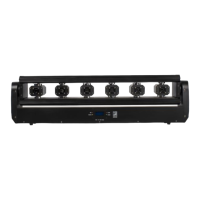
The SHEHDS Six Eye Laser RGB Lighting system is an energy-saving LED light that incorporates a DMX receiver and self-running features. It is capable of producing a wide variety of vivid lighting effects, making it suitable for diverse entertainment decorations and architectural lighting industries. The device utilizes a precision stepping motor scanning system, allowing for a Y-axis swing of 190 degrees and X-axis laser head movement. Its laser effects include Skynet beam performance, laser water line effects, laser stroboscopic effects, LED beam sense, and water stroboscopic effects.

The lighting system offers multiple control modes: voice control, self-propelled operation, DMX512, and master-slave effect. It supports DMX channels with options for 11, 19, or 24 channels, providing flexibility for integration into existing lighting setups. The device is designed for indoor use in various venues such as bars, KTVs, performance bars, dance halls, hotel banquet halls, and other entertainment spaces.

The system features six double-head lasers, available in monochrome (customized red, green, and blue) or RGB + RGB configurations, enhancing its versatility in color output.

Important Technical Specifications

  • Rated Voltage: AC90–275V 50 ~ 60Hz ± 10%
  • Rated Power: 150W
  • Laser Source: Semiconductor pump laser
  • Laser Modulation: TTL
  • Laser Wavelength: 638nm
  • Laser Power: 3000MW (500MW * 6pcs)
  • Laser Color: Single red, single green, single blue
  • Laser System: Precision stepping motor scanning system, Y-axis swing 190 degrees, X-axis laser head can swing.
  • Control Modes: Voice control, self-propelled, DMX512, master-slave effect
  • DMX Channels: 11/19/24 channel optional
  • Use Environment: Indoor
  • Working Temperature: -20 °C ~ 45 °C

Usage Features

The device is designed for ease of operation, with a control panel accessible via four buttons located directly underneath the LED display on the included wired remote. These buttons—MENU, DOWN, UP, and ENTER—allow users to navigate through operating modes, select values, and store settings.

Display Control Instruction: The display control allows users to access and modify various functions:

  • DMX Address: Sets the DMX address from A001 to A512.
  • Channel Mode: Selects between 11, 19, or 24 channels.
  • Show Mode: Toggles between Sound and Auto modes.
  • Slave Mode: Configures the device as Master or Slave.
  • Black Out: Enables or disables standby mode.
  • Sound State: Turns sound control On or Off.
  • Sound Sense: Adjusts sound sensitivity from 0 (Close) to 100 (High).
  • Pan Inverse / Tilt Inverse (1-6): Inverts Pan or Tilt movements for individual lasers.
  • Back Light: Turns the display backlight On or Off.
  • Auto Test: Initiates an automatic equipment test.
  • Fixture Time: Displays the current device usage time.
  • Firmware Version: Shows the current firmware version.
  • Defaults: Restores factory settings.
  • System Reset: Resets the system.

Motor Fine Adjustment Function Setting: Users can fine-tune motor positions. By entering the menu and pressing ENTER for at least 3 seconds, the "Pan offset" interface appears. UP or DOWN buttons adjust the motor position within a range of -127 to 127, and ENTER saves the adjusted value.

DMX Channel Summaries: The manual provides detailed DMX channel summaries for 11, 19, and 24 channel modes, outlining the functions controlled by each channel and their corresponding value ranges. These include:

  • Tilt and Pan Control: Adjusting tilt angle (0-190°), tilt speed, total pan angle (0-90°), and total pan speed.
  • Laser On/Off: Controlling the overall laser output and individual laser heads.
  • Strobe Effects: Adjusting strobe speed from slow to fast.
  • Laser Effect Auto Modes: Selecting from various pre-programmed laser effect auto modes.
  • Motor Auto Run Modes: Activating different motor auto run patterns.
  • Sound Control Modes: Engaging sound-activated lighting effects.
  • Motor Speed Adjust: Fine-tuning motor speed.
  • Reset: Resetting the device.
  • Tilt Fine: For 24-channel mode, a fine adjustment for tilt is available.

Maintenance Features

Proper maintenance is crucial for extending the life and ensuring optimal performance of the SHEHDS Six Eye Laser RGB Lighting system.

  • Dry Environment: The device should always be kept in a dry environment to prevent damage from moisture. Avoid using it in wet places.
  • Intermittent Use: Using the light intermittently can help extend its overall lifespan.
  • Fan and Lens Cleaning: Regular cleaning of the fan and lens is recommended to maintain effective ventilation and optimal lighting effects.
  • Avoid Organic Solvents: Do not use organic solvents to wipe the crust of the device, as this can cause damage to the product.

Attention Items

Several important points are highlighted to ensure safe and proper operation:

  • Environmental Conditions: Do not place the product in wet locations or use it in environments exceeding 40 degrees Celsius to guarantee its lifespan.
  • Stable Placement: The product should be placed on a stable, non-shakable surface.
  • Professional Maintenance: For safety and to avoid electric shock, any maintenance or repairs should be performed by a qualified professional.
  • Power Supply Stability: The power supply voltage should not fluctuate by more than ±10% while the light is in use. Excessive voltage can decrease the lamp's life, while insufficient voltage can impact luminosity.
  • Cool-Down Period: After powering off, allow the device to cool down for at least 20 minutes before using it again.
  • Manual Review: Users are advised to thoroughly read the manual to ensure the product is used correctly and normally.

The manufacturer states that the product is delivered with good capability and intact packing. Users are expected to comply with all warning items and the manual. Any damages resulting from misuse are not covered by the guarantee, and the manufacturer is not responsible for malfunctions or problems arising from ignoring the manual. The manufacturer also reserves the right to make technical changes without prior notice.

Shehds Six Eye Laser Specifications

General IconGeneral
BrandShehds
ModelSix Eye Laser
CategoryLighting Equipment
LanguageEnglish

Related product manuals