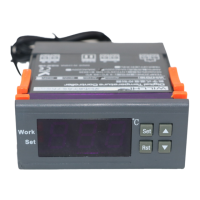
◆ Timing off function:
In standby mode, the screen alternately displays OFF and the current
-temperature, the output is shut down;
Press RST key once Start the Timing out-put , it displays alternately the
remaining time or the current temperature, when the countdown is 0 close the
output into standby mode. When AT is set to 0, the timing off function will be
invalid. The output is controlled only by the temperature.
◆ Timing off setting:
Press "SET" button and hold more than 3 seconds to enter the menu display,
with "▲" or "▼" button transferred to the screen appears "AT" code, press the
"SET" key to display the Timing off settings value, press "▲ "or" ▼ "key to
adjust the parameters
Advanced settings:(Only for model: WH7016C+ WH7016D+ WH7016E+
WH7016J+ WH1603C WH1603D WH1603E WH1603J)
Press SET and UP key and hold on for three seconds to enter the System
Advanced menu settings, press the ▲ or ▼ key to select the adjustment menu,
press SET key once to enter the appropriate parameter settings, press ▲ or ▼
to adjust the parameters needed to be modified. After being adjusted, press
the RST key to exit,
OFF:Thermostat starts after
ON:Start time after startup
(Some models do not have this
option
)


 To Next Page
 Loading...