EasyManua.ls Logo

Sherwood CD-5505 - User Manual

Sherwood CD-5505
18 pages
Print Icon
To Next Page IconTo Next Page
Loading...
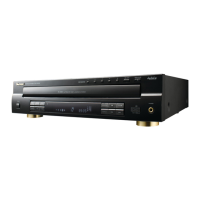
CD-5505
COMPACT DISC PLAYER
OPERATING INSTRUCTIONS
5505(G) cover_cover.qxp 2010-12-17 오후 5:20 페이지 1

Questions and Answers

  • J
    Jeffrey KingAug 6, 2025
    Why is there no sound coming from my Sherwood CD-5505 CD Player?
    • P
      Paul GordonAug 6, 2025
      If you're not getting any sound from your Sherwood CD Player, it could be due to incorrect connections, an issue with the amplifier/receiver, or the pause mode being activated. Ensure all connections are correctly made and that the amplifier/receiver is operating as expected. Also, check if the pause mode is on and, if so, press the pause button to deactivate it.
  • J
    Jason MckenzieAug 10, 2025
    How to fix a Sherwood CD-5505 CD Player that won't play?
    • R
      rhumphreyAug 10, 2025
      If your Sherwood CD Player isn't playing, the disc might be loaded upside down, dirty, defective, or deeply scratched. It could also be a nonstandard CD-R/CD-RW disc or music files in a non-compatible format. Reload the disc with the printed side up, clean the disc, or try another disc. Note that only music files in MP3 and WMA formats can be played.
  • T
    thomashaleAug 15, 2025
    What to do if my Sherwood CD-5505 CD Player has no power?
    • M
      Melissa LewisAug 15, 2025
      If your Sherwood CD Player has no power, the AC input cord might be disconnected or there could be a poor connection at the AC wall outlet, or the outlet might be dead or off. Connect the cord securely and check the outlet using a lamp or another appliance.
  • B
    brittneyjohnsonAug 19, 2025
    Why does my Sherwood CD-5505 CD Player sound distorted?
    • G
      gordongeorgeSep 12, 2025
      If you're experiencing poor or distorted sound from your Sherwood CD Player, it might be connected to the PHONO input jacks of the amplifier/receiver or there might be poor connections. Ensure that the connections are made correctly and that all cords are securely connected.
  • M
    Misty SmithAug 23, 2025
    What causes my Sherwood CD Player to skip?
    • T
      Terry MitchellAug 23, 2025
      Sound skipping on your Sherwood CD Player can be caused by a defective or deeply scratched disc, or the unit being placed on a surface that is subject to vibration or physical shock. Try playing another disc and place the unit on a stable surface.
  • M
    Marcus MillerAug 27, 2025
    Why can't I program my Sherwood CD-5505?
    • N
      nathanrichardsonAug 27, 2025
      If you're unable to program your Sherwood CD Player, the disc might be dirty or badly scratched, the programming procedure might not be correct, or the number of programmed tracks/files might be 20. Try again with a scratch-free disc, ensure you're following the correct programming procedure, and check the number of programmed tracks/files.
  • K
    Karen MirandaSep 1, 2025
    Why does my Sherwood CD Player take so long to read a disc?
    • D
      Daniel MunozSep 1, 2025
      It may take a longer time for your Sherwood CD Player to read a disc or USB memory device that contains many files and folders. This is not a malfunction.

Summary

Introduction

READ THIS BEFORE OPERATING YOUR UNIT

Provides essential safety and operational guidelines before using the unit.

Rear Panel Connections

CONNECTING ANALOG AUDIO OUTS

Connects the ANALOG L and R jacks to the CD IN jacks of your amplifier/receiver.

CONNECTING DIGILINK

Connects to the DIGILINK jack for remote control via DIGILIN II or III system.

Front Panel & Remote Controls

Preliminary Knowledge About Discs & Files

Operations

PLAYING TRACKS;FILES

Instructions for playing audio tracks and files from discs or USB devices.

REPEAT PLAY

Options for repeating tracks, folders, or specific passages.

PLAYING IN DESIRED ORDER

Instructions for programming tracks/files for playback in a specific sequence.

Troubleshooting Guide

Specifications

Sherwood CD-5505 Specifications

General IconGeneral
TypeCD player
Frequency Response20 Hz - 20 kHz
Digital OutputCoaxial
Power Consumption15 W
Disc formatsCD, CD-R
Channels2
Line output2V RMS

Related product manuals