12 13
5. Activating your Moonwalkers
1. With both shoes secured, powered on, and communicating, stand normally. The shoes are
currently in LOCK mode. You can use this mode to traverse steps, obstacles, or crowds. We
recommend walking around in this mode to become familiar with the extra size and weight
of the Moonwalkers before moving to the next step.
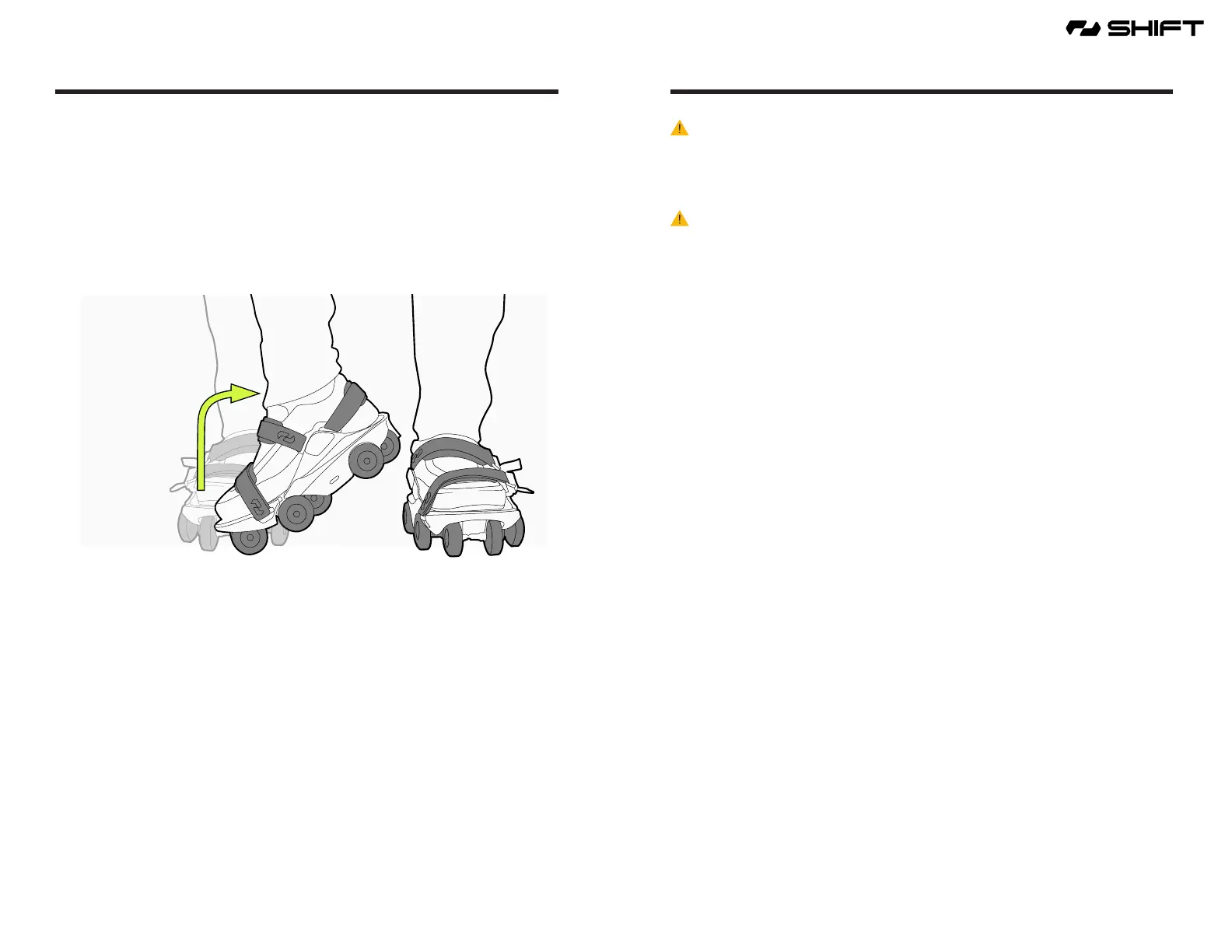
2. To activate, raise your right heel in the air with your toe remaining in contact with the ground,
and then swing your heel clockwise towards your left leg. The status indicator light will turn
from white to green, indicating that the shoes are in SHIFT mode.
3. You can now begin Moonwalking.
6. Moonwalking
WARNING - Always Wear A Helmet - Always wear an ASTM, CPSC, and/or CE certied Hel-
met until you master all skills necessary to safely use your Moonwalkers, including being able
to stop quickly or in an emergency, comfortably go up and down hills and stairs, make sharp
turns, and can operate comfortably at top speed. If you allow others to use your Moonwalkers,
ensure such users always wear a certied Helmet.
WARNING - Personal e-mobility devices are not intended for use at elevations greater than
2000 m above sea level.
The time has arrived for you to begin Moonwalking.
When you rst learn to Moonwalk, we recommend you nd a large, at paved area without trac
or other pedestrians. Take your time to get the feel of your new Moonwalkers. It often takes 30
minutes to an hour to get comfortable with your Moonwalkers.
With the Moonwalkers in Shift Mode (green light illuminated) proceed to walk normally.
One step after another. When walking, focus on stepping smoothly, heel to toe, heel to toe.
Try not to drag your heels. As you walk, you will feel the propulsion of the shoes.
To Moonwalk faster, walk faster and increase the force you push o with the toe/ball of
your foot. This increase in force signals the controller to increase speed.
To maintain speed, keep Moonwalking as you are.
To slow down take shorter steps and reduce your pace.
To rapidly stop, put one foot in front of the other and stop moving. The shoes will come to a stop.



 To Next Page