3
English
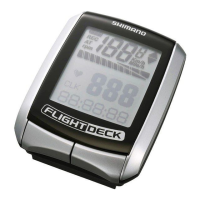
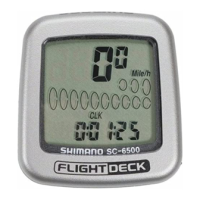
Cycle Computer
SC - 6500 / SC - 6500 - M
SC - 6500 - MX / SC - 6500 -T
INDEX
1. External appearance • • • • • • • • • • •
5
2. Display Contents • • • • • • • • • • • • • • •
6
3. Display Modes • • • • • • • • • • • • • • • • •
8
•
Current speed
(
VEL
)
• • • • • • • • • • • • • • • •
9
•
Gear indicator
(
bar
)
•
Time display
(
CLK
)
•
Trip distance group
(
TIM, DST, MAX, AVE
)
• • •
10
•
ODO meter
(
ODO
)
• • • • • • • • • • • • • • • • •
11
•
Stopwatch
(
STW
)
group
•
Cadence
(
rpm
)
• • • • • • • • • • • • • • • • • • •
12
•
Main display cadence
(
VEL
)
•
Lap counter
(
CNT
)
•
Digital gear number F- R
• • • • • • • • • • • • •
13
•
Gear ratio
•
Pace Arrow
•
Low battery display
(
LO BAT
)
•
Power saver function
• • • • • • • • • • • • • • •
14
4. Resetting • • • • • • • • • • • • • • • • • • • • •
14
5.
Viewing data after removing the
• • • • • • •
15
computer from the bracket mount
6. Setting tolerances
7. Installation to the bicycle
• • • • • • • •
16
8. Data input • • • • • • • • • • • • • • • • • • • •
17
Trouble Shooting • • • • • • • • • • • • • • • • •
24


 To Next Page