Using FabCure 2
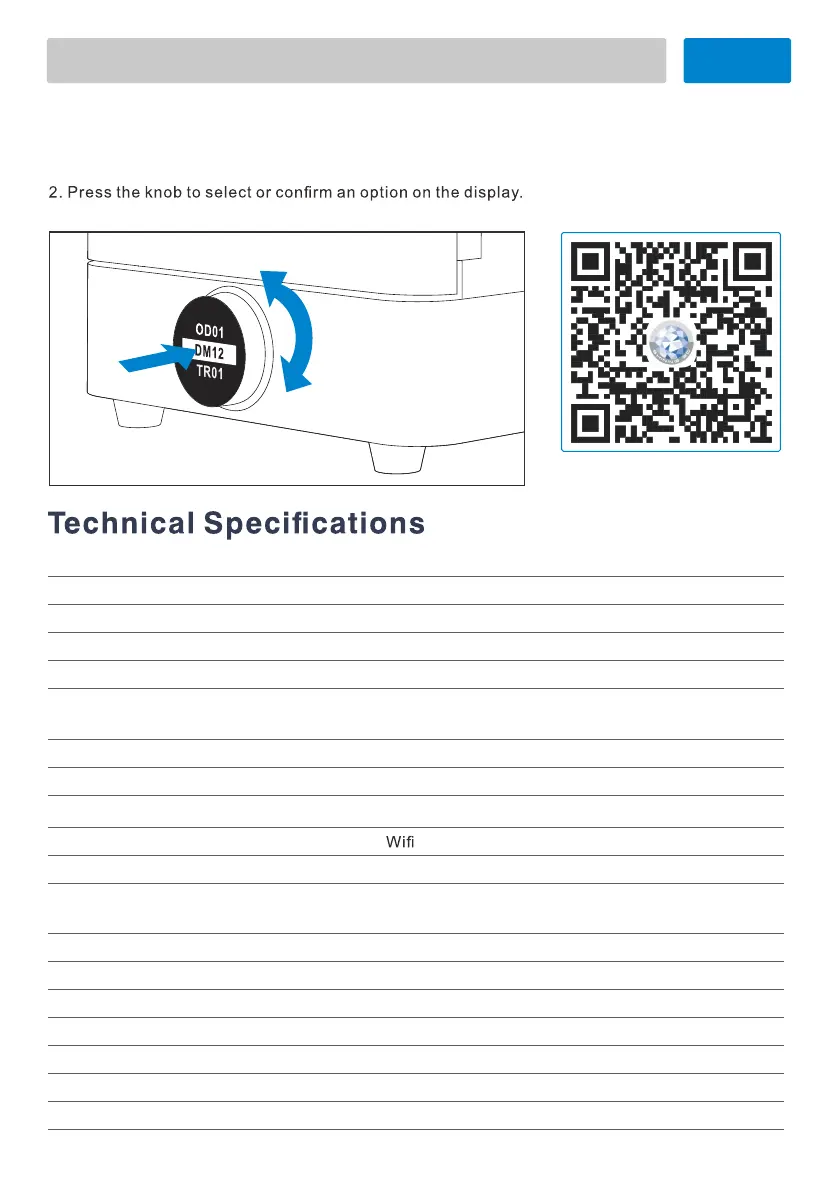
FabCure 2 Controls
1. Rotate the knob clockwise or counterclockwise to move between items in the menu
3. Once the curing cycle begins, press the knob or open the door to pause post-curing.
Scan QR code for FabCure 2
operation video.
Light Source Ultraviolet light
Ligh
t W
a
v
el
e
ngth
385-405nm
LED P
o
w
er
70W
Cu
r
in
g M
a
t
e
ri
a
l
Photopolymer resin
M
axi
mu
m C
ur
i
ngT
e
mper
a
t
u
r
e
60℃
Tur
nt
abl
e R
o
ta
tio
n
a
l S
pe
e
d
10r/min
Maxi
mu
m Pa
r
t Dim
en
sion
s
D*H Φ210*180mm
M
a
x
i
mu
m C
u
r
i
ng T
i
me
60min
Data T
ra
ns
f
er
I
nt
era
c
t
i
ve M
ode
Knob with1.54 inch OLED screen
P
o
w
e
r R
e
qui
rme
n
t
s
AC100–240 V ,200W
O
p
e
r
at
in
g
T
empe
r
a
t
u
r
e
10℃-30°C
S
to
r
i
ng
Te
m
per
atur
e
-10℃-70°C
Op
eratin
g Hum
i
dity
30-70%RH (no icing and condensation )
03
of SHINING 3D materials.
Product Name FabCure 2
Ship
ping Di
men
s
i
ons
410*410*495mm
S
h
i
pp
i
ng W
ei
ght
10.2KG
Pro
du
c
t D
i
men
s
i
on
s
290*290*367.5mm
P
r
oduct Wei
gh
t
8.2KG


 To Next Page