-5-
D2260A Mini Mobile Base Instructions
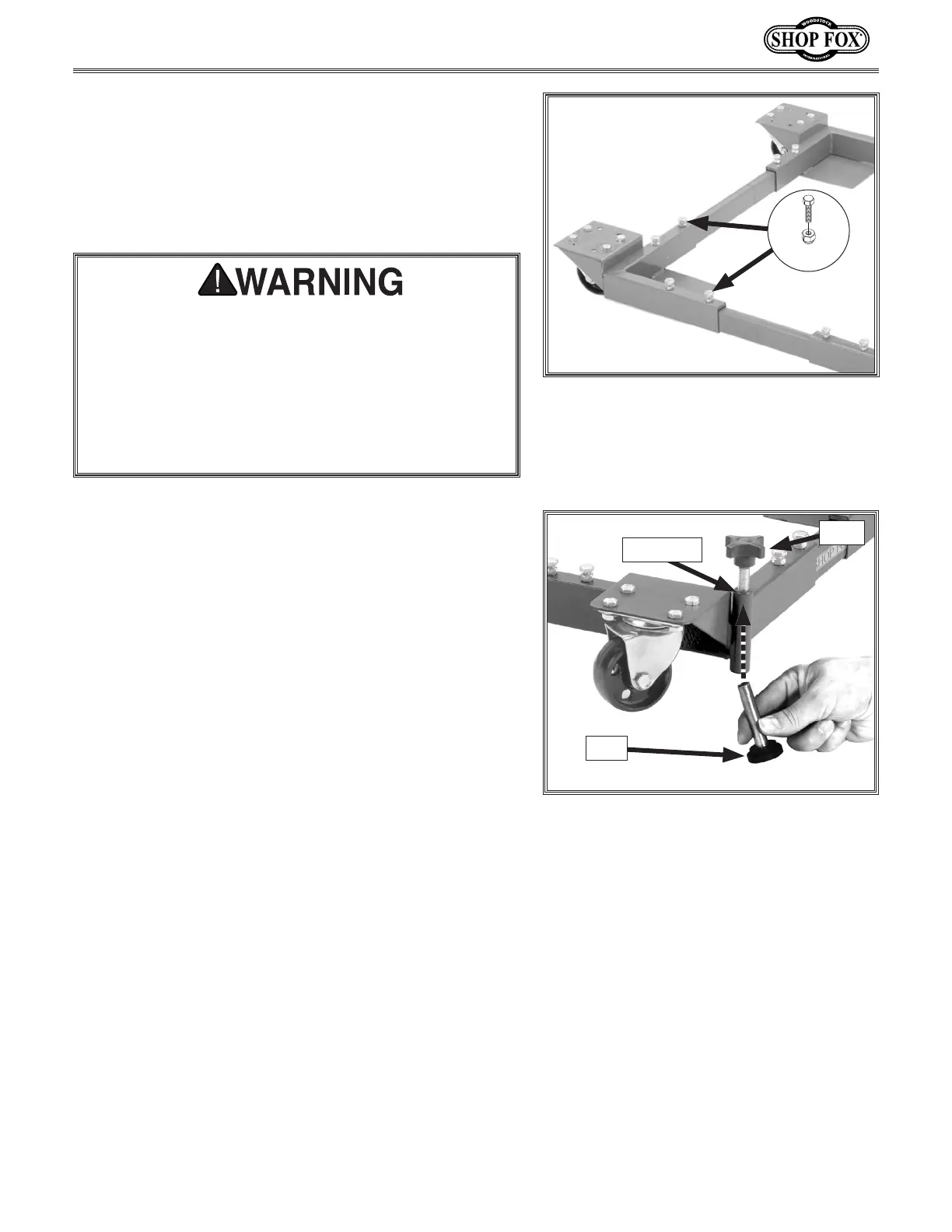
8. Secureeachcornerbrackettotworailswith(4)
M8-1.25x16hexbolts,and8mmlocknuts,asshown
in Figure 11.
Tip: Thread the hex bolts into the rails but do
not tighten the lock nuts against the rails until
instructed later.
Figure 11. Rails secured to fixed corner
brackets.
x 4
Each side rail-to-corner bracket connection must have
a minimum of two hex bolts installed, making a total
of four bolts at each corner, as shown in Figure 11.
Do not load a machine onto the base until all of these
bolts have been installed and tightened. Loading a
machine onto the base before completing assembly
can result in the machine falling or tipping over,
resulting in serious personal injury.
9. Threadaknobintothetopofafootpostseveral
turns,theninsertafootintothebottomofthefoot
post,asshowninFigure 12.Theknobshaftshould
pickupthefootwhenitcomesincloseproximity
sincethetopofthefootismagnetized.
10. Repeat Step 9toinstalltheremainingknobandfoot
into the other foot post.
11. Withthemobilebasesittingonthefloor,adjustthe
knobstoraisethefeetoffthefloor.
12. ProceedtoMounting Machine onto Mobile Base,on
Page 11.
Knob
Figure 12.Installingfootpadandknob
into a foot post.
FootPost
Foot


 To Next Page
 Loading...