EasyManua.ls Logo

Shop fox W1867 - User Manual

Shop fox W1867
60 pages
Print Icon
To Next Page IconTo Next Page
Loading...
OWNER'S MANUAL
(FOR MODELS MANUFACTURED SINCE 11/18)
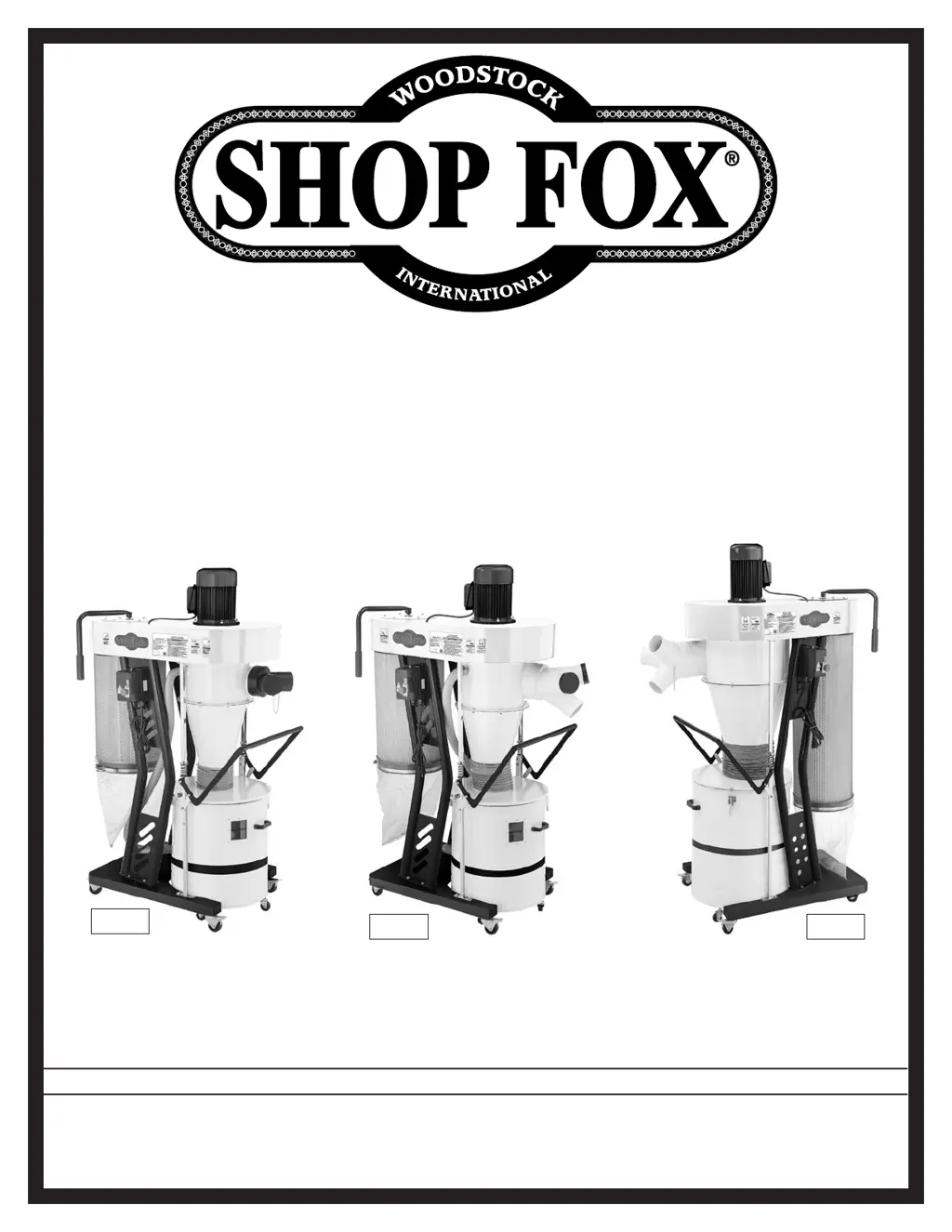
MODEL W1867/W1868/W1869
CYCLONE
DUST COLLECTORS
Phone: (360) 734-3482 • Online Technical Support: techsupport@woodstockint.com
COPYRIGHT © JANUARY, 2019 BY WOODSTOCK INTERNATIONAL, INC.
WARNING: NO PORTION OF THIS MANUAL MAY BE REPRODUCED IN ANY SHAPE OR FORM WITHOUT
THE WRITTEN APPROVAL OF WOODSTOCK INTERNATIONAL, INC.
#20207KBES  Printed in Taiwan
W1867
W1868 W1869

Questions and Answers

  • B
    briannarollinsAug 21, 2025
    Why is my Shop fox Dust Collector underpowered?
    • C
      Courtney WashingtonAug 21, 2025
      If your Shop fox Dust Collector seems underpowered, it could be due to several factors. The motor may be overheated, so allow it to cool and reset the overload if needed. Check for blockages or leaks in the dust-collection ducting, use smooth-wall duct, eliminate bends, and close off other branches. Clean or replace the canister filter. Ensure the dust collector is close enough to the machine or consider upgrading it. Test, repair, or replace the run capacitor. Adjust or replace the centrifugal switch/contact points if available. Finally, test the motor bearings by rotating the shaft; if there's rotational grinding or a loose shaft, replace the bearings.
  • P
    Patrick MillerSep 1, 2025
    How to fix vibration in Shop fox Dust Collector?
    • J
      John BarrettSep 1, 2025
      To address excessive vibration or noise in your Shop fox Dust Collector, start by inspecting and tightening any loose motor or component bolts and nuts, using thread-locking fluid. Check the motor fan for rubbing against the fan cover; fix or replace the cover, and replace the fan if it's loose or damaged. Ensure the motor mount is secure by tightening or replacing it if necessary. Adjust or replace the centrifugal switch if available. If the impeller is damaged or unbalanced, replace it. Test the motor bearings by rotating the shaft; rotational grinding or a loose shaft indicates bearing replacement is needed. Lastly, test for a bent motor shaft with a dial indicator, and replace the motor if damaged.
  • A
    Alexandra CarrNov 10, 2025
    Why does my Shop fox W1867 not start?
    • M
      Mrs. Dana FrazierNov 10, 2025
      If your Shop fox Dust Collector doesn't start or trips a breaker, it could be due to several reasons. First, ensure the dust collector is properly connected to the ducting. Check the E-Stop Button and reset it by rotating; replace if necessary. Verify you're using the correct power supply voltage and circuit size. Also, check the circuit breaker or fuse, and reset or replace if needed. If the motor overheated, allow it to cool down and reset the overload. Reset the circuit breaker on the switch. If the remote control isn't working, replace the battery and stay within the signal range. Inspect for broken, disconnected, or corroded wires and fix them. You may also need to adjust or replace the centrifugal switch/contact points, test/replace the power switch/circuit breaker, start capacitor, ...

Shop fox W1867 Specifications

General IconGeneral
BrandShop fox
ModelW1867
CategoryDust Collector
LanguageEnglish

Related product manuals