7
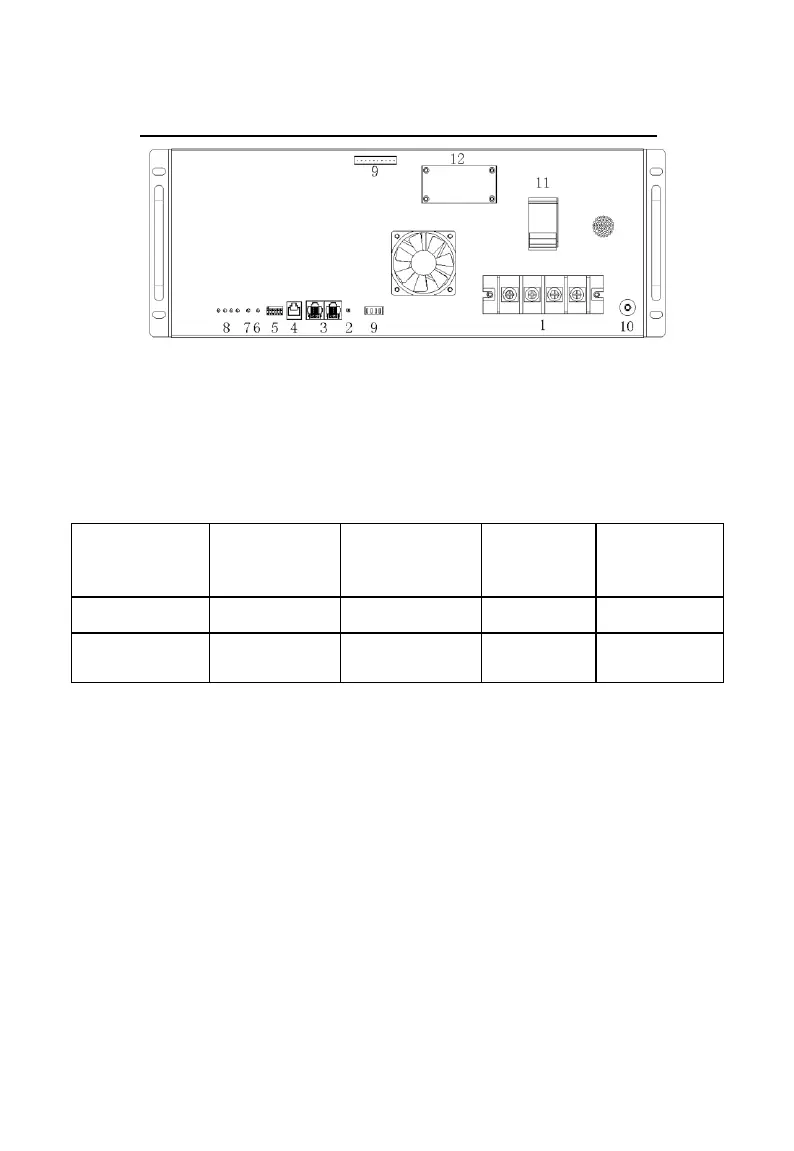
Pic. 6-1 Schematic drawing of the module panel
6.2 Battery output terminal
The number of “1” in Pic. 6-1 show the output terminal of the
battery module. It adopts one 4 pin terminal.
Table 6-1 different output configurations of the battery modules
6.3 Reset key
The number of “2” in Pic. 6-1 represents “RESET” key. When
the system runs into abnormal status, one can use the key to reset the
system to ensure the stability of the system. At the same time, in order
to facilitate the use in different application scenarios, booting,
shutdown and reset functions are integrated into this key. Specific
definitions are shown in the Tabke 6-2 below.
Table 6-2 booting/shutdown, reset keys’ definitions



 To Next Page