8.8. Using the Virtual Executor Window
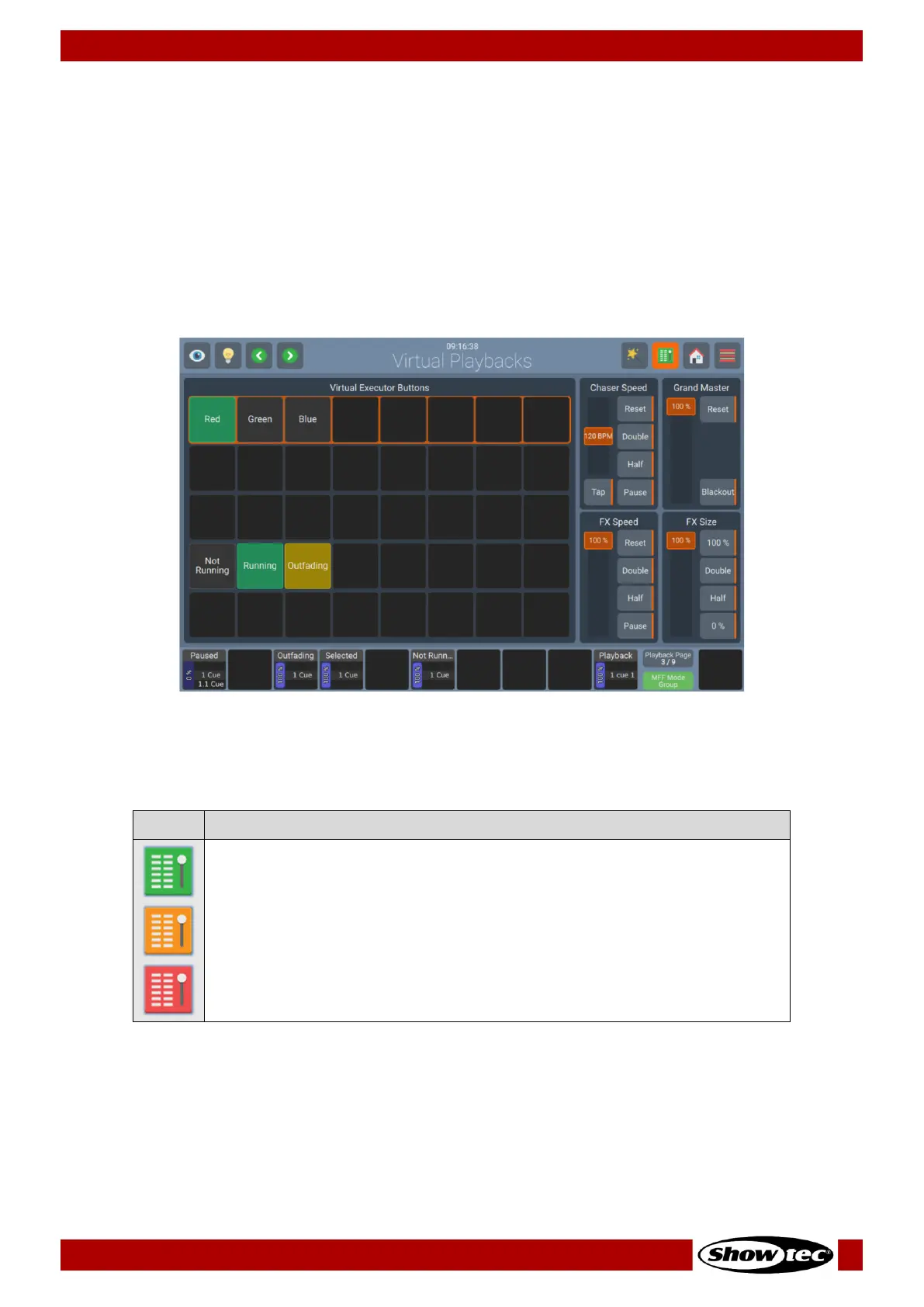
The Virtual Executor Window contains a total of 40 Executor Buttons in 5 rows. Each row may be set to
only allow one active Playback at a time (“Linked”). You may do so by pressing the Magic Wand Button
from within the Virtual Executor Window. Linked rows are indicated using and orange background color.
Virtual Executors may only contain one cue. They may be controlled using OSC or Midi. Please see the
section about OSC and MIDI in the appendix of the User Manual.
Furthermore, the Virtual Executor Window contains global Speed Faders that affect Executors, Playbacks
and Scenes. It also contains a Grand Master Fader, which globally dims down the brightness for all
fixtures.
The Virtual-Executor Window button also indicates if one of the master’s within the window is active:
The Button functions and names are as follows:
Switches to the Virtual Executor View.
If one of the Virtual Masters is active, the Icon will be shown in Orange
color.
If the Grand Master or any of the Speed Masters is set to 0%, the button will
turn red.













 To Next Page