EasyManua.ls Logo

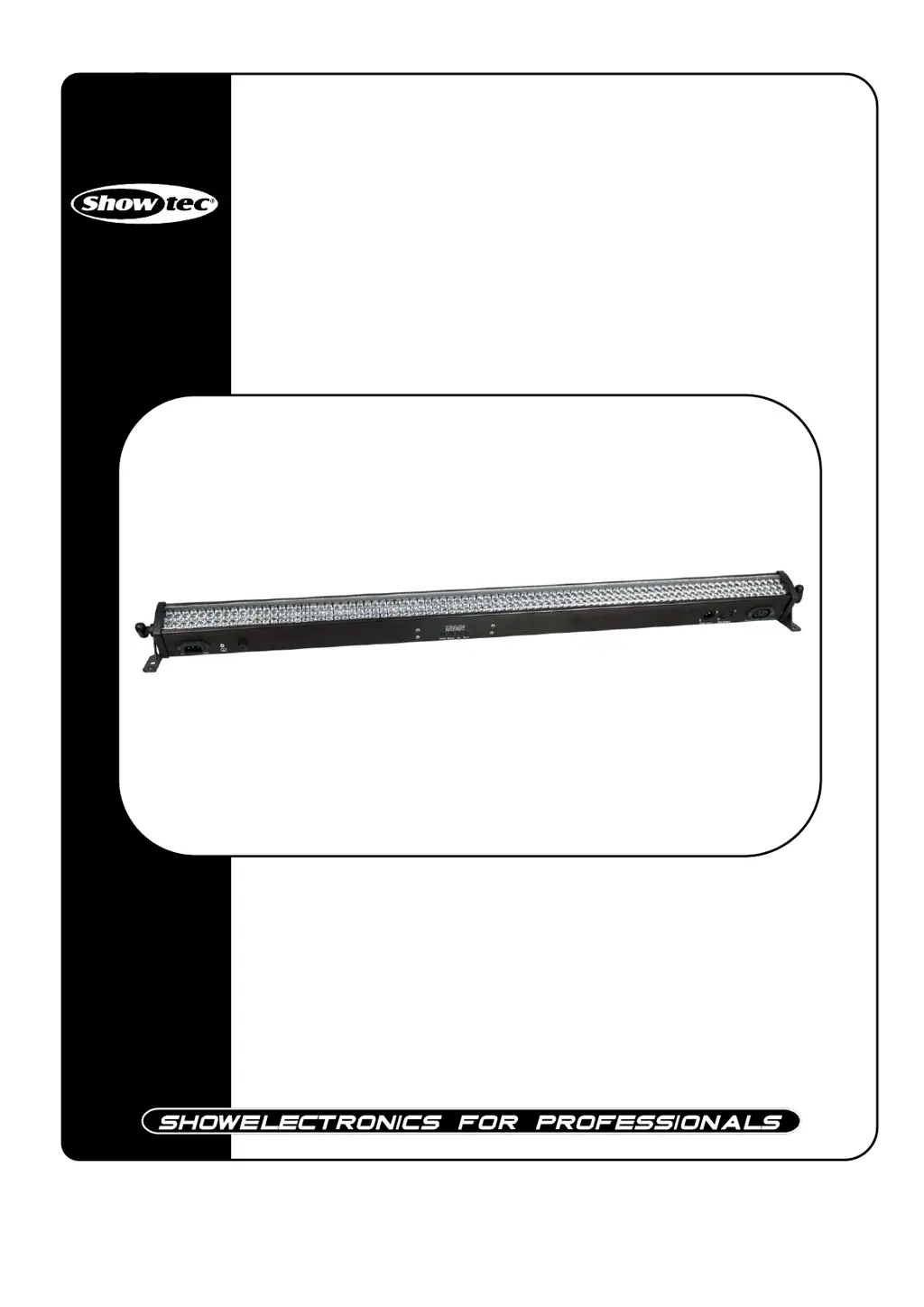
SHOWTEC LED Light Bar 8 - User Manual

SHOWTEC LED Light Bar 8
28 pages
Print Icon
To Next Page IconTo Next Page
Loading...
LED Light Bar 8
ORDERCODE 42199

Questions and Answers

  • E
    Eric RamirezJul 31, 2025
    What to do if SHOWTEC LED Light Bar 8 fixtures reset correctly, but some respond erratically or not at all to the controller?
    • D
      dgomezAug 1, 2025
      If SHOWTEC Lighting Equipment fixtures reset correctly but respond erratically, check the data quality. If the data quality is low, inspect connections and cables for damage or poor connection. Ensure the data link is terminated with a 120 Ohm termination plug. Verify the fixture addressing and bypass one fixture at a time to identify if a defective fixture is disturbing the link. If the 3-pin XLR Out on the fixtures does not match, install a phase-reversing cable between the fixtures or swap pin 2 and 3 in the fixture that behaves erratically.
  • K
    Kelsey JohnstonAug 5, 2025
    What to do if SHOWTEC Lighting Equipment fixtures reset correctly, but all respond erratically or not at all to the controller?
    • B
      Bradley FrostAug 5, 2025
      If the SHOWTEC Lighting Equipment fixtures reset correctly but all respond erratically, first, connect the controller. If the 3-pin XLR Out of the controller doesn't match the XLR Out of the first fixture, install a phase reversing cable between them.
  • J
    jalvarezAug 10, 2025
    What to do if SHOWTEC Lighting Equipment has no light?
    • M
      michellejonesAug 10, 2025
      If your SHOWTEC Lighting Equipment has no light, first, ensure the unit is properly plugged into a power supply. If the issue persists, the fuse may be blown and need replacing. If the LEDs are the cause, return the LED Light Bar to your Showtec dealer.
  • C
    cynthiarothAug 15, 2025
    Why SHOWTEC LED Light Bar 8 has no response to DMX?
    • S
      Stuart BlanchardAug 15, 2025
      If your SHOWTEC Lighting Equipment isn't responding to DMX, check the DMX settings and ensure the addresses are correct. Try unplugging the unit, changing the DMX cable, and then reconnecting it. If the controller isn't working with other DMX products, have it repaired. If it works with other products, take the DMX cable and light effect to a technician.
  • T
    Tamara GarciaAug 20, 2025
    What to do if SHOWTEC LED Light Bar 8 has no light or lamp cuts out intermittently?
    • R
      Russell FigueroaAug 20, 2025
      If your SHOWTEC Lighting Equipment's light is cutting out, the fixture may be overheating. Allow it to cool, clean the fan, and ensure the air vents are unblocked. If the LEDs are damaged, disconnect the fixture and return it to your dealer. Also, verify the power supply settings match your local AC voltage and frequency.
  • N
    Natasha FergusonAug 25, 2025
    What to do if one or more SHOWTEC LED Light Bar 8 Lighting Equipment fixtures are completely dead?
    • A
      Amy VazquezAug 26, 2025
      If one or more SHOWTEC Lighting Equipment fixtures are completely dead, verify that the power is switched on and the cables are properly plugged in. Also, check if the primary fuse is blown and replace it if necessary.

Summary

Safety and Initial Setup

Unpacking and Safety Guidelines

Instructions for unpacking, initial checks, and general safety guidelines.

LED Lifespan and Operating Conditions

Information on LED degradation and optimal operating temperature and humidity.

Critical Safety Precautions

Electrical and Handling Advice

Critical advice regarding electrical connections, handling, and environmental exposure.

Operation and Installation

Operating Determinations & Rigging

Guidelines for device operation, performance, and mounting procedures.

Mains Connection

Guidance on connecting the device to the power supply.

Support and Returns

Return Procedure & Claims

Steps for returning merchandise and processing claims for damages.

Product Overview

Features and Specifications

Detailed technical specifications and capabilities of the LED Light Bar 8.

Device Diagram

Visual representation of the device with key components labeled.

Installation and Control Modes

Backside Components & Installation

Identifying backside ports and performing physical installation steps.

Control Modes Overview

Introduction to the different operating modes available for the device.

Basic Operation Modes

Manual Control and Built-in Programs

Operating the device in manual mode or using built-in programs and colors.

Advanced Operation Modes

Sound, Master;Slave, and DMX Setup

Setting up sound control, master/slave synchronization, and DMX connection.

Connectivity and Cabling

Fixture Linking and Data Cabling

Guidelines for connecting multiple fixtures and DMX data cable requirements.

Control Panel and DMX Addressing

Control Panel Interface

Description of the LED display and buttons on the control panel.

DMX Addressing Procedure

Setting the unique DMX address for each fixture.

Menu Navigation

Menu Overview and Main Options

Visual guide to menu structure and description of main menu functions.

Mode Configuration Details

DMX, Master;Slave, Sound Settings

Detailed configuration for DMX, master/slave, and sound control modes.

Program and Color Settings

Static Color and Built-in Programs

Setting static colors and selecting/customizing built-in light shows.

Built-in Program Details

Program Settings (Pr01, Pr02, Pr21)

Specific settings and effects for programs Pr01, Pr02, and Pr21.

Automatic and DMX Channel Modes

Auto Run and DMX Channel Modes

Configuring auto run programs and explaining DMX channel modes (3 & 4).

Advanced DMX Channel Modes

14 DMX Channels (d-P3)

Detailed explanation of DMX control with 14 channels.

Extended DMX Channel Modes

26 DMX Channels (d-P4)

Detailed explanation of DMX control with 26 channels.

DMX Channel Functions

2 DMX Channels (d-P5)

Detailed explanation of DMX control with 2 DMX channels.

DMX Channel Functions Part 2

7 DMX Channels (d-P6)

Detailed explanation of DMX control with 7 DMX channels.

Maintenance and Troubleshooting

Maintenance and Fuse Replacement

Procedures for cleaning, inspection, and replacing a blown fuse.

Troubleshooting Guide

No Light and DMX Response Issues

Diagnosing and resolving common problems like no light or DMX communication failure.

Product Specifications

Technical Specifications Summary

Comprehensive list of the product's technical data and dimensions.

SHOWTEC LED Light Bar 8 Specifications

General IconGeneral
ModelLED Light Bar 8
TypeLED Bar
Number of LEDs8
LED ColorRGB
Power SupplyInternal
IP RatingIP20
MaterialAluminum
Lifespan50, 000 hours
Input Voltage100-240V AC
Control ProtocolDMX
DMX Channels3, 5, 8

Related product manuals