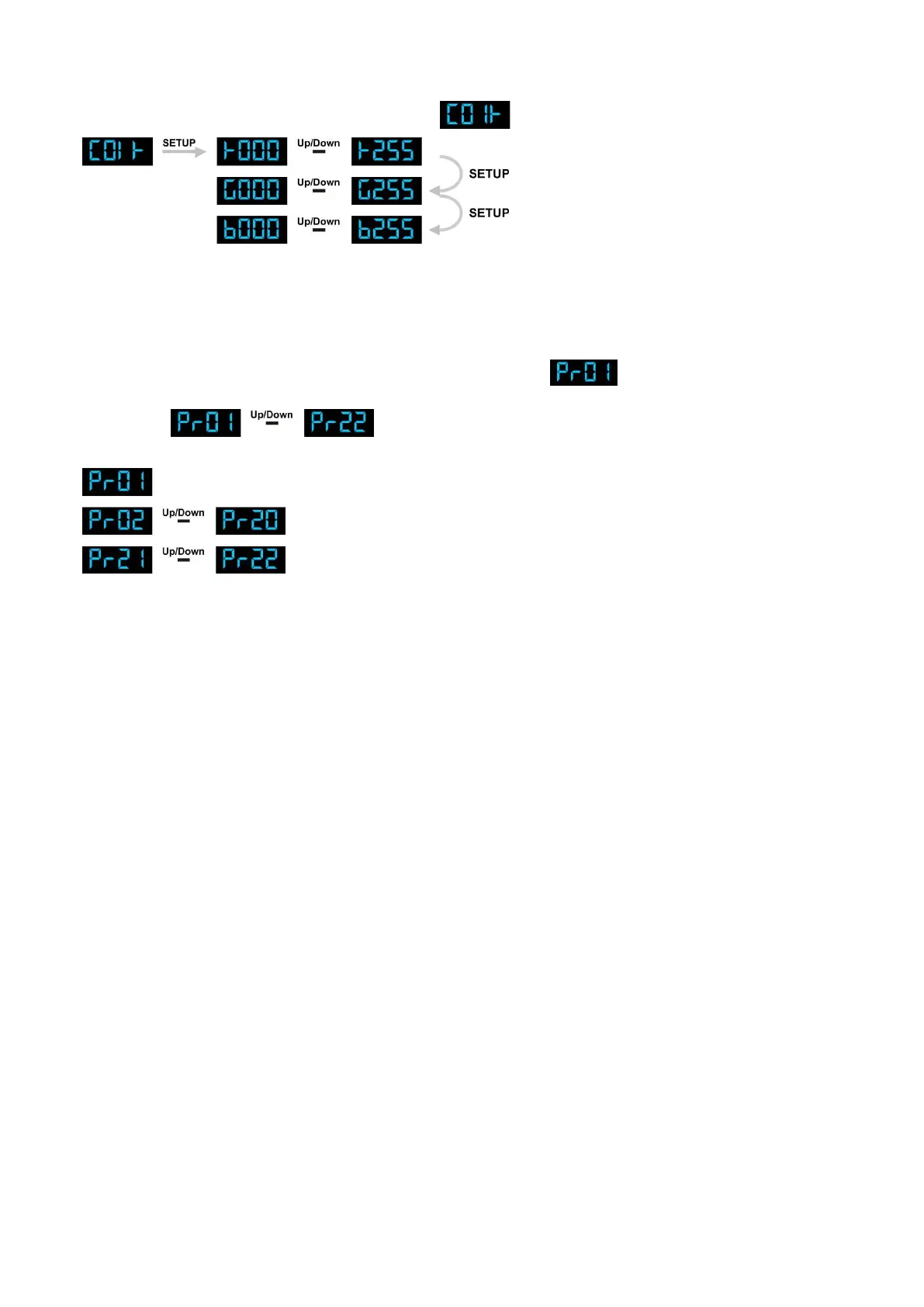
4. Static Color Mode
With this menu you can set the DMX address.
1) Press the MODE button, until the display shows .
2) With this menu you can set 3 Static colors of the LED Light Bar.
You can choose Red, Green or Blue by pressing the Setup button.
Use the Up / Down buttons to select the values of each individual color from 000-255.
5. Built-in Programs
1) Press the MODE button on the device, until the display shows .
2) With this menu you can set the Built-in Program Mode of the LED Light Bar. You can choose 22 built-in
programs , by using the Up / Down buttons.
3) Press Setup to enter the built-in programs Menu. You can choose 3 different sub menus:
See the next page to view the complete menu.












 To Next Page