EasyManua.ls Logo

SHOWTEC Lampy 40 - Page 70

SHOWTEC Lampy 40
217 pages
Print Icon
To Next Page IconTo Next Page
To Previous Page IconTo Previous Page
Loading...
69
Product: 50740 / 50741 / 50742 / 50743
8.4.3.3. Network
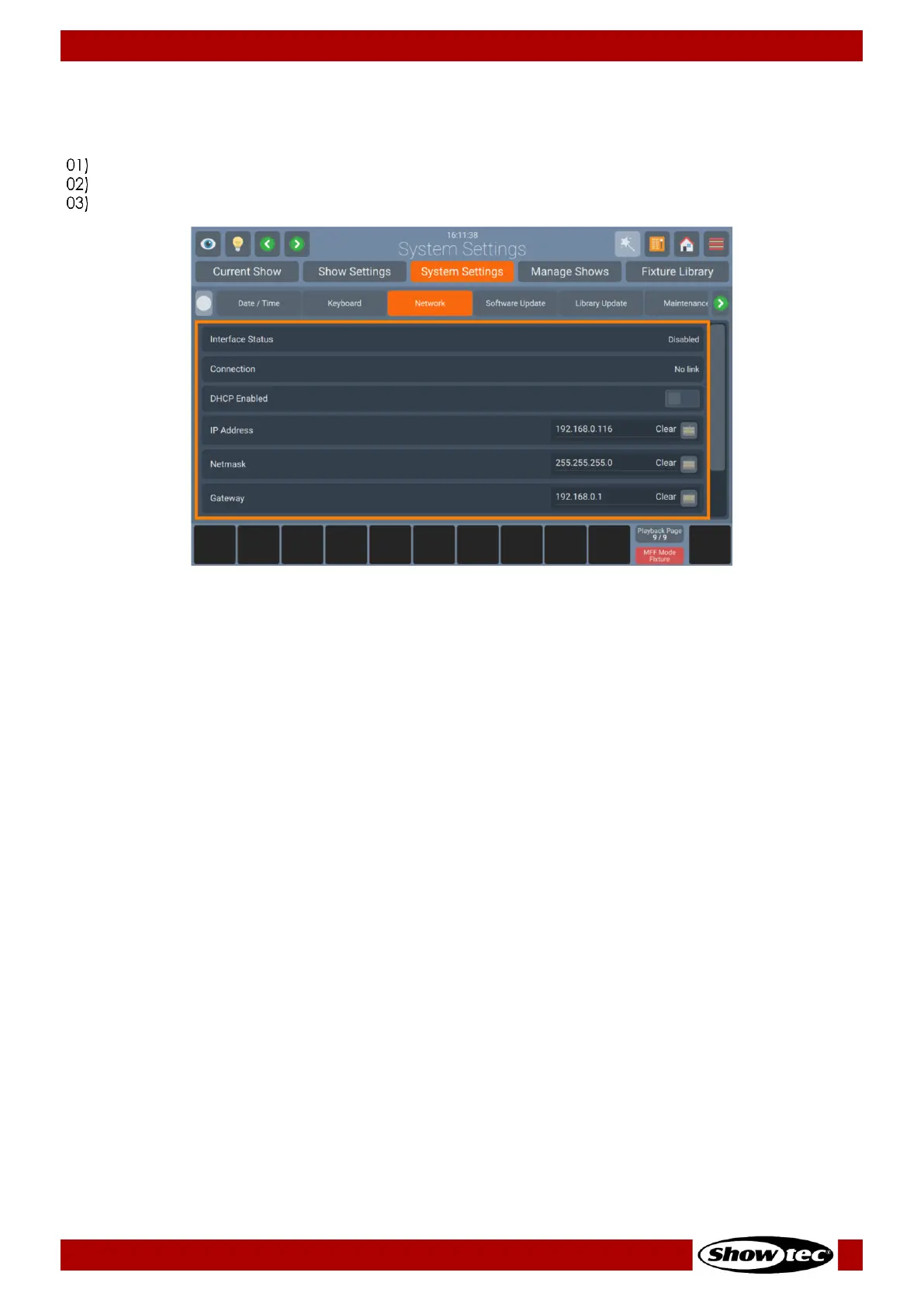
Please follow these steps to set up the consoles network interface:
Open the Setup Menu.
Change to the System Settings tab.
Click on Network.
Fig. 69: System Settings - Network Settings
Dynamic Configuration
For a dynamic IP Address using a DHCP Server (Most Routers have a DHCP Server built in. Please refer to
your device Documentation) turn on the DHCP enabled on-screen switch.
Static Configuration
For a static IP turn off the DHCP enabled on-screen switch and enter at least IP Address and Subnet Mask
on the text field.
You only need to enter a Gateway / DNS Server should you wish to access the internet for online Library
or Software Updates.

Related product manuals