EasyManua.ls Logo

SHOWTEC LED PAR 64 SHORT - User Manual

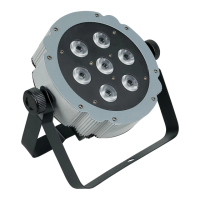
SHOWTEC LED PAR 64 SHORT
20 pages
Print Icon
To Next Page IconTo Next Page
Loading...
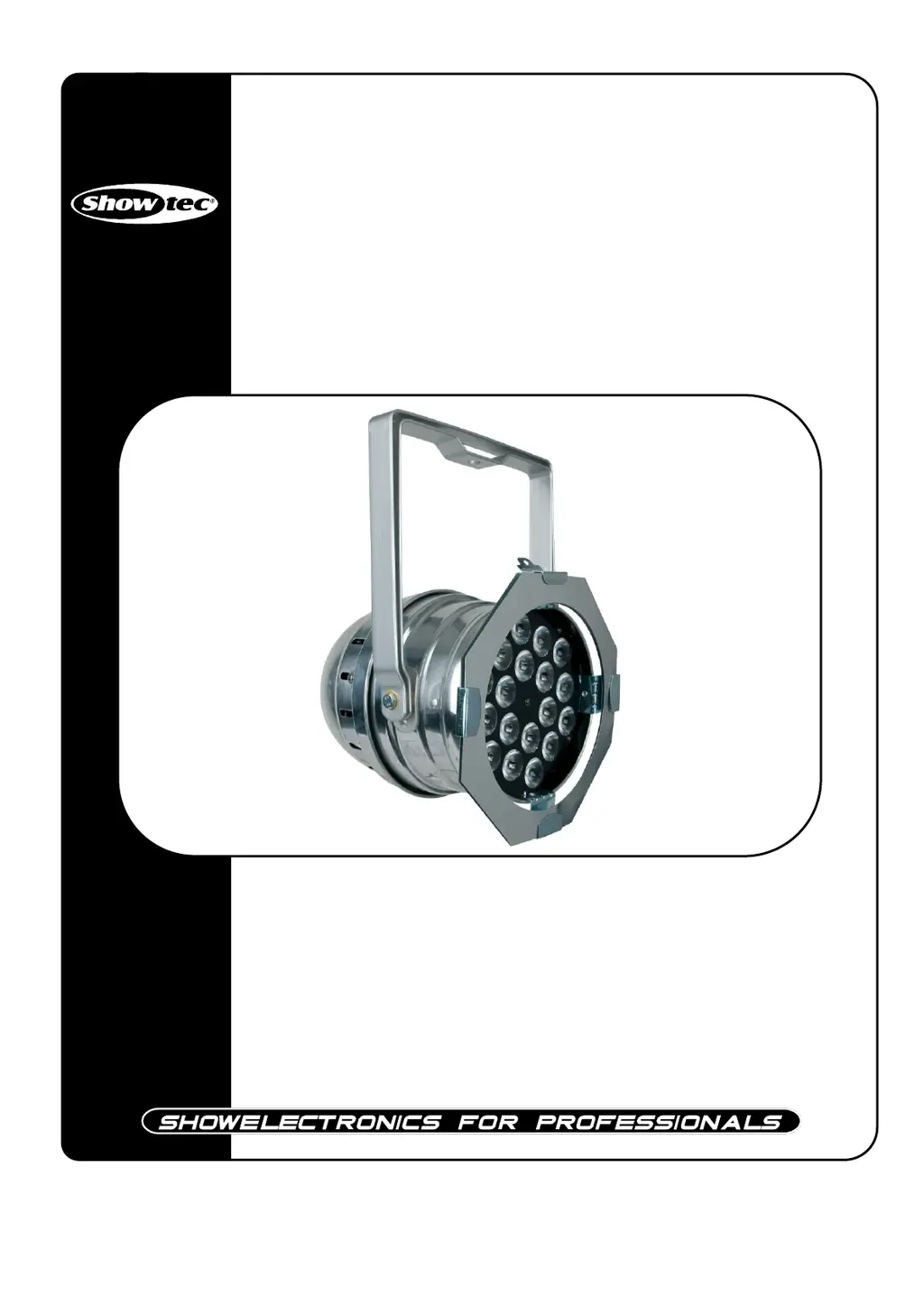
LED Par 64 Short
ORDERCODE 42465

Questions and Answers

  • J
    jdavisJul 30, 2025
    How to fix a SHOWTEC LED PAR 64 SHORT Light Fixture with no light and no movement?
    • C
      Christopher GriffinJul 31, 2025
      If your SHOWTEC Light Fixture has no light and no movement, it could be due to the power supply or the fuse. First, check that the unit is properly plugged into an appropriate power supply. If the power supply is fine, replace the fuse. Refer to page 15 for instructions on replacing the fuse.
  • J
    Juan ChangAug 4, 2025
    What to do if my SHOWTEC Light Fixture doesn't respond to DMX?
    • J
      johnsonandrewAug 4, 2025
      If your SHOWTEC Light Fixture is not responding to DMX, the issue might be with the DMX cable, connectors, a controller malfunction, or a light effect DMX card malfunction. Here are some steps to troubleshoot: * Check the DMX cable: Unplug the unit, change the DMX cable, and then reconnect it to electrical power. * Determine whether the controller or light effect is at fault. Does the controller operate properly with other DMX products? If not, take the controller in for repair. If so, take the DMX cable and the light effect to a qualified technician.
  • M
    Michael DanielAug 8, 2025
    Why are one or more SHOWTEC Light Fixtures completely dead?
    • J
      Jeff BeasleyAug 8, 2025
      If one or more SHOWTEC Light Fixtures are completely dead, the cause may be no power to the fixture or a blown primary fuse. Check that the power is switched on and the cables are plugged in. If the power is on, replace the fuse.
  • L
    Laura WardAug 17, 2025
    Why do all SHOWTEC Light Fixtures respond erratically or not at all after resetting?
    • T
      Todd AndersonAug 17, 2025
      If all SHOWTEC Light Fixtures respond erratically or not at all to the controller after resetting, the controller might not be connected, or the 3-pin XLR Out of the controller might not match the XLR Out of the first fixture. Ensure the controller is connected. If it is, install a phase-reversing cable between the controller and the first fixture on the link.
  • A
    alexfoxAug 21, 2025
    Why does the lamp in my SHOWTEC LED PAR 64 SHORT Light Fixture cut out intermittently?
    • A
      Angel PerezAug 21, 2025
      The lamp in your SHOWTEC Light Fixture may cut out intermittently if the fixture is too hot, or if the power supply settings do not match the local AC voltage and frequency. Allow the fixture to cool and improve the air conditioning. Disconnect the fixture and check the power supply settings, correcting them if necessary.
  • Z
    Zachary FoxAug 26, 2025
    How to troubleshoot no light on SHOWTEC LED PAR 64 SHORT?
    • E
      Eric ReeseAug 26, 2025
      If there is no light coming from your SHOWTEC Light Fixture, it could be due to the power supply settings or damaged LEDs. Disconnect the fixture and check the settings to ensure they match the local AC voltage and frequency. If the settings are correct, the LEDs may be damaged; in that case, disconnect the fixture and return it to your dealer.
  • R
    Rhonda BrooksNov 11, 2025
    What to do if SHOWTEC Light Fixtures reset correctly, but some respond erratically to the controller?
    • J
      Jared McgeeNov 11, 2025
      If your SHOWTEC Light Fixtures reset correctly but some respond erratically or not at all to the controller, it could be due to poor data quality, a bad data link connection, the data link not being terminated, incorrect addressing, a defective fixture, or mismatched XLR pins. Here's how to troubleshoot: * Check data quality. If much lower than 100 percent, the problem may be a bad data link connection, poor quality or broken cables, missing termination plug, or a defective fixture disturbing the link. * Inspect connections and cables. Correct poor connections. Repair or replace damaged cables. * Insert a termination plug in the output jack of the last fixture on the link. * Check the address setting. * Bypass one fixture at a time until normal operation is regained: unplug both...

Summary

WARNING

Unpacking Instructions

Steps to unpack and check the product contents upon delivery.

LED Expected Lifespan

Information on the estimated lifespan of the LEDs and factors affecting it.

General Safety Guidelines

Essential safety directives for operating and maintaining the device.

Specific Safety Precautions

Detailed rules covering power, environment, and physical handling of the unit.

Eye Safety Warning

Warning against looking directly into the light source due to potential eye damage.

Operating Determinations and Rigging

Operating Conditions

Specifies conditions like operating time, temperature, and humidity for proper device function.

Rigging Procedures and Safety

Guidelines and safety measures for installing and rigging the LED Par 64.

Mains Connection, Returns, and Claims

Connecting to the Mains

Instructions on how to properly connect the device to the power supply.

Return Procedure

Steps and requirements for returning the product for service or replacement.

Handling Claims

Procedures for submitting claims related to product defects or shipping damage.

Device Description and Installation

Product Features

Lists the key features and specifications of the LED Par 64 unit.

Overview and Components

Visual overview of the device and identification of its main parts.

Initial Installation

Steps for preparing and connecting the device before operation.

Setup and Operation Basics

Initial steps for setting up and operating the LED Par 64.

Control Modes

Stand-alone Operation (Auto Run)

How to operate a single unit using built-in programs or auto-run mode.

Sound-Controlled Operation

Instructions for operating the device using sound activation mode.

Master;Slave Configuration

Setting up multiple units to synchronize using master/slave mode.

DMX Control and Setup

DMX XLR Connection Details

Explains DMX signal connections and pin assignments for XLR.

DMX Linking Procedure

Step-by-step guide for connecting multiple units in DMX mode.

Fixture Linking and Data Cabling

Fixture Linking Guidelines

Rules for daisy-chaining fixtures and maximum device limits on a data link.

Recommended DMX Cables

Details on recommended DMX cables and their order codes.

Control Panel and DMX Addressing

Control Panel Overview

Identification and function of the buttons and display on the control panel.

DMX Control Mode Explained

How the device operates in DMX mode and responds to control signals.

Setting DMX Addresses

Procedure for assigning unique DMX addresses to each fixture.

Troubleshooting DMX Communication

Common issues and solutions for DMX signal reception problems.

Menu Navigation and Options

Auto Program Menu

Navigating the menu to select auto-run programs and their settings.

DMX Address Menu

Accessing and setting the DMX address for the fixture.

Slave Mode Menu

Configuring the fixture to operate as a slave device.

Sound-Controlled Menu

Options for setting up sound-activated modes and sensitivity.

Built-in Programs Menu

Selecting and customizing different built-in lighting programs.

Main Menu Configuration

Auto Run Program Settings

Customizing speed, flash frequency, and fade time for auto-run modes.

DMX Mode Selection

Choosing between 5-channel and 3-channel DMX modes.

Slave Mode Configuration

Setting the unit to operate as a slave device in a master/slave setup.

Sound Control Mode Configuration

Adjusting sensitivity for sound-activated operation.

Built-in Program Customization

Built-in Programs Overview

Selecting and configuring different built-in programs (Pr01-Pr07).

Program Parameter Control

Adjusting color values (Red, Green, Blue) and flash frequency for programs.

DMX Protocol Details

5-Channel DMX Mode (d-P1)

Detailed breakdown of DMX channels 1-5 for Red, Green, Blue, Dimmer, and Strobe.

3-Channel DMX Mode (d-P2)

Detailed breakdown of DMX channels 1-3 for Programs, Speed, and Strobe.

Maintenance and Troubleshooting

General Maintenance

Recommendations for keeping the unit clean and ensuring longevity.

Fuse Replacement Procedure

Step-by-step guide to safely replace a blown fuse.

Troubleshooting: No Light;Movement

Steps to diagnose and fix issues where the fixture shows no light or movement.

Troubleshooting: DMX Issues

Steps to diagnose and resolve problems related to DMX signal reception.

Product Specifications

Device Specifications

Detailed technical specifications including power, LED type, dimensions, and weight.

Safety Distances

Recommended minimum distances from flammable surfaces and lighted objects.

SHOWTEC LED PAR 64 SHORT Specifications

General IconGeneral
TypeLED PAR
ModelLED PAR 64 SHORT
LED ColorsRGB
Beam Angle25°
Protection ClassIP20
Power SupplyAC 100-240V, 50/60Hz
ControlDMX, Master/Slave
HousingAluminum

Related product manuals