EasyManua.ls Logo

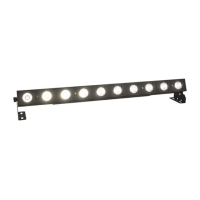
SHOWTEC Sunstrip LED V1 - User Manual

SHOWTEC Sunstrip LED V1
32 pages
Print Icon
To Next Page IconTo Next Page
Loading...
Sunstrip LED V1
Highlite International B.V. Vestastraat 2 6468 EX Kerkrade the Netherlands
Ordercode: 30752
MANUAL
ENGLISH

Questions and Answers

  • Y
    ymoralesAug 9, 2025
    How to fix SHOWTEC Sunstrip LED V1 with no light?
    • D
      Dylan PerezAug 10, 2025
      If your SHOWTEC Light Fixture has no light, there are several potential causes. First, check if the unit is properly plugged into an appropriate power supply. If the power supply is fine, inspect the fuse and replace it if necessary. If these steps don't resolve the issue and all seems okay, try plugging the unit in again. If the LEDs are the problem or the issue persists, it's recommended to return the Sunstrip or device to your Showtec dealer.
  • R
    Ryan TranAug 14, 2025
    What to do if SHOWTEC Sunstrip LED V1 Light Fixture has no response to DMX?
    • C
      Cameron LopezAug 14, 2025
      If your SHOWTEC Light Fixture isn't responding to DMX, begin by checking the DMX settings to ensure the DMX addresses are correct. Next, inspect the DMX cable by unplugging the unit, changing the DMX cable, and then reconnecting the power. Finally, determine whether the controller or the light effect itself is at fault.
  • S
    Sarah EvansAug 19, 2025
    Why one or more SHOWTEC Light Fixtures do not function at all?
    • G
      Gary DudleyAug 19, 2025
      If one or more SHOWTEC Light Fixtures aren't functioning, first ensure that power is switched on and all cables are securely plugged in. If the issue persists, check the primary fuse and replace it if it's blown.
  • S
    Savannah Collier DDSAug 25, 2025
    What to do if SHOWTEC Light Fixture LEDs cut out intermittently?
    • M
      Mrs. Natalie Young MDAug 25, 2025
      If the SHOWTEC Light Fixture experiences intermittent light or LED cutouts, the fixture may be overheating, so allow it to cool down. Clean the fan and make sure air vents are not blocked. Turning up the air conditioning may also help. Check that the power supply settings match your local AC voltage and frequency, correcting if necessary. If the LEDs are damaged, disconnect the fixture and return it to your dealer.
  • W
    William HayesAug 29, 2025
    How to troubleshoot SHOWTEC Sunstrip LED V1 when some respond erratically?
    • S
      Scott HardinAug 30, 2025
      If SHOWTEC Light Fixtures reset correctly but some respond erratically, it could be due to poor data quality. Check the data quality. Inspect connections and cables, correcting poor connections and replacing damaged cables. Ensure the data link is terminated with a 120 Ohm termination plug in the output jack of the last fixture on the link. Verify the address settings. Bypass one fixture at a time to identify any defective fixture disturbing the link by unplugging both connectors and connecting them directly together. If the 3-pin XLR Out on the fixtures does not match (pins 2 and 3 reversed), install a phase-reversing cable between the fixtures or swap pin 2 and 3 in the fixture that behaves erratically. If problem persists, have the defective fixture serviced by a qualified technician.
  • M
    margaret22Sep 3, 2025
    Why all SHOWTEC Light Fixtures respond erratically to the controller?
    • J
      Julie WatsonSep 3, 2025
      If all SHOWTEC Light Fixtures reset correctly but respond erratically or not at all to the controller, ensure the controller is properly connected. If the 3-pin/5-pin XLR Out of the controller doesn't match the XLR In of the first fixture (signal reversed), install a phase reversing cable between the controller and the first fixture.

SHOWTEC Sunstrip LED V1 Specifications

General IconGeneral
TypeLED Bar
ModelSunstrip LED V1
Light SourceLED
LED Quantity10
Input Voltage100-240V AC, 50/60Hz
ColorBlack
IP RatingIP20
Control ProtocolDMX512
DMX Channels1, 2, 5, 10

Related product manuals