EasyManua.ls Logo

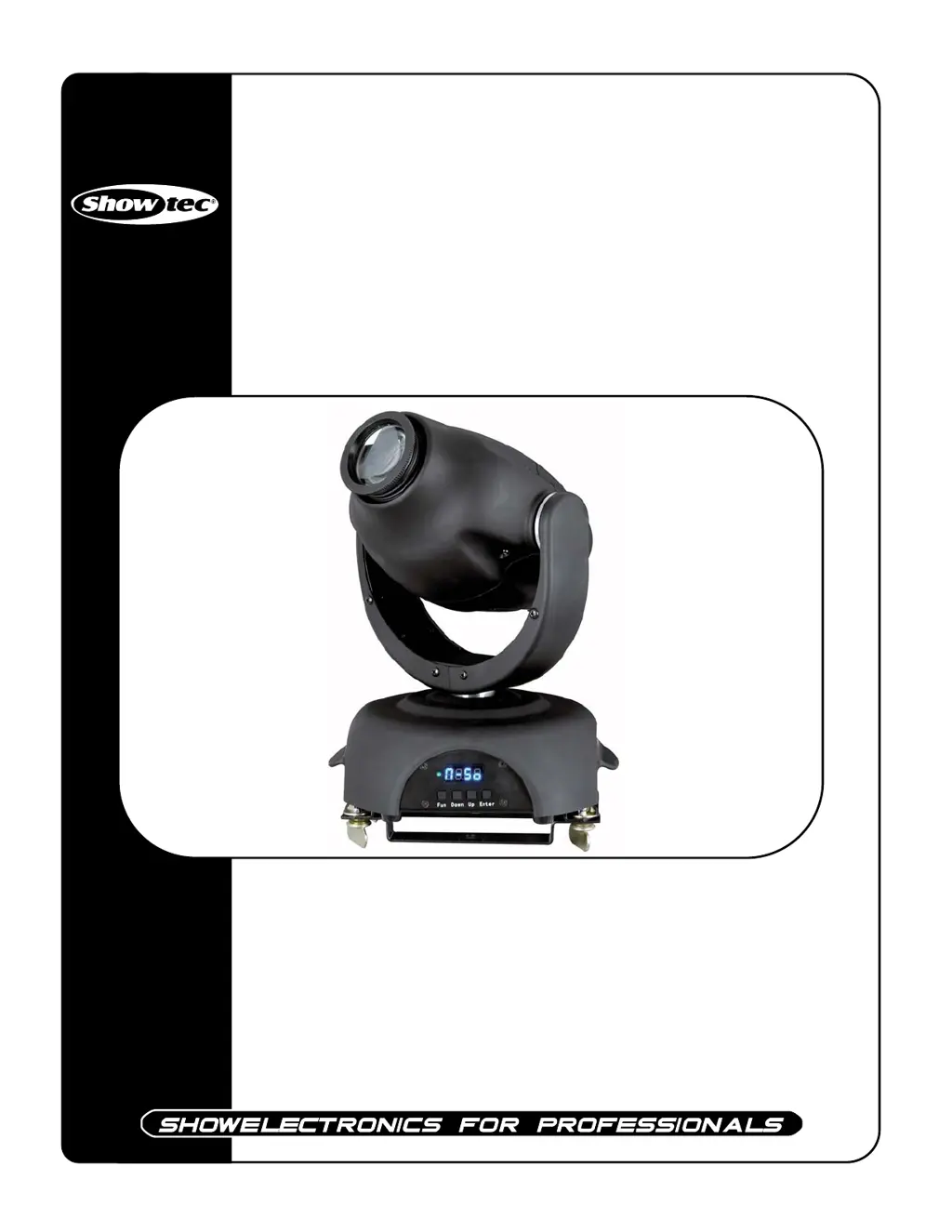
SHOWTEC MiniMax 250 - User Manual

SHOWTEC MiniMax 250
21 pages
Print Icon
To Next Page IconTo Next Page
Loading...
MiniMax 250
ORDERCODE 40360

Questions and Answers

  • K
    Kristin GrimesJul 30, 2025
    How to troubleshoot no light and no movement in my SHOWTEC MiniMax 250?
    • R
      Richard MurphyJul 30, 2025
      If your SHOWTEC Light Fixture has no light and no movement, there are several potential causes. First, ensure the unit is properly plugged into an appropriate power supply. Second, the lamp may be old and need replacement with a new one that has the same specifications. Finally, check the fuse and replace it if necessary.
  • C
    Courtney MillerAug 3, 2025
    What to do if my SHOWTEC Light Fixture is not responding to DMX?
    • S
      Sherry GrayAug 3, 2025
      If your SHOWTEC Light Fixture is not responding to DMX, consider these potential causes. First, check the DMX cable by unplugging the unit, changing the DMX cable, and then reconnecting to electrical power. Second, determine whether the controller or the light effect is at fault. If the controller doesn't operate properly with other DMX products, it may need repair. If the controller works with other products, the light effect DMX card may be malfunctioning, in which case you should take the DMX cable and the light effect to a qualified technician.
  • K
    Kimberly DavisAug 7, 2025
    Why are one or more of my SHOWTEC Light Fixtures completely dead?
    • F
      Fred NorrisAug 7, 2025
      If one or more of your SHOWTEC Light Fixtures are completely dead, the most likely cause is a lack of power to the fixture. Check that the power is switched on and that all cables are securely plugged in.
  • E
    Elizabeth ThompsonAug 11, 2025
    Why is there no light coming from my SHOWTEC MiniMax 250 Light Fixture?
    • R
      Randall OlsonAug 11, 2025
      If your SHOWTEC Light Fixture has no light, first, check if the power supply settings match your local AC voltage and frequency. Disconnect the fixture and correct the settings if necessary. Second, the lamp may be missing or blown, so disconnect the fixture and replace the lamp.
  • S
    sharon99Aug 20, 2025
    Why does the lamp in my SHOWTEC MiniMax 250 Light Fixture cut out intermittently?
    • M
      Michael GarciaAug 20, 2025
      If the lamp in your SHOWTEC Light Fixture cuts out intermittently, it could be due to the fixture overheating. Allow the fixture to cool, clean the fan, and ensure that the air vents at the control panel and front lens are not blocked. Increasing the air conditioning in the room can also help. Another potential cause is that the power supply settings do not match your local AC voltage and frequency. Disconnect the fixture and check the settings, correcting them if necessary.
  • R
    Rachel ChangAug 25, 2025
    Why do all my SHOWTEC Light Fixtures respond erratically after resetting?
    • L
      laurenwhiteAug 25, 2025
      If all of your SHOWTEC Light Fixtures reset correctly but respond erratically or not at all to the controller, it may be due to the controller not being connected. Connect the controller. Another potential cause is a mismatch between the 3-pin XLR Out of the controller and the first fixture on the link. To solve this, install a phase reversing cable between the controller and the first fixture on the link.
  • W
    Wendy MosleyNov 15, 2025
    What to do if SHOWTEC Light Fixtures reset, but some respond erratically?
    • N
      Nicole WebbNov 15, 2025
      If your SHOWTEC Light Fixtures reset correctly but some respond erratically or not at all to the controller, several issues could be at play. Here’s what to check: * **Data Quality:** Ensure data quality is high. Low data quality may indicate a bad data link connection, poor quality or broken cables, a missing termination plug, or a defective fixture. * **Data Link Connection:** Inspect connections and cables for damage. Repair or replace any damaged cables. * **Termination Plug:** Ensure a termination plug is inserted in the output jack of the last fixture on the link. * **Addressing:** Verify the address settings of the fixtures. * **Defective Fixture:** Bypass one fixture at a time to see if normal operation returns. Have the defective fixture serviced by a qualified technici...

Summary

Safety, Installation, and Operation

Safety Instructions and Rigging

Essential guidelines for safe installation, operation, and handling of the fixture, including rigging procedures.

Lamp and Setup Procedures

Step-by-step guides for lamp replacement, single unit setup, and multiple unit connections.

Product Description and Features

Key Features Overview

Details the primary functionalities and components of the Showtec MiniMax moving head.

Device Backside Ports

Identifies and explains the connectors and ports on the rear of the unit.

DMX Control and Protocol

DMX Addressing and Modes

How to set addresses and select control modes (DMX, Stand-alone, Master/Slave).

Control Panel and Channel Functions

Details on navigating menus, buttons, DMX channel assignments, and control features.

Maintenance and Troubleshooting

Routine Maintenance

Recommendations for cleaning and upkeep of the moving head fixture.

Lamp and Fuse Replacement

Procedures for replacing the lamp and fuses when necessary.

Troubleshooting Common Issues

Guides users through diagnosing and resolving common operational problems.

Product Specifications

SHOWTEC MiniMax 250 Specifications

General IconGeneral
BrandSHOWTEC
ModelMiniMax 250
CategoryLight Fixture
LanguageEnglish

Related product manuals