WARNING: Never use the machine when the angle adjuster is not properly in place. Not doing so can
result in serious injury or death
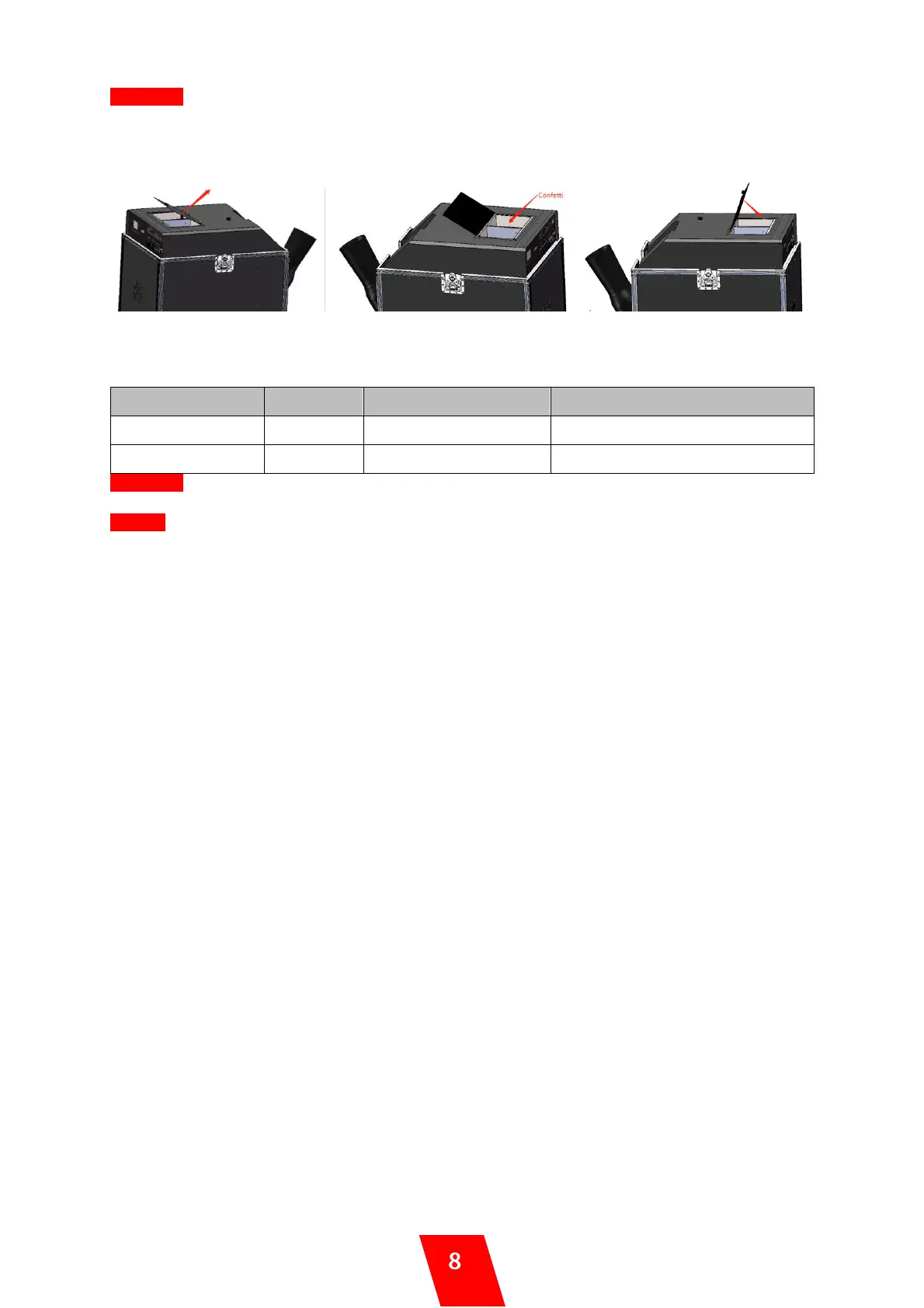
3. Fill the machine with confetti
3.1 Open the hopper lid 3.2 Fill hoppers with confetti 3.3 close the hopper lid
uFetti Blower with two independently controllable hopper, please fill the hopper with SHOWVEN original
confetti accordingly.
Consumption Rate (dual hopper)
WARNING: Using any other objects other than SHOWVEN® CONFETTI can lead to death or serious
injury.
NOTICE: Do not fill machine with used confetti, it may cause the machine block.
4. Connecting uFetti Blower
a) Connect a power cable to the POWER IN socket of uFetti Blower. Connect the other end of power
cable to the power source. Make sure power supply in consistent with the rated voltage of the
equipment, and the socket must well grounded.
b) Power ON uFetti Blower
DMX control, Please follow below steps:
c) Connect a DMX cable to the DMX IN socket of first unit of uFetti Blower, another head of this DMX
cable connect to DMX console (such as FXcommander). Make sure the DMX console is powered off.
d) Connect a DMX cable to the DMX OUT socket of previous uFetti Blower, and the other end to the
DMX IN of next machine. Connect all devices in series in this way.
e) Suggest to plug in a DMX terminator into the DMX OUT in last unit of machine to improve signal
reliability. For distance >200m please use SHOWVEN DMX splitter 8 to amplify the signal.
f) Assign DMX address for each unit of uFetti Blower. If use SHOWVEN host controller or
FXcommander to control the machine please allocate a unique DMX address for each unit of
machine.
g) Power ON DMX console
5. Firing (DMX or Manual control)
Double confirm the prescribed safety isolation zone is clear, no person, animal or other property within
this region. Make sure no objects block the air inlet ports.
DMX Control:
a) Activate the safety channel and enable device, the ARM indicator light blinking.
b) Activate the effect by setting the DMX value of hopper 1 and/or hopper 2. The output density will
increase as DMX value increase from 10 to 255. By activating one or both hoppers, the fan will start
blowing.
c) Adjust the effect density of each hopper during the effect duration if desired.
d) Change the DMX values of both output hopper 1 and hopper 2 below 10, then deactivate the
enable address of safety channel. The ARM indicator light will OFF.
Manual Control:
To blow uFetti Blower manually please disconnect DMX connection, press and hold “RUN” button
on LCD screen to start the machine. Press “STOP” to stop the output.


 To Next Page
 Loading...