*A = automatic *1 = low *2 = medium *3 = high
Detune
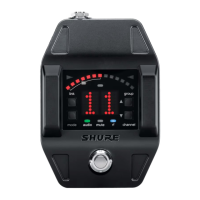
The tuner can be set to display standard tuning for instruments that have been detuned up sharp or flat in the following increments:
• Up to 5 steps sharp (#1-#2 -#3-#4-#5)
• Up to 6 steps flat (b6-b5-b4-b3-b2-b1)
The notation for standard tuning is b0
Example of note displayed in Detune
* dot appears on the display as a reminder that the pedal is detuned.
Sharps and Flats
Adds sharp or flat symbols to the display of non-natural notes.
Sharps and Flats Flats only Sharps only
Reference Pitch
The reference pitch can be offset from standard A440 in a range of 432 Hz to 447 Hz in 1 Hz increments.
When adjusting the pitch, the last 2 digits of the value will be displayed. For example, "32" would appear on the display when the pitch has been set to 432 Hz.
A dot appears on the display as a reminder that the reference pitch has been offset.
Shure IncorporatedGLXD6 Guitar Pedal Receiver with Integrated Tuner
11/172017/09/15


 To Next Page
 Loading...







