EasyManua.ls Logo

Shure MVI - User Manual

Shure MVI
14 pages
Print Icon
To Next Page IconTo Next Page
Loading...
MVi
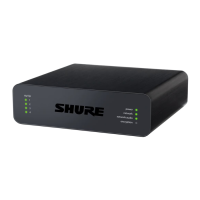
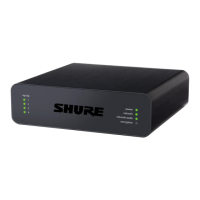
Digital Audio Interface
The Shure compact digital audio interface, MVi, user guide.
Version: 4.0 (2022-B)

Other manuals for Shure MVI

Questions and Answers

  • C
    Christopher ColeJul 27, 2025
    What to do if the audio is distorted on my Shure MVI?
    • M
      Michael WoodJul 27, 2025
      If the audio from your Shure Accessories is distorted, use the audio meter to ensure that volume peaks are within the target range. If the level is reaching the red peak indicator on the input meter, reduce the gain.
  • A
    Albert MckayAug 2, 2025
    Why does the audio sound unnatural or jittery on my Shure MVI Accessories?
    • M
      megan00Aug 2, 2025
      If the audio from your Shure Accessories sounds unnatural or jittery, ensure that the sample rate and bit depth microphone settings in your computer's sound control panel match the sample rate and bit depth selected in your software.
  • G
    gbryantAug 8, 2025
    What to do if audio is too low on Shure Recording Equipment?
    • K
      Katherine JohnsonAug 8, 2025
      If the audio level is too low, check the computer's sound control panel settings. When you initially connect the Shure Recording Equipment to your computer, increase the computer's volume level.
  • M
    Michael RiveraAug 14, 2025
    Why does audio sound bad on Shure Recording Equipment?
    • B
      byrdpaulAug 14, 2025
      If the audio quality is poor, check the computer's sound control panel to verify that the Shure Recording Equipment is fully plugged in and recognized by the system.
  • C
    carrollchristopherAug 20, 2025
    How to fix Shure Recording Equipment display if it does not illuminate?
    • M
      Maria ReedAug 20, 2025
      Make sure that the Shure Recording Equipment is fully plugged in.

Summary

Shure MVi Digital Audio Interface Overview

Key Features and Design

Lists the primary features and highlights the sleek, durable all-metal housing of the MVi device.

Device Connection and Operation

Provides a visual overview of the MVi's connections and basic operational components.

Getting Started with Quick Setup

Touch Panel Interface Controls

Explains the functions and operation of the MVi's intuitive touch panel interface.

Instrument Input Monitoring

Details how to monitor audio when using the 1/4" instrument input, including flat mode.

Rear Panel Connections

Ports and Indicators

Details the headphone output, microphone/instrument input, Micro-USB port, and phantom power indicator.

Using the MOTIV App

Device Setup and Configuration

Guides users through setting up the MVi device and adjusting recording settings via the MOTIV app.

Preset Modes for Audio Optimization

Explains the five selectable preset modes for optimizing equalization and compression.

Advanced Microphone Settings

Dynamic Processing Controls

Details limiter, compressor, and equalizer settings for fine-tuning audio recording quality.

Audio Level and Control Panel Management

Adjusting Microphone and Headphone Levels

Instructions for setting microphone gain and adjusting headphone monitoring volume.

Accessing Control Panels (PC;Mac)

Provides steps for accessing the device control panel on PC and Mac operating systems.

Monitoring, Sampling, and Troubleshooting

Input Metering and Monitoring

Guidance on using input meters for level adjustment and monitoring the audio signal.

Sampling Rate and Bit Depth Settings

Information on adjusting sampling rate and bit depth for different recording needs.

Troubleshooting Common Issues

Provides solutions for common problems like display issues, low audio, and distorted sound.

System Requirements and Specifications

Device Compatibility Requirements

Lists system requirements and compatibility for iOS, Android, Mac, and Windows devices.

Technical Device Specifications

Details specifications including MFi certification, DSP modes, input, output, and power requirements.

Accessories and Compliance

Included Accessories

Lists the accessories that are furnished with the MVi device.

Regulatory Compliance Information

Provides essential FCC, ICES, and CE compliance information for the user.

Shure MVI Specifications

General IconGeneral
DSP ModesSpeech, Singing, Flat, Acoustic Instrument, Loud
Bit Depth24-bit
Sample Rate48 kHz
Adjustable Gain Range0 to +36 dB
Phantom Power ProtectionYes
FunctionDigital audio interface
MaterialMetal
ColorBlack
CompatibilityiOS, Android, Mac
Frequency Response20 Hz to 20 kHz
Power RequirementsUSB-powered
InputXLR
Output3.5mm

Related product manuals