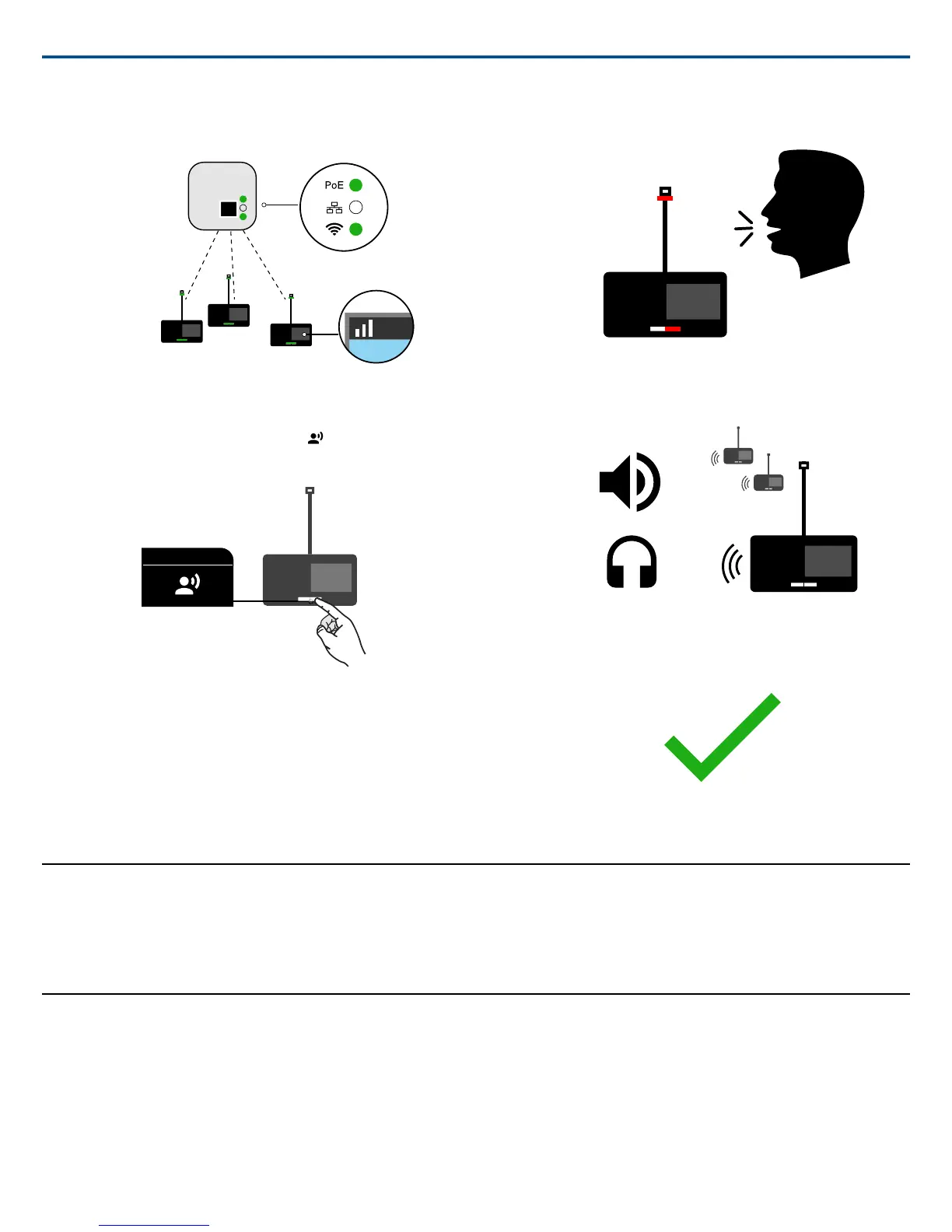
4. The devices are ready when the LEDs briefly flash green and the
touchscreen displays the home-screen.
PoE
MXCWAPT
MXCW640
Access point setup
Microphone unit setup
Perform a Soundcheck
1.
On one of the microphone devices, press the speak button to activate
the microphone.
PoE
MXCWAPT
MXCW640
Access point setup
Microphone unit setup
2. Speak into the microphone to check the audio.
PoE
MXCWAPT
MXCW640
Access point setup
Microphone unit setup
3. Listen to the sound check on the other devices' loudspeakers or head-
phone jacks.
PoE
MXCWAPT
MXCW640
Access point setup
Microphone unit setup
4. For more information, visit pubs.shure.com for the full user guide.
PoE
MXCWAPT
MXCW640
Access point setup
Microphone unit setup
Device Installation and Positioning
Visit to the online user guide for detailed templates, best practices, and in-
structions to install the device in a variety of ways:
• Junction box
• Walls
• Ceiling tile
• Microphone stand
Open the Web Application
The web application provides system setup, live device monitoring, and meeting controls from a computer or tablet.
1. Connect a computer or tablet to the access point network and subnet.
2. Find the access point IP address:
Shure IncorporatedMXCW Quick Setup
2017/11/172/8



 To Next Page