
 Need help?
Do you have a question about the Shure Sound Isolating Aonic 3 and is the answer not in the manual?
Earphone sleeves available in small, medium, and large sizes, made from pliable rubber for a good fit.
Foam sleeves should be compressed and inserted into the ear canal, held for ten seconds to expand.
For desired fit, scissors can be used to trim the stem on these earphone sleeves.
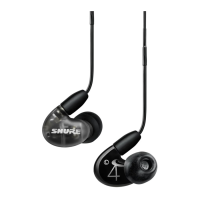
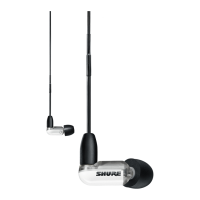
The Shure Aonic 3 Sound Isolating™ Earphones are high-definition audio devices designed to deliver a detailed soundstage while effectively blocking out external noise. These earphones are built with balanced armature speakers, ensuring a rich and clear audio experience. The design emphasizes both powerful sound performance and a stylish aesthetic.
A key feature of the Aonic 3 earphones is their Sound Isolating™ capability, which is achieved through a combination of their in-ear design and the selection of appropriate earphone sleeves. This isolation is crucial for maximizing bass response and ensuring an immersive listening experience by preventing outside noise from interfering with the audio.
The earphones come with a detachable cable, which offers several practical advantages. This design allows users to attach optional components, such as different types of cables or accessories, thereby expanding the functionality of the earphones. It also means that if the cable becomes damaged, it can be easily replaced without needing to replace the entire earphone unit. The connector for the detachable cable is designed for a snug fit to prevent accidental separation, yet it can be detached by grasping both the connector and the earphone body close to where they join and pulling straight apart. It's important not to twist or use tools during detachment to avoid damage. When reattaching, users should listen for a click and match the "L" and "R" markings (or color dots for clear cables: Red=Right, Blue=Left) to ensure correct orientation.
For optimal fit and sound isolation, users can choose from a variety of interchangeable Sound Isolating™ sleeves. The manual describes three types:
Changing sleeves is a straightforward process: users simply twist and pull to remove the current sleeve from the nozzle, then slide on a new sleeve, ensuring it completely covers the barb and the nozzle for a proper seal.
Wearing the earphones correctly is essential for achieving the best acoustic seal and maximum bass response. The recommended method is to wear them like earplugs. After selecting the appropriate sleeve and attaching it firmly, the earphone should be inserted firmly into the ear. The cable is designed to be worn over and behind the ear, and the cable cinch can be tightened to take up slack, which helps keep the earphones in place, especially during physical activity. If there is a noticeable lack of low-frequency response (bass), it indicates that the earphone sleeve is not forming a tight seal, and users should gently push the earphone deeper into the ear canal or try a different sleeve. It's crucial not to push the earphone sleeve beyond the ear canal opening. To remove the earphones, users should grasp the body of the earphone and gently twist to pull them out.
Maintenance and cleaning are important to ensure the longevity of the earphones and consistent sound quality. The manual provides specific instructions for cleaning the earphone nozzle and general care. If a change in sound quality is noticed, users should remove the sleeve and check the nozzle for any obstructions. A wire loop end of a cleaning tool can be used to clear blockages. If no obstruction is found or if sound quality doesn't improve, replacing the sleeve with a new one is recommended. It's cautioned not to force any object through the earphone nozzle, as this could damage the sound filter. The cleaning tool is exclusively for cleaning the earphones and should not be used for ears or foam sleeves to prevent injury.
The cable connectors to the earphones can accumulate debris, which might affect audio quality. If this occurs, the cables should be disconnected, and the connectors cleaned with a dry cotton swab.
General maintenance practices include:
To ensure product safety and performance, users are advised not to expose the earphones to extreme temperatures, to replace sleeves if they do not fit properly, and not to attempt to modify the product, as this would void the warranty and could lead to personal injury or product failure.
 General
| Type | In-ear |
|---|---|
| Cable | Detachable |
| Connector | 3.5 mm |
| Noise Isolation | Up to 37 dB |
| Driver | Single dynamic |
| Impedance | 36 ohms |






 To Next Page