SETTING UP
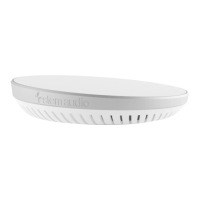
Stem Hub enables all endpoints to communicate with each other and
provides one place to make connections to external loudspeakers, Dante®
networks, and other conferencing interfaces for all Stem Ecosystem
devices.
1. Connect Hub to a network that supports PoE+ using an
Ethernet cable. This connection provides the device with
power, data, and other IoT and SIP capabilities.
Note: If your network doesn’t support PoE+, use a separate PoE+ injector or PoE+ enabled switch.
2. Plug your audio and conferencing devices into Hub using
the following connectors. These connections will be utilized
for all Stem Ecosystem devices on the network.
Dante:
Creates a single Dante output and input channel for all devices.
USB (Type B): Enables video and audio conferencing capabilities when
connected to your PC.
External Speakers: A female terminal block connector (unamplified) for
external speakers or amplifiers. Use with the provided male terminal
block connector.
3. Complete your setup using the Stem Ecosystem platform.
Important: To ensure that external loudspeakers perform properly, use Stem RoomAdapt.
Note: For more information on setting up your room, you can visit stemaudio.
com/manuals or stemaudio.com/videos.



 To Next Page