4
Mounting the Microphone
Installing the Memory Card and Batteries
On a Camera:
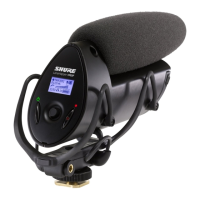
1. Slide the microphone onto the camera shoe.
2. Tighten the knurled ring to secure.
Tip: In addition to the vibration isolation provided by
the shock mount, the low-cut filter can be used to
further eliminate handling noise and low frequency
rumble.
The VP83F requires two AA batteries to operate (compatible with Alkaline,
NiMH, or Lithium). Installing a MicroSD memory card enables recording
functionality.
Audio is still passed through to the camera and headphone outputs if there is
no memory card installed.
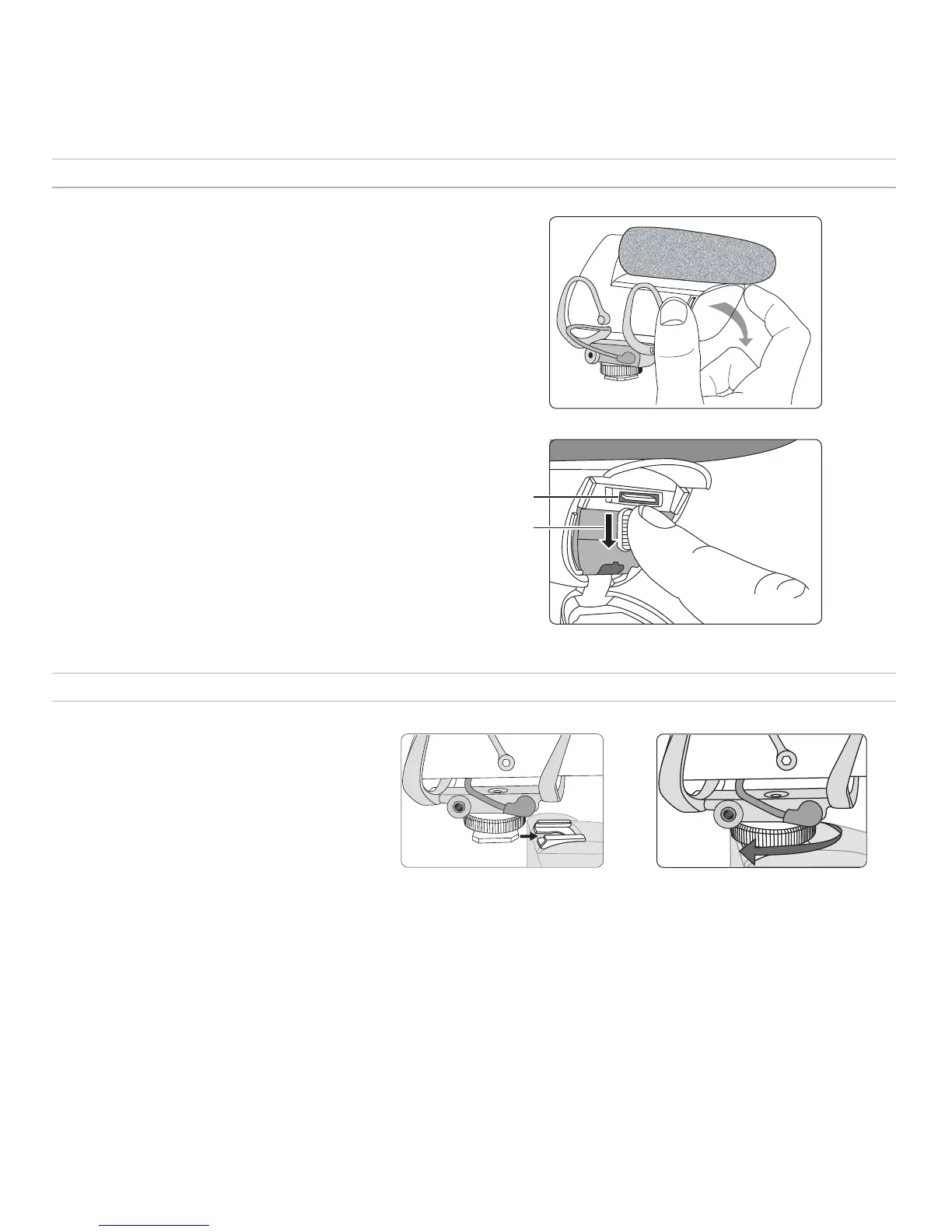
① Opening the front panel
Squeeze the latches on each side and open the front panel to access the
memory card and battery compartment.
② Installing the memory card
Always turn the power off before removing or installing a memory card.
To Install: Insert the card into the slot located above the battery door,
with the contacts facing up. When fully inserted, the card locks into place.
To Remove: Press the card to unlock it, then pull it from the device.
Note: Format the memory card in the device prior to first use. Refer to the memory
card requirements section in the user guide for additional information.
③ Installing and replacing batteries
Open the battery door located inside the front panel by pressing the
fastener down. Insert the batteries according to the polarity indicators.
Note: The battery door must be closed and latched before closing the front panel.
①
①
②
②
③
On a Tripod:
The 1/4 inch screw hole at the base of the shoe mount is compatible with tripods that have a 1/4 inch center column. Carefully rotate the microphone
clockwise to tighten onto a tripod. For other mounting solutions, such as microphone stands or boom poles, an adapter may be required.


 To Next Page